With the evolution in growth of the internet generation and rise of social networking, global connectivity has made us pay an unspoken price for it. We are talking about the massive lack of privacy that has come with the boon of informational abundance. Every action we take or discussion we partake in leaves an irrevocable digital imprint online that is tracked by large corporations, which can sell your private info to other businesses or can be hacked and manipulated by dangerous cyber criminals.
Hence, the transfer through the medium of the internet may be convenient but it still is risky. In the light of this, we bring all you privacy-conscious Big Brother-despising people a great set of Android apps to protect your privacy and uphold liberty apps by allowing you to create, share and secure files in a way nobody can look at them.
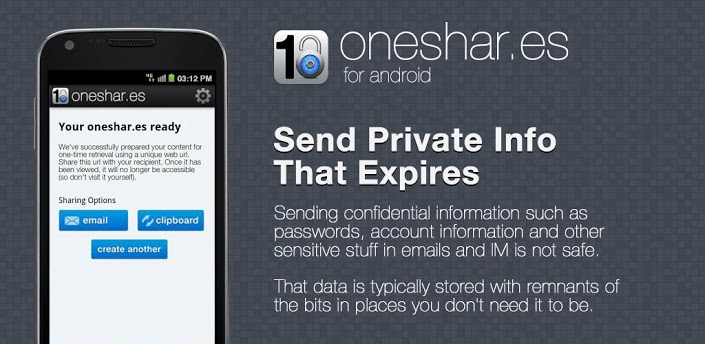
Here’s an Android app for those of you who use your devices to send important unreadable messages on the sharing space like messages and e-mail – Oneshar.es. These encrypted confidential details can be passwords, social security numbers, credit card numbers or anything else you feel is too secretive to share and leave a digital imprint of that can possibly be recovered and used against you by malicious entities. These confidential text messages are required to be either 1000 characters or less for effective use.
The IM platform as well established is not the best place for privacy or for sending secret messages. It consists of remnants of the message on locations where the message can be found. So Oneshar.es enables you to create a message and using its in built technology you can encrypt the message using a source code within the app.
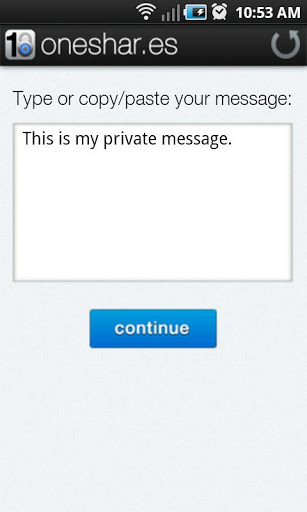
Oneshar.es features include:
- Uses HTTPS for encryption - from your phone to OneShar.es servers
- OneShar.es URL using built-in/default email app to send the message
- Clipboard copying from Oneshar.es
The use is relatively easy and a user can navigate through the simple app interface. Once the recipient having received the app, the secured URL with which it is attached immediately expires after they are done reading your message. It is an app straight out of a Mission Impossible movie and will make you feel like a top espionage agent once you get used to it.
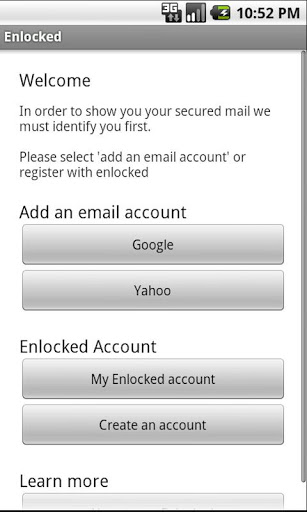
Enlocked is an Android app that gives you the most cutting-edge, easy to use e-mail encryptions on your Android devices. Enlocked encrypts your emails using the PGP software. The app manages all the hassling work and gives you a simple URL that you can use to send messages. Enlocked provides simple email security for everybody by providing apps or plugins that are extremely easy to download and easy to set up and they work with all the popular email providers including Gmail, Yahoo Mail, AOL, and Microsoft Live.
The app comes with variations as per the device you need it for – be it your Android smartphone, PC or your tablet, as well as for email clients such as Outlook for use with Exchange or other e-mail systems.
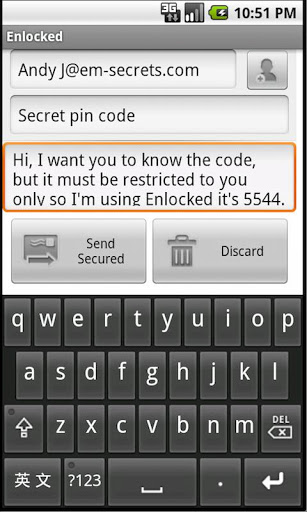
The app comes with a great “how to use” guide to allow you to send secured messages
The in-built messenger in the Enlocked app lets you send chat messages through it as well.