As a music aficionado, you may have tried and tried to recreate the awesome sound experience you get from your hi-fi home entertainment system or recreate the concert feel on your smartphone. However, it’s hard to do so because of 2 primary factors:
- Your smartphone speakers aren’t powerful enough
- Your audio presets have terribly monotonous customization options.
Although you may be handicapped to enhance your audio hardware power further, you can still do a lot more with the right music equalizer supporting your audio tracks on your device. Most smartphones don’t offer a lot of sound options, especially for playing music on the phone and hearing them through the earphones with a clear and crisp output of sound.
In such a case, an ideal music lover would love to listen to his music with the proper music ambience. Lucky for you, you don’t need to be a sound engineer nor do you need to shell out a bomb to upgrade to a super high-end device. The
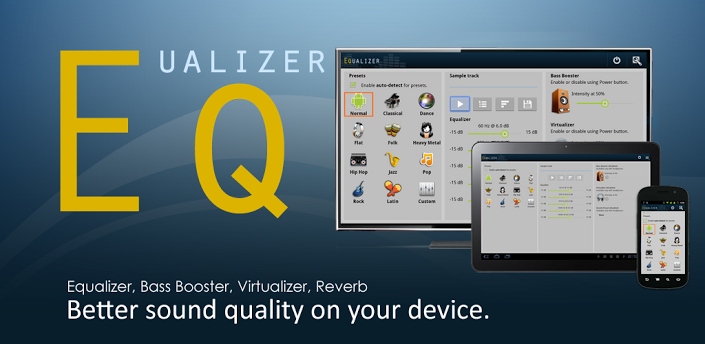
Equalizer app for Android is exclusively designed to adjust sound to match the right tune to your ears with perfection and treat you to the most visceral music experience ever.
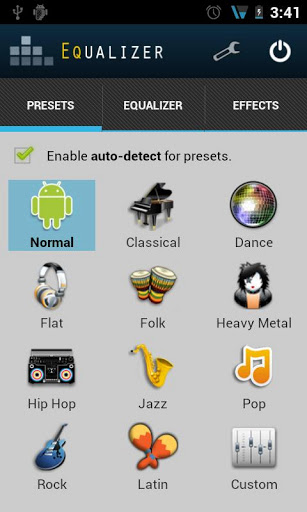
Equalizer brings the feel of music straight to your Android phone using a multitude of presets that give you a clear cut sound and a great feel.
These preset modes include:-
- Classical
- Dance
- Flat
- Folk
- Heavy Metal
- Hip Hop
- Jazz
- Pop
- Rock
- Latin
- Custom
Now each of these presets is backed by equalizer models in built within them.
You can choose the “Normal” mode as well. This auto detects the most appropriate mode or preset for the song and plays it accordingly.
The 5 band audio controller can be managed and manoeuvred to create your own custom sound effects too. This is truly a one-of-a-kind feature that isn’t found in many music equalizer apps these days.
Further to that you can use the equalizer on the audio sampler to set multiple presets too and experiment accordingly.
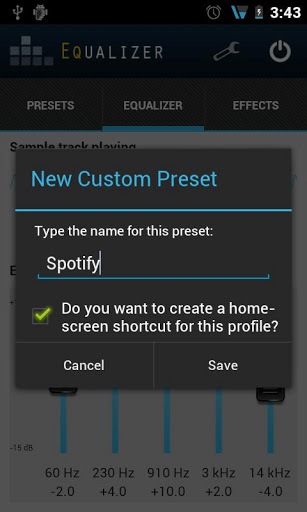
All you have to do is move your fingers over the 5 different levels and check what output suits you the most.
Save these to the SD card directly form he preset screen and play and pause it and find important details right there.
It also additionally has a bass booster and visualizer and an intensity level to change from 0% to 100%. The reverb preset also has various presets under it like large room, Hall, Auditorium etc.
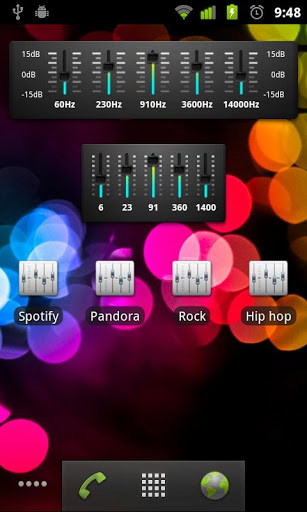
Equalizer is integrated not only with your Android music player but with your downloaded music apps like Pandora and Spotify too.
In addition to the above features Equalizer can be directly accessed from the home screen as you have multiple widget option and each preset has a widget too.
You can also have the 5 band equalizer appear on the home screen of your phone.
The phone must not be rooted necessarily and it is fully optimized for tablets and mobile devices too.
An extra bit to be done to access all the effects of the app is the unlock key that is available as an imperative addition to the working of the app.
Just download the key and install it on your Android device and the first time you open it a dialogue will be visible and then you will be taken straight to the app. That’s all that you really need to know to master this app and allow your smartphone audio experience to reach its true potential.
Equalizer is an app used by millions of Android users and as mentioned you don’t need to be an expert in sound, just know what you want your music to sound like and that’s it.
With a strong 4.5 star rating on the app, this one’s another must-have app to support your fancy music players on your Android device and take add whole new dimensions to your songs.