Have you ever tried reading something really intriguing only to be interrupted by some urgent work and not been able to catch up with it later? Yes, it’s the story of nearly every 21st century individual whose life is perpetually on the fast track with too much to read and too little time to read. Luckily, one of the reader-oriented Android apps called
Pocket has got it right and seems to be a promising solution to making readability more efficient and elegant. Pocket, the new incarnation of the Read it Later Android app, has simply renovated the user interface of their previous product while retaining the ingenuity of concept and compatibility with the previous archive and browser add-ons.
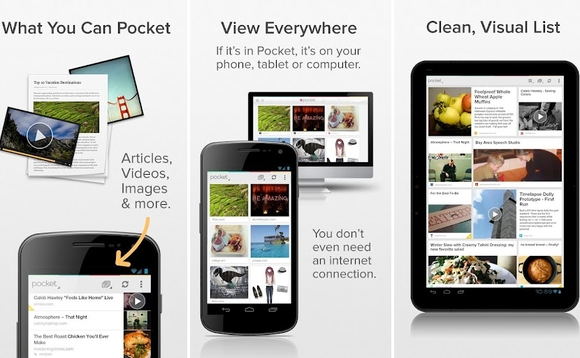
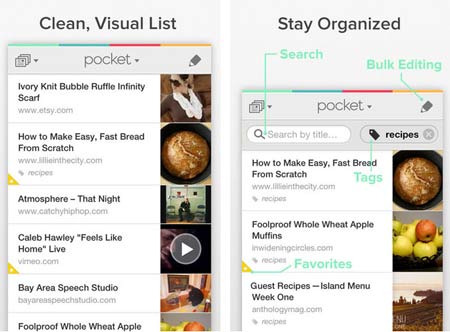
However, Pocket is much more than just a pretty paint job on a reading list. Its revamped layout now presents your saved articles along with their thumbnail images and better fonts. The article text is easily readable and well-spaced out. For bigger Android devices, Pocket’s layout of saved articles shifts into a grid format allowing you to browse through your articles in a classic newspaper-like fashion. One of the major benefits you gain with Pocket is that its offline syncing of content is now completely free.
Pocket’s simple slogan – “When you find something you want to view later, put it in Pocket” – does full justice to its actual features. A lot of people may not expect much from an app whose main function is just to save content from the internet for later access, yet Pocket manages to deliver a vast variety of features. Once started, the app will introduce you to its functionality with an easy and brisk walk-through.
The prime feature of Pocket is obviously the saving and actual reading back of content later; therefore, there are plenty of in-built features designed to enhance that experience. Adjustment of features like screen brightness, night mode, font size, thickness of text and text spacing can all be done without leaving the app with one-touch access. Pocket uses the awesome ‘Share’ menu feature of Androids to directly integrate any web content you are browsing on Google Reader, Pulse, StumbleUpon, etc. straight to Pocket without leaving your browser with just two taps on your Android device. Pocket also supports access to different mediums of content like YouTube, email, etc., which can be saved for later consumption as well.
Another cool feature of Pocket is its cross-platform compatibility which lets you save an article on your Android smartphone and allow you to access it even via your Android tablet or desktop. It is a handy feature for people who like to cycle between their gadgets or in case have forgotten one of their devices.
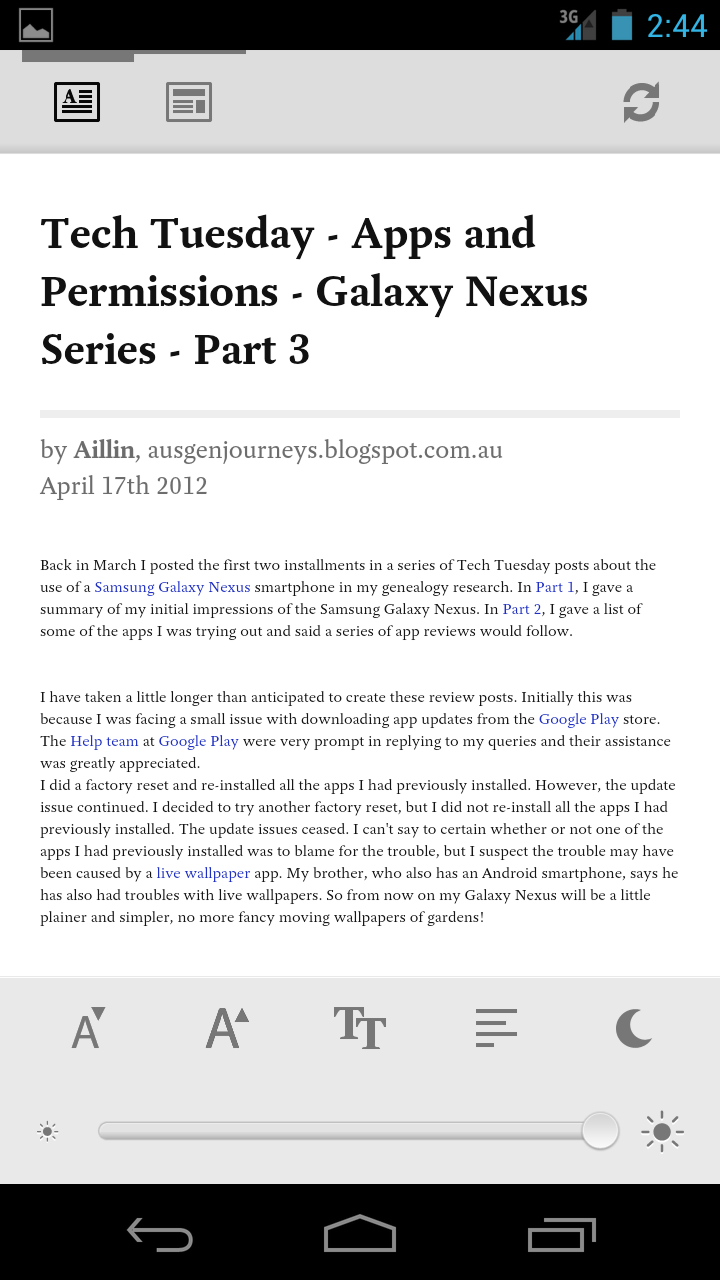
The dull interface of its earlier ‘Read It Later’ incarnation has been revamped with a bright and colorful user interface, making readability much more appealing to users. On opening a saved article, you can now press the bottom of the screen on your Android device to gain access to a host of different options which have been seamlessly blended in with your article text. You can mark an article read, set it as favorite and share it with other users as well. The added font customization and interface neatness makes Pocket unique and hold steady as one of the best reader-friendly apps available for Android users.