Wikipedia is one of the world’s largest and most useful websites. But Wikipedia has one limitation – you need the internet in order to access it.
Normally, having the internet isn’t a problem – until you’re out camping in the middle of nowhere can realize you need to find out what year World War II ended.
So what happens when you need to access Wikipedia but don’t have the internet? You bring Wikipedia to you, of course.
Downloading Wikipedia
Downloading pages from Wikipedia is surprisingly easy. Just
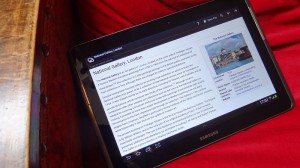
download an app called Kiwix for free from the Google Play Store. Then, navigate to the page that you want to download and let the app take a few minutes to download all the information on that page.
The Kiwix app has been officially endorsed by Wikipedia. Wikipedia
posted a link to Kiwix on its blog a few days ago and recommended it to any users looking to bring the famous encyclopedia with them offline.
Kiwis is also a superior solution to simply downloading HTML pages through your browser. Wikipedia pages are saved as ZIM files, which are built to be small and lightweight. That means you don’t take up an absurd amount of space on your SD card and you can download significantly more Wikipedia pages than you normally would be able to.
Why it’s useful
There are many reasons why offline Wikipedia would be useful. Just speaking from my own experience, you could use offline Wikipedia to:
-Avoid drawing too much data from your data plan
-Save several pages for a college research paper and then turn off your mobile connection to limit distractions
-Save useful pages for your next camping trip or journey away from electricity/the internet
-Something to read when you don’t have a mobile connection
-
The official Wikimedia blog argues that Kiwix is particularly useful for African students who may not have reliable access to electricity or the internet, so there’s that too
Can you actually download all of Wikipedia?
If you had a big enough SD card, you could download all of Wikipedia to your pocket.
Just kidding. You couldn’t, because
Wikipedia is several hundred terabytes in size. But way back in 2003, when Wikipedia was just young, you may have been able to download the entire database to your SD card. Back in February 2003, Wikipedia’s entire database was a mere 4GB in size, which would certainly fit on today’s SD cards.
Until they make an SD card big enough to fit several hundred terabytes of data, you’re not going to fit Wikipedia in your pocket any time soon. But if you only need a few pages for a project or a weekend trip away from your internet connection, downloading Wikipedia pages is extremely useful.