

How to Keep your Android’s Screen On for Longer
2 min read
Want to keep your Android’s screen on longer?
Today, I’m going to show you how. It’s a stupidly easy tip that many users are aware of.
Follow the steps listed below to easily change the length of time it takes for your screen to “timeout”:
Step 1) Go to Settings
Step 2) Go to Display
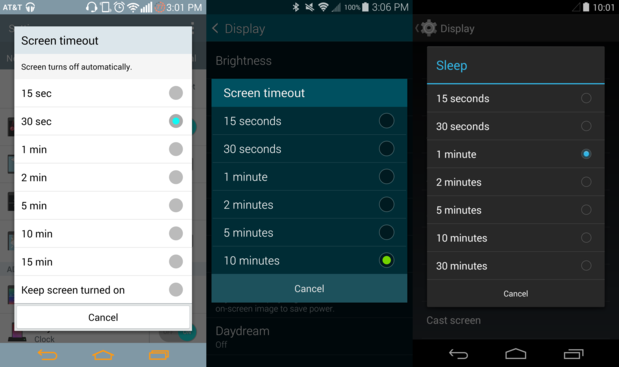
Step 3) Look for a “Screen timeout” or “Sleep” setting (it changes between devices)
Step 4) Choose the length of time you want your screen to stay on before it goes to sleep. Your screen will stay fully lit for this period of time before dimming and then turning off.
Most phones let you choose between 15 seconds and 15 minutes. I don’t know why you’d want to leave your phone’s screen on for 15 minutes, but hey, it’s an option. Nexus devices even let you leave your phone on for 30 minutes.
How to leave your phone’s screen on while charging
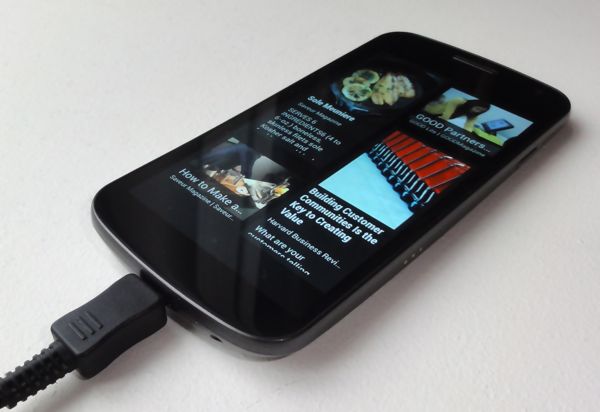
I don’t know about you, but sometimes I charge my phone within eyesight of wherever I’m working. When I look over to check my phone’s notifications, I have to wait for a little blue light to flash in the top left corner of the screen. That’s kind of annoying. Fortunately, there’s a way to avoid this problem and leave your screen on all the time while charging. Follow these steps to always leave your screen on while charging: Step 1) Unlock developer options on your device (go to Settings and tap “About Device” or “About” 7 times in a row) Step 2) In Developer Options, you’ll see an option that says “Stay awake” and explains that the “Screen will never sleep/timeout while charging.” Check the box beside that option. Step 3) Now, when your phone’s on the charger, the screen will constantly stay activated. You can turn off the display at any time by pressing the Power button on your device (just like you would normally turn off the screen). Alternatively, you can use your Android’s built-in Daydream feature to display a screensaver while your phone is charging.One Click Root Author
One Click Root Author
Content Writer
Experienced writer covering technology and mobile development.
You Might Also Like
How-To
Android 14 Root Methods: What Changed?
Explore the new root methods and security changes in Android 14.
How-To
Latest Android Security Updates Impact Root Access
Understanding how the latest security patches affect root methods.
How-To
Google Pixel 8 Pro Root Guide Released
Complete step-by-step guide to rooting the Google Pixel 8 Pro.
Comments
JD
John Doe
2 days ago
Great article! Very informative and well-written. Thanks for sharing.
JS
Jane Smith
5 days ago
I found the security section particularly helpful. Looking forward to more content like this!
Leave a Comment
Newsletter
Get the latest tech news delivered to your inbox weekly.
Popular Posts
-
1
Getting Started with Android Development
12.5K views
-
2
Best Practices for Mobile Security
8.2K views
-
3
Understanding Smartphone Hardware
6.8K views