

 Step 6) This is where things get cool. Yes, you can tell Google Glass to do just about anything. From going to your favorite website to recording a video. Although the app is a little buggy at the moment, it should be upgraded and improved over time.
Step 7) In order to do most of the cool things with Glass, you’ll need to download the other .apk files from the same folder found here: https://github.com/zhuowei/Xenologer
Step 8) Download and install the Hangouts, Maps, and Camera .apk files (along with any other Glass apps you would like)
That’s it! You should be able to access the official Google Glass app and most of its features on any Android 4.0 or higher device. If you’re having trouble getting the app to work, read through the comments on this article, where there’s a fair bit of troubleshooting going on. Enjoy!
Step 6) This is where things get cool. Yes, you can tell Google Glass to do just about anything. From going to your favorite website to recording a video. Although the app is a little buggy at the moment, it should be upgraded and improved over time.
Step 7) In order to do most of the cool things with Glass, you’ll need to download the other .apk files from the same folder found here: https://github.com/zhuowei/Xenologer
Step 8) Download and install the Hangouts, Maps, and Camera .apk files (along with any other Glass apps you would like)
That’s it! You should be able to access the official Google Glass app and most of its features on any Android 4.0 or higher device. If you’re having trouble getting the app to work, read through the comments on this article, where there’s a fair bit of troubleshooting going on. Enjoy!
How to Run Google Glass on your Android Smartphone
2 min read
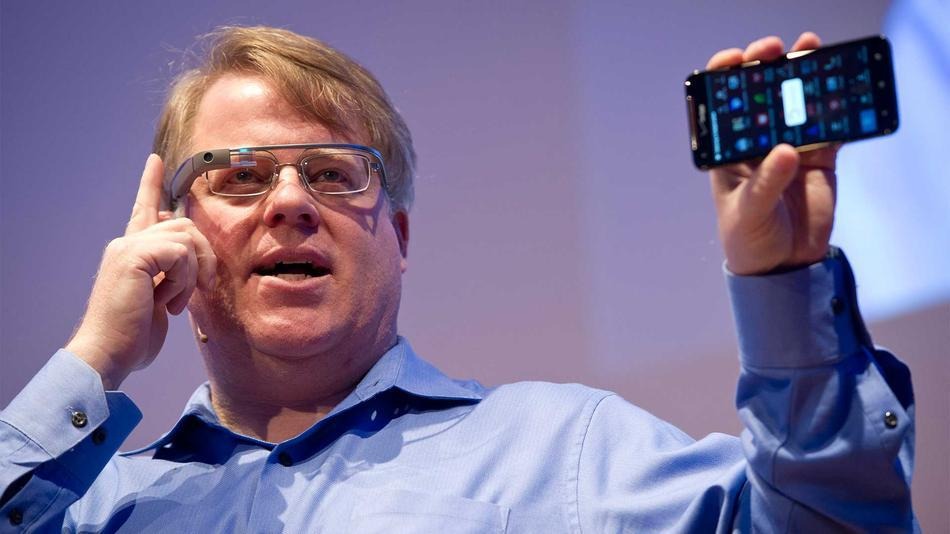
You’ve probably already heard about Google Glass, the sets of wearable high-powered eyeglasses that were recently distributed to a limited audience across the United States.
While Google Glass currently costs $1500, that doesn’t mean the average Android smartphone user can’t try out Google Glass for free. Today, we’re going to show you how to do that on just about any Android device.
An Android developer named Zhuowei Zhang created an .apk file that allows average Android users to access certain parts of Google Glass. Thanks to Zhang, anyone with Android 4.0 or higher can try out Google Glass for themselves by following the steps below:
Step 1) On your smartphone, go to https://github.com/zhuowei/Xenologer and download the glasshome-modded.apk file.
Step 2) Make sure your Android can download and install apps from third party sources by going to Settings > Security and checking the box beside Unknown Sources
Step 3) Tap the .apk file you downloaded in step 1 to install it
Step 4) Start the app and you will find the standard Glass home screen along with the clock that Glass users get projected onto their eyes
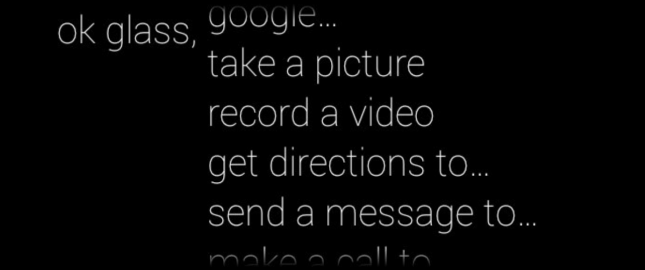
Step 5) Say ‘OK Glass’ out loud to access the menu and browse through the list of options
Step 6) This is where things get cool. Yes, you can tell Google Glass to do just about anything. From going to your favorite website to recording a video. Although the app is a little buggy at the moment, it should be upgraded and improved over time.
Step 7) In order to do most of the cool things with Glass, you’ll need to download the other .apk files from the same folder found here: https://github.com/zhuowei/Xenologer
Step 8) Download and install the Hangouts, Maps, and Camera .apk files (along with any other Glass apps you would like)
That’s it! You should be able to access the official Google Glass app and most of its features on any Android 4.0 or higher device. If you’re having trouble getting the app to work, read through the comments on this article, where there’s a fair bit of troubleshooting going on. Enjoy!
Step 6) This is where things get cool. Yes, you can tell Google Glass to do just about anything. From going to your favorite website to recording a video. Although the app is a little buggy at the moment, it should be upgraded and improved over time.
Step 7) In order to do most of the cool things with Glass, you’ll need to download the other .apk files from the same folder found here: https://github.com/zhuowei/Xenologer
Step 8) Download and install the Hangouts, Maps, and Camera .apk files (along with any other Glass apps you would like)
That’s it! You should be able to access the official Google Glass app and most of its features on any Android 4.0 or higher device. If you’re having trouble getting the app to work, read through the comments on this article, where there’s a fair bit of troubleshooting going on. Enjoy!
Newsletter
Get the latest tech news delivered to your inbox weekly.