The peak of augmented reality apps,
Google Sky Maps is an open source application literally donated by Google to the world of amateur and prospective astronomers. To start off and understand Google Sky Maps, it is essential that you understand the meaning of what augmented reality apps are.
In simple terms, these revolutionary new apps use effects that are created in a virtual environment and are a part of your computer and overlay them on the physical images you see around you in the real world. This in turn functions to give you a real time view of the element in play. Something as simple as a barcode scanner being incorporated into smart phones today is an elementary example.
You would be surprised to know that all you really need to get this magic started is a smartphone or tablet with a decent camera and a solid data connection.
Google Sky Maps extends the same principle of augmented reality uses your Android phone or tablet’s GPS services to give you precise details of stars that you see in the sky just by pointing your camera at them. This could be at any time of the day and not just at night. In addition to this, it also uses compass data and the date and time to give you a super-accurate picture of the stars, planets and constellations you are looking at.
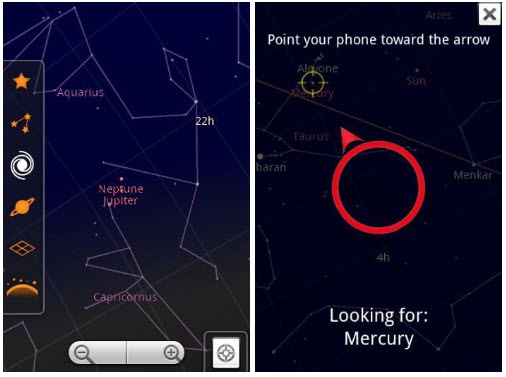
Suppose one night you look into the sky and are wondering what that particular star or constellation is, you now have to wonder no more to figure what the gorgeous yet confusing patterns seen in the nightsky represent. It’s simple. Just take out your Android smart phone and point it towards the sky and Google Sky Maps will tell you what you are looking at.
The shapes and sizes are visible to scale and the names are displayed explicitly under each object in the sky. The background resembles the sky completely and gives you a very picturesque view of the sky.
The labels have names and you can learn about different parts of the sky by clicking on them or just any other part of the screen.
This pulls out a side bar representing multiple elements of the sky that can be chosen to be viewed systematically on your Android device’s screen at your behest.
These elements include:-
- Starts
- Planets
- The Horizon
- Grids
If you want to scroll the sky without specific locations in mind, you can use the manual mode as well. This won’t tell you the location at where your phone is pointing at but you can freely scroll across the sky on the screen to check out various locations.
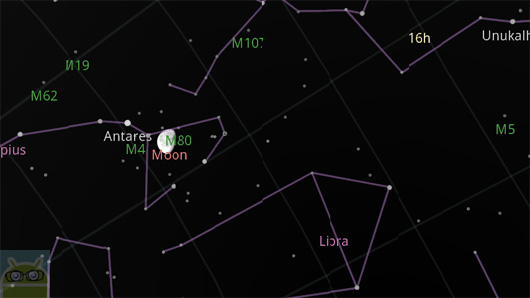
To have a more specific search, you can search for a planet or a star too. If you want to search for Uranus, type that in the search bar and it will present a red circle with an arrow. Follow this arrow, and on reaching the destination of the arrow, a circle blinks displaying your exact location.
The same functionality can be extended to the gallery in your Android device. Preset locations on the map are available with pictures of how they actually look in the sky.
Go to the gallery and select an image and follow the same procedure.
Examples of places can include:
- Mars
- Crab Nebula
- Hercules Global Cluster
- Eagle Nebula
- Andromeda Galaxy
- Whirlpool Galaxy
- Ring Nebula
The objective of Google Sky Maps is to ensure that you learn as much about the stars and the galactic universe using your phone to flaunt that extra piece of knowledge.
This free Android app is a great example of what AR apps can achieve and gives a whole new visual hand-on approach to interstellar education. It is a free gift from Google you must try and enjoy a slice of the next-gen experience promised by AR apps.