With a great Android phone comes a great number of apps, and with that comes a heavy toll on your RAM. It’s not something the smartphone and app developers advertise too merrily while marketing their cool services, but we all face this issue at some point or the other. Haven’t we all been tormented by a variety of monstrous apps that eat up your RAM, choke up your device cache and hamper processing speeds, especially if your Android device utilizes low powered processors.
The only way out sometimes is to shut the app from the app task manager, but that’s a daunting task and is quite cumbersome to carry out. Secondly, you also need to do it repetitively throughout the day for a few apps, which can turn out to be a nightmare. It eats into your patience and kills the productivity of your Android experience. Keeping this under consideration, the Android world saw the emergence of the
Easy Task Killer app that will bail any troubled Android user out of these problems within a matter of seconds.
The intelligent Android assistant that it is, Easy Task Killer ensures that your phone is charged much lesser than before and eliminates the most memory consuming apps.
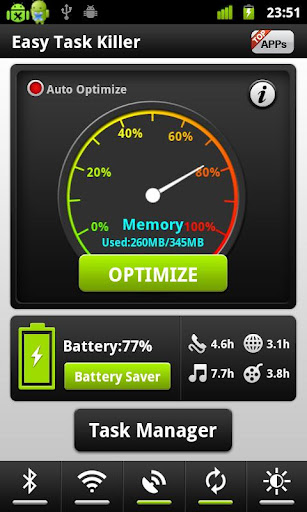
The screen opens up with a graphical pie chart with interactive colors that look like a speedometer.
From 0% in the green zone to 100% in the red zone, this diagram indicates the level of memory being used by your Android device via a needle.
It also tells you in numbers the used and available total memory for your further understanding. In order to get your slow Android device kicking back in action, all you have to do is click on the Optimize button in green located in the center of the screen.
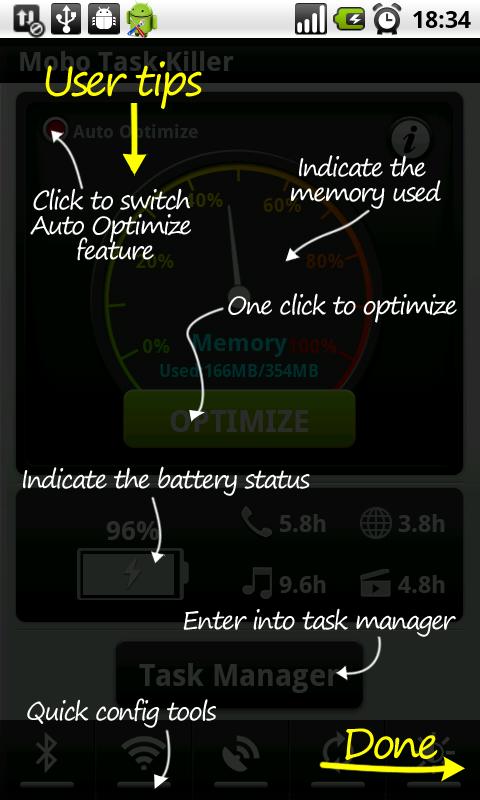
A marked change in the meter will then be visible testifying that the app is doing its job well and freeing up your internal device memory.
Further, there is even a cool Auto-Optimize button to the top left that will do the job even when you don’t tell it to by realizing when it’s time to run a quick check depending on how the phone is functioning and analyzing the unnecessary apps in the background that can be shut down.
A separate battery saver plug in is available which can be downloaded from the Easy Task Killer app directly.
A feature all would love and highly appreciate is the space in the right that tells you the time left specifically in each activity.
I.e. from the current level of battery it will tell you
5 hours of talk time remains
4 hours of video play remains
8.5 hours of music remains
3 hours of internet remains
All of this is visible uber the info tab on the main screen
On the tab right next to it called ‘Tasks’ the flowing is viewable:
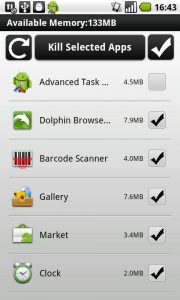
- A comprehensive list of all the apps that are playing loosely in the background which can be done away with by selecting on them.
- After selection click on the ‘kill selected apps’ in the middle of the screen
The next tab on the app screen will display to you all the statistics aggregated by it highlighting all the minor and major tasks that happened the previous day. The app tells you the MB of optimization it has undertaken.
You can view these details for a week or a month too in order to get a better idea of your long-term app data usage.
It tells you in detail which apps have been killed and how many times in the past. It also gives you tools from the net to operate all the more efficiently.
You can minimize the app with a pop up option and have the display of the battery percentage flashing at you at all times on the info tab.
So far, it has turned out to be a fairly well-rated app from critical opinion and after being rated by thousands of satisfied Android users. Easy Task Killers an easy to use and one hell of a babysitter app for your Android device that will make sure your device runs smooth and does not get plagued with slowdown issues again and again.