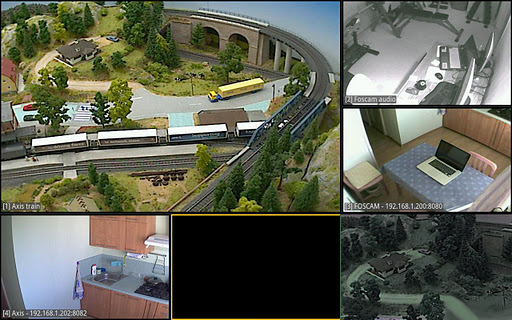
You can never be too secure these days. If you’ve ever worried about someone breaking into your home, then we’ve found an app for you. It’s called TinyCam Monitor, and it allows Android users to completely control and monitor their home security system from their Android device.
And, best of all, TinyCam Monitor is 100% free. There is a ‘Pro’ version, although most Android users will find it to be unnecessary. After installing the app and connecting it to your home security system, you can start viewing high-quality camera feeds within seconds. Simply open the app and your Android will load all of the screens currently setup in your home.
Got a webcam? You can use TinyCam
And when we say ‘home security system’, we mean any basic webcam. That’s right: this app will connect remotely to any webcam that can stream over the internet, which means you don’t have to own an expensive home security system in order to use it.
Sure, the framerate in TinyCam Monitor might not be perfect, but when you’re viewing several separate screens and streaming data from different feeds, then 8fps is an understandable limit. With TinyCam Monitor Free, users can view four different camera feeds on screen at any one time, although you can swipe the screen to move to a new page filled with streams.
Along with monitoring feeds from your own home security system, you can input online video feed data into TinyCam Monitor and view those webcams. So, if you’re checking up on road conditions or checking how busy your favorite beach is, you can do that with TinyCam (provided there are live online streams of that location).
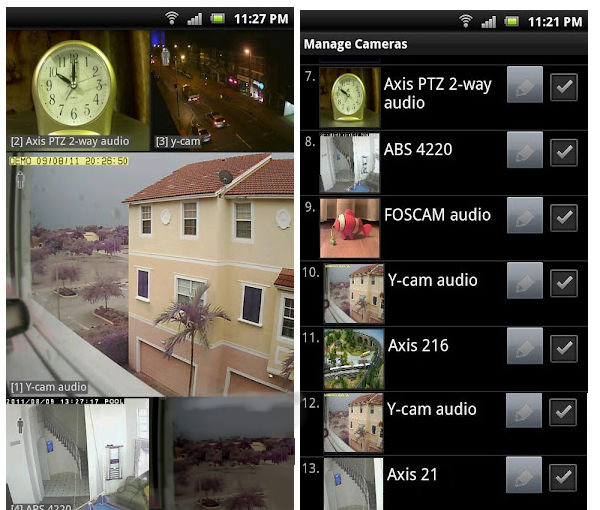
Linking cameras with TinyCam is straightforward. Simply type in the IP address, username, and password for your home security system and you will instantly be able to view the feeds from your cameras. If you have a premium-quality security camera that can be controlled remotely, then you must input model-specific information into the TinyCam app in order to start moving your camera around while in view mode.
The difference between free and Pro versions of TinyCam
Pro is designed for users who are committed to protecting the security of their home or business. With Pro, you can view as many cameras as you want simultaneously. You also have the ability to add an unlimited number of cameras into the app (there is a limit of 16 different cameras on the free version).
However, most users will find that the free version is more than enough for their home security needs. All you need to get started is a basic webcam. If you’re worried about the security of your home while you’re at work or away on vacation, then this is a must-have app.
Download TinyCam Monitor for free today by
clicking here.