Android note-taking apps fill themselves with easy interfaces and reminder settings built in within them for you to recollect anything that you though you could have missed out or lost track of in your hectic jam-packed day-to-day life. Luckily, you can now combine the power of your Android devices with the superb functionality offered by ingenious note-keeping and scheduler apps to streamline your daily activities without derailing your progress at all.
Somnote is another one of such brilliant virtual note-making apps for the Android platform that make it way easier to organize and extract your important notes at your convenience using a simple touch of a button.
SomNote extends the similar functionality found in apps like Evernote to assist the average student in his or her daily academic chores. SomNote essentially defines itself as a note taking and making app that will help you remember even the trickiest of reminders that would otherwise elude our otherwise nimble minds. With an Official Honoree of Utilities & Services from the 17th Annual Webby Awards, the internet equivalent of the Oscar Awards SomNote is a note taking app that’s right up there.
The Somnote app initially asks you for your login credentials when you access the app, and once you are logged in, get ready for a world of high-end and super-convenient note taking.
The opening page of the Somnote app enlists all of your notes that you have taken down in a list format with multiple colours, the significance of which you will understand as you scroll down below.
The notes can be collected and put into folders that are represented by multiple colours and then the single notes below that.
To see a tiles view of the folders, like you would see in a Windows closed folder.
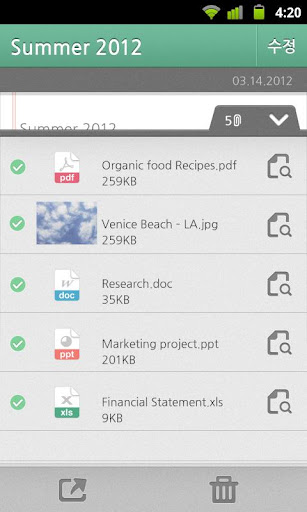
Once you click on any note, it takes you into a single line notebook looking interface that will have the title of the folder. On clicking on the pull-up at the bottom right, the contents open up.
These could be curated by you and can be in the form of:
- An XLS file i.e. a spread sheet
- A word doc
- A PowerPoint presentation
Other than that, you can also add in images and other related simplistic graphics within the document.
With up to a gigantic 10 GB of storage you can add in files and folders galore and not worry too much about overload and deleting files to create extra space.
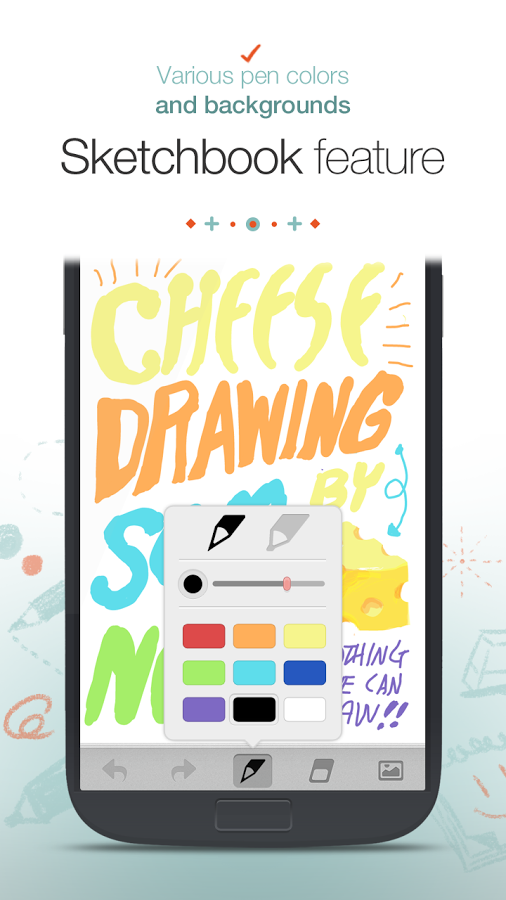
Taking memos and drawing within the Somnote app is all the more easy to carry out. The Somnote app also supports a solid sketch book feature with multiple basic and simple colors to add life to your otherwise dull docs.
What’s even more awesome is the fact that this app supports multiple platforms and can be synced across your tablet and PC and your Android phone all at once for you to see all you need at different times at different places without the hassle and worry of having the primary device in your possession.
The widgets that are exclusively available only on the Android platform can be accessed from the home screen in a list view displaying all your notes and reminders. The drag and drop feature too enables easy mobility of files and can be arranged say in an ascending order.
The Somnote app comes with in-built ability to add in links and be directed to the location on the web through the app, a feature that not many of its competitors support.