

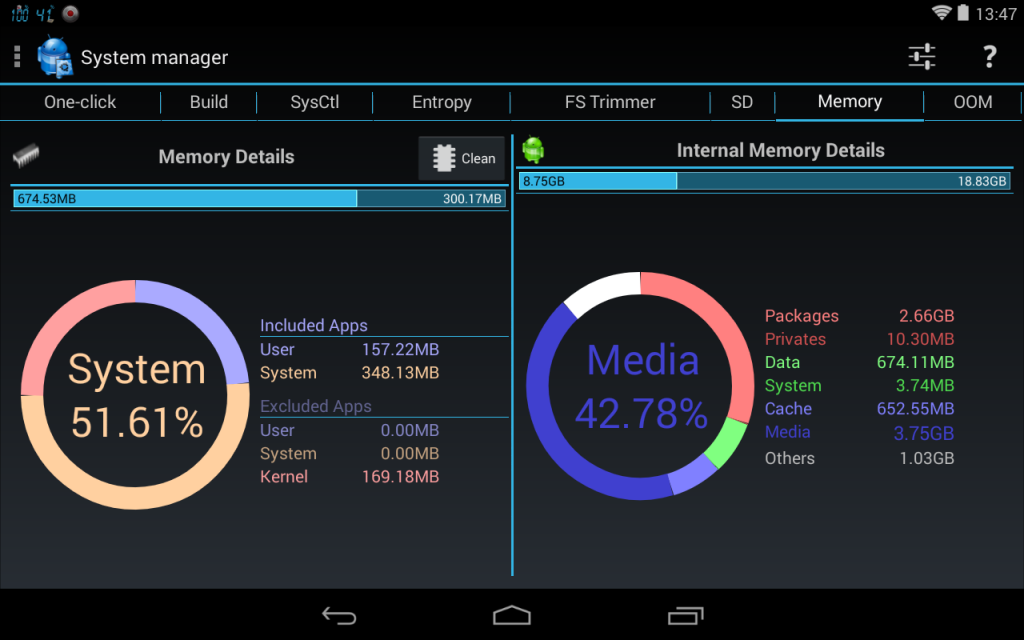
 It supports the following features:
Application manager
- Backup and verify app apk/data
- System app uninstaller
- Share and backup apps to e-mail, DropBox, GDrive, etc...
- Move any apps to user, system, SD
- Freeze/unfreeze apps, and control app startup and events
- Zip align, clear cache, wipe dalvik-cache, fix permissions and optimize databases
Task manager
- Check CPU, network and memory usage
- Kill (default) or force-stop any apps or kernel processes
- Automatic task killer, memory booster, memory cleaner
System Control
- CPU governor, frequency, voltage, GPU controls, thermal and MPDecision controls
- Build.prop and sysctl editor (basic and advanced mode)
- Boost, analyze and benchmark SD cards
- Android memory manager, memory cleaner, f-sync control
- Safe: auto-restore CPU settings on boot-loop
System Monitoring
- All Android applications or all processes, CPU, memory
Status bar notifications
- CPU, memory, sd, optionally with graphics in drop-down
Highly Configurable Widgets
- Resizable gauge widget
- 1x1 and 2x1 (PRO ONLY) text widgets
- 2x1-5x2 graphic widgets (PRO ONLY)
Terminal Emulator
- Command history
- Share commands and outputs
System Logs Reader
- Logcat or kernel messages
- Advanced filtering and search
While there are a few of the above features that can be enjoyed without rooting, however, System Tuner works best on a rooted android application because it can manage your phone more holistically. Also, there is an in-app purchase option to remove ads.
There are very few system tuners out there that support so many features and work as efficiently as System Tuner does. Therefore, download this app so that you have one thing less to worry about and you can enjoy your free time to the fullest!
It supports the following features:
Application manager
- Backup and verify app apk/data
- System app uninstaller
- Share and backup apps to e-mail, DropBox, GDrive, etc...
- Move any apps to user, system, SD
- Freeze/unfreeze apps, and control app startup and events
- Zip align, clear cache, wipe dalvik-cache, fix permissions and optimize databases
Task manager
- Check CPU, network and memory usage
- Kill (default) or force-stop any apps or kernel processes
- Automatic task killer, memory booster, memory cleaner
System Control
- CPU governor, frequency, voltage, GPU controls, thermal and MPDecision controls
- Build.prop and sysctl editor (basic and advanced mode)
- Boost, analyze and benchmark SD cards
- Android memory manager, memory cleaner, f-sync control
- Safe: auto-restore CPU settings on boot-loop
System Monitoring
- All Android applications or all processes, CPU, memory
Status bar notifications
- CPU, memory, sd, optionally with graphics in drop-down
Highly Configurable Widgets
- Resizable gauge widget
- 1x1 and 2x1 (PRO ONLY) text widgets
- 2x1-5x2 graphic widgets (PRO ONLY)
Terminal Emulator
- Command history
- Share commands and outputs
System Logs Reader
- Logcat or kernel messages
- Advanced filtering and search
While there are a few of the above features that can be enjoyed without rooting, however, System Tuner works best on a rooted android application because it can manage your phone more holistically. Also, there is an in-app purchase option to remove ads.
There are very few system tuners out there that support so many features and work as efficiently as System Tuner does. Therefore, download this app so that you have one thing less to worry about and you can enjoy your free time to the fullest!

System Tuner - To Make Our Virtual Lives Easier
3 min read
Our smartphones offer us a wide variety of services in the form of apps. There is an app for almost everything that we could possible need help with from the time we wake up to the time we go to bed. There are apps that even work for when we are asleep. This is the power of technology. While apps are supposed to make our lives easier, and they truly do, and they are fairy easy to use, yet, the huge amount of apps that a lot of us indulge in makes things a bit crowded.
There are so many apps vital to us that there is a need for app management, to get the most out of every app we use and in our busy schedules, who has time to take care of something that is designed to take care of us. This kind of goes against the concept of apps aiding our lives. They are suppose to make our lives easier, not add work.
Thus, if your rooted Android smartphone is generally becoming a little too much for you, you could download an app called System Tuner. It is a system suite to monitor and record all activities, backup and restore *any* applications, extended task killer, CPU SD and memory controls, log-cat reader, terminal emulator, widgets and notifications, all in one highly optimized app!
It supports the following features:
Application manager
- Backup and verify app apk/data
- System app uninstaller
- Share and backup apps to e-mail, DropBox, GDrive, etc...
- Move any apps to user, system, SD
- Freeze/unfreeze apps, and control app startup and events
- Zip align, clear cache, wipe dalvik-cache, fix permissions and optimize databases
Task manager
- Check CPU, network and memory usage
- Kill (default) or force-stop any apps or kernel processes
- Automatic task killer, memory booster, memory cleaner
System Control
- CPU governor, frequency, voltage, GPU controls, thermal and MPDecision controls
- Build.prop and sysctl editor (basic and advanced mode)
- Boost, analyze and benchmark SD cards
- Android memory manager, memory cleaner, f-sync control
- Safe: auto-restore CPU settings on boot-loop
System Monitoring
- All Android applications or all processes, CPU, memory
Status bar notifications
- CPU, memory, sd, optionally with graphics in drop-down
Highly Configurable Widgets
- Resizable gauge widget
- 1x1 and 2x1 (PRO ONLY) text widgets
- 2x1-5x2 graphic widgets (PRO ONLY)
Terminal Emulator
- Command history
- Share commands and outputs
System Logs Reader
- Logcat or kernel messages
- Advanced filtering and search
While there are a few of the above features that can be enjoyed without rooting, however, System Tuner works best on a rooted android application because it can manage your phone more holistically. Also, there is an in-app purchase option to remove ads.
There are very few system tuners out there that support so many features and work as efficiently as System Tuner does. Therefore, download this app so that you have one thing less to worry about and you can enjoy your free time to the fullest!
It supports the following features:
Application manager
- Backup and verify app apk/data
- System app uninstaller
- Share and backup apps to e-mail, DropBox, GDrive, etc...
- Move any apps to user, system, SD
- Freeze/unfreeze apps, and control app startup and events
- Zip align, clear cache, wipe dalvik-cache, fix permissions and optimize databases
Task manager
- Check CPU, network and memory usage
- Kill (default) or force-stop any apps or kernel processes
- Automatic task killer, memory booster, memory cleaner
System Control
- CPU governor, frequency, voltage, GPU controls, thermal and MPDecision controls
- Build.prop and sysctl editor (basic and advanced mode)
- Boost, analyze and benchmark SD cards
- Android memory manager, memory cleaner, f-sync control
- Safe: auto-restore CPU settings on boot-loop
System Monitoring
- All Android applications or all processes, CPU, memory
Status bar notifications
- CPU, memory, sd, optionally with graphics in drop-down
Highly Configurable Widgets
- Resizable gauge widget
- 1x1 and 2x1 (PRO ONLY) text widgets
- 2x1-5x2 graphic widgets (PRO ONLY)
Terminal Emulator
- Command history
- Share commands and outputs
System Logs Reader
- Logcat or kernel messages
- Advanced filtering and search
While there are a few of the above features that can be enjoyed without rooting, however, System Tuner works best on a rooted android application because it can manage your phone more holistically. Also, there is an in-app purchase option to remove ads.
There are very few system tuners out there that support so many features and work as efficiently as System Tuner does. Therefore, download this app so that you have one thing less to worry about and you can enjoy your free time to the fullest!
Newsletter
Get the latest tech news delivered to your inbox weekly.