When we use our smart phones heavily, which we do because all our lives are encompassed in our respective devices, it can be a bit too much for our thumb to keep on scrolling up and down the android screen.
Be it checking our WhatsApp chats or the various websites that we keep needing to log on to again and again for our work, it takes a toll on our poor thumb. Thus, the only solution to this problem is changing our active hand. It does give a temporary relief to the thumb, but, only till the time the other thumb gets tired as well and we need to switch back. So basically, both are thumbs are victims to our smartphone centric lives.
Therefore, it is time for us to give our thumbs a break and let them breathe fresh air, after all, they are the actual slaves of our virtual lives. So if you have rooted your android device, what you can do to save your thumb is download a thumb saving app called
Tilt Scroll.
Tilt Scroll is a revolutionary application for rooted android devices, as it adds a system-wide "Tilt to scroll" feature to your phone or tablet, and it works with all other applications. So basically, you can scroll your screen just by tilting your device. You don't need to wait for your preferred application to implement tilt scrolling feature; All you need is "Tilt Scroll”.
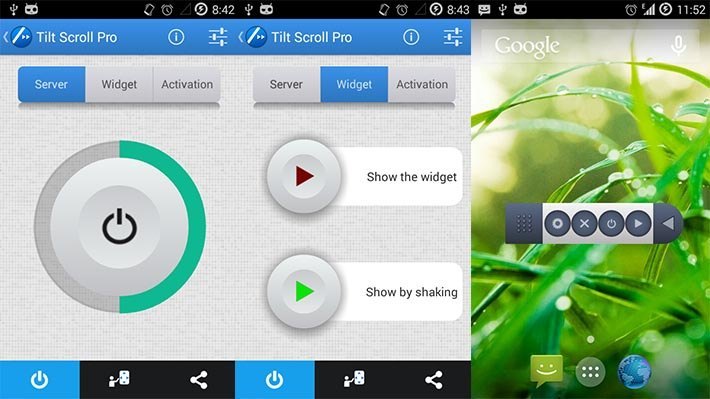
Not only does this app help out tiny limb, it also has a lot of amazing features.
The features available in the free version are:
- Scroll the screen by tilting your phone.
- Scroll vertically and horizontally.
- Select a scrollable area (when there is more than one on the screen)
- Activate scrolling using the widget which is always available on your screen.
- Show the widget by shaking your phone
- Activate scrolling by touching a Hotspot on screen.
- Activate scrolling by shaking your phone.
- You can scroll the screen if it's scrollable, no matter which application is running.
- No ads.
There is also an automatic + mode available with the following features:
- Scroll by tilting your phone in the desired direction followed by a tilt in the opposite direction.
If you want to stop scrolling, you simply reverse the order of the previous tilts.
- Accelerate and decelerate the scroll speed using the volume buttons.
- Instantly scroll to the top or bottom of the document using the volume buttons.
With the manual + mode you can scroll by tilting further from the start position, and stop scrolling by bringing back the phone to the start position using a constant speed.
Also, there is a Pro version available in
Tilt Scroll with the following features:
- Adjust the speed of scrolling.
- Adjust the acceleration and the deceleration of scrolling.
- Per-App Settings.
- Selecting the apps that automatically activate scrolling when they are opened.
- Selecting the apps that automatically deactivate scrolling when they are opened.
- Accelerate and decelerate the scroll speed, using tilts.
- Instantly scroll to the top or bottom of the document, using tilts.
- The speed depends on the tilt angle.
- Accelerate and decelerate the scroll speed using the volume buttons.
- Instantly scroll to the top or bottom of the document using the volume buttons.
All you need to do to use
Tilt Screen is make sure that your phone is rooted and that it has the accelerometer sensor. With just these two little requirements you can give your thumb the best gift it can possibly receive!