The DSLR is the most celebrated physical camera owned by mankind and is the harbinger of super high-definition pictures in great resolution in the mainstream market. Android applications too have replicated the same in its variety of camera apps adapting the many awesome features of the DSLR for smartphone cameras and bringing top-notch photography tools to everyone. Let us take a look at a few camera tools that enhance the power of your Android camera lens and help you capture objects and elements in motion with great clarity:
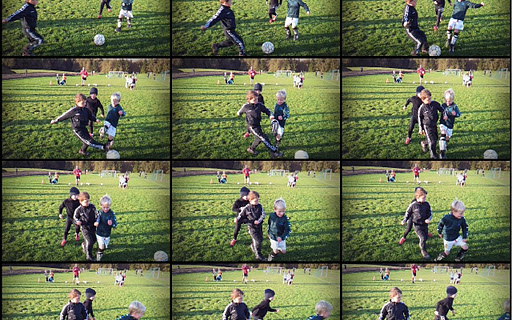
As the name suggests, the Fast Burst Camera app takes photos at a high speed.
The word “burst” in the Android world is synonymous to clicking images at a superfast pace all in a span of a few seconds. The objective of this is to take pictures when objects are moving in quick speed.
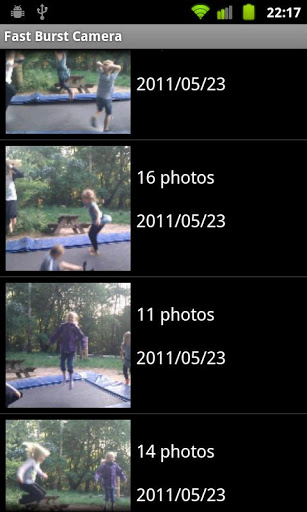
Imagine you are taking a shot of a live match or you are out in the wilderness clicking images of the wildlife. This app is the most efficient in such cases. Though majority of the burst apps on Android claim to be the fastest, it all is left down only the user to actually judge what they find the best.
Fast Burst Camera claims to take about 30 shots per second on high end Android phones. Hold the shoot button for continuous burst images, or tap for fast single shots.
With zero shutter lag the pictures are taken as soon as shutter button is pressed with no delay whatsoever.
Shoot modes in this app include:
- Motion trigger
- Single shot
- Pre-shot
- Full Burst.
Built-in editor features:
- Adjust brightness and colours
- Add filters, frames, text and more
- Create animated GIFS and collages.
Fast Burst is great for capturing the following moments:
- Sports shots
- Taking a burst of pictures in an important situation like a moment a quick object passes by, and pick the best later
- Parlour shots
- Pictures of kids or pets
- Party camera
- Analyze your golf swing frame-by-frame
Tips for good burst photos
- Make sure you take photos in maximum possible light - especially when capturing things or people in motion.
- Keep the camera steady
- Hold the shoot button for continuous bursts, and pick the good shots later
Here’s an app that brings a cutting features of DSLR camera to your Android device.
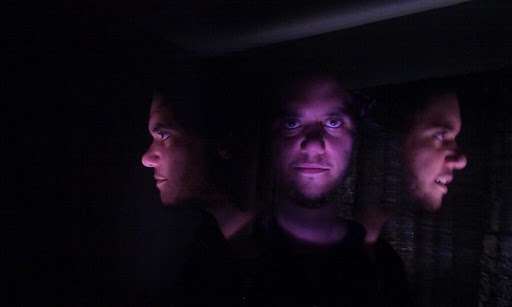
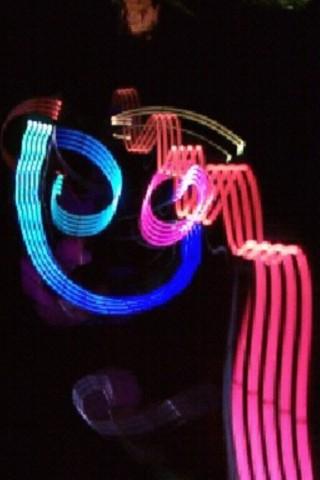 Merging the burst mode into a consolidated photo Camera Streak is quite the zenith of creativity.
- You can simulate long exposure photographs and pictures with multiple exposures giving you the effect that many pictures are merged into one.
- Capture light streaks to create your own light paintings. E.g. use a flash light and move it around. It will look like a travelling piece of light.
- Use burst mode to get all the action behind the lens all into one single captured scene.
- Different composite methods give you different effects. Use the screen method to take pictures in very low light situations. So what are you waiting for, grab some friends and some flash lights and go crazy experimenting with Camera Streak.
- Create images by playing with light and make images that show two of you in a single photo like you are professionally are using trick photography.