Every town has a host of places to visit and we all have our favorites. In today’s world the first thing a connoisseur of good food, also called a foodie or a hard-core traveler who just dined at the newly opened sushi bar in town will go write a review and post it on his blog. People will view it, share it, talk about it and use it for their reference when they plan their own dinner and lunch outings. This practice in turn increases exponentially and we have seen the world of food, movie and shopping bloggers come alive who are taking the whole “word of mouth” marketing technique to whole new levels.
Townflicks is an Android app that adopts the same ideology and brings to the fore a slick and resourceful way of blogging using something different all together and instantly give you access or contribute to a community of users through shared experiences.
Now, you may have heard the popular saying about pictures speaking a thousand words. Well, then videos would probably speaking a million more now, wouldn’t they?
Townflicks enables you to create a video of the newest place you visited or went to and wanted to tell the world about. Video blog and create videos as reviews. So now when you enter a new place you can be your own director and film producer and create a short 30-second clipping of the place and have you and your friends and the world around you talk about it.
You can also:
- Watch movies of places in town made by others.
- Follow new videos of places you follow in real time.
- Create a movie and immediately send it to a friend and have them all share it in the community.
- Share these on Social channels of Facebook and Twitter as well.
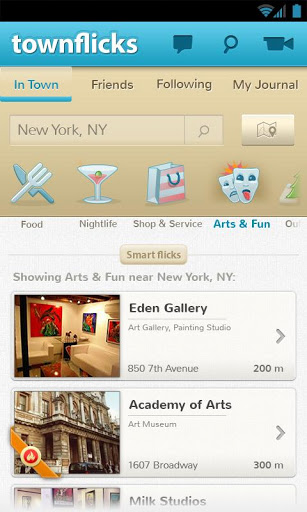
The videos available to view are in categories of
- Food
- Arts and Fun
- Nightlife
- Shop and service etc.
These could be sorted as per the location of the city or town as well.
In addition to that you can view and select the location on the map as well. The map appears in a satellite format and can be viewed alternatively as well. You can either point out a location or type it in and you get the best videos from the location.
All of these appear in the “In Town” section.
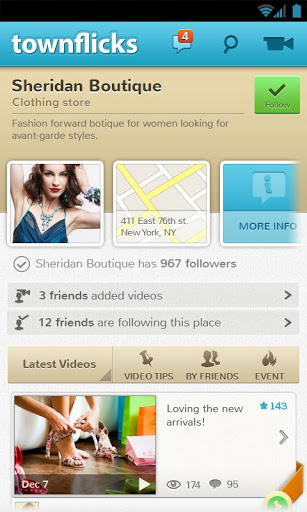
On clicking on a particular location for videos about it, you can see how many friends have taken videos of the place and how many are following it all displayed in a great way to attract the user. You can also see latest videos and upcoming events at the place. What more you ask? Well, you can also get a host of video tips to look great on Townflicks as a videographer too. In addition the basic info and the location on them app is visible too.
The next tab on the app is that of your “Friends”.
This includes all the videos uploaded by them that may be reviews or just “about” videos. You can select any friend and see all what they’re up to.
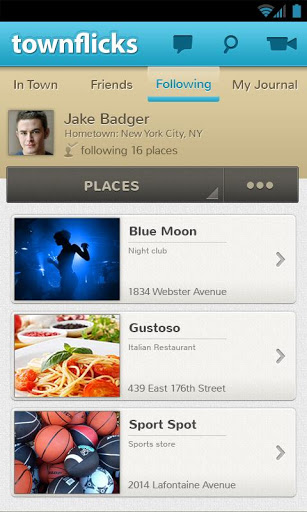
The next tab is the “Following” tab but here instead of following people you follow places and are updated as soon as someone posts a video about the place.
“My Journal” is a set of videos that have been saved and stored by you. You capture videos and they get store to your journal.
Townflicks is a fantastic app on the whole that brings in a new idea for blogging through videos and integrating a strong community feel with it. Although it may be a rather unknown app to Google Play Store user, it is one that will bring a whole lot of fun utility to fulfil all your entertainment needs.