

AdBlock Plus for Android
2 min read
If you’re like many internet users, then you depend on AdBlock in order to protect your fragile eyes from annoying advertisements. But on Android, blocking ads isn’t always easy. Most apps (particularly free ones) come with advertisements that are difficult to remove.
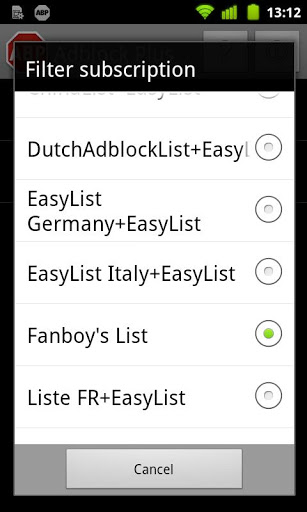
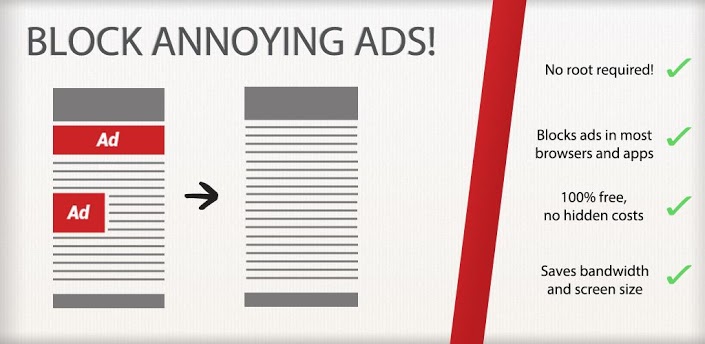
Finally, AdBlock Plus has made its way to Android. Unlike many ad-blocking apps, AdBlock Plus doesn’t require root access in order to work. However, it certainly performs better on rooted devices.
AdBlock works by blocking every advertisement it possibly can on both webpages and apps. Although it’s not 100% perfect, its blacklist is constantly being updated in the background to ensure that your eyes never have to see another advertisement again.

Why it works better with root access
AdBlock Plus works best with root access because users can setup an ad-blocking proxy at the root level of their phone. So, while some advertisements might sneak past the filters on non-rooted phones, the root-level proxy is the best way to ensure advertisements never bother you again. After installing AdBlock Plus and checking its data usage, you may be shocked at the amount of data that it uses. However, the creators of AdBlock tell users not to worry: AdBlock needs to filter incoming data to ensure that it’s being blocked. So your phone is using that data regardless of whether or not AdBlock is installed. Download AdBlock Plus for free from the Google Play StoreOne Click Root Author
One Click Root Author
Content Writer
Experienced writer covering technology and mobile development.
You Might Also Like
Reviews
Android 14 Root Methods: What Changed?
Explore the new root methods and security changes in Android 14.
Reviews
Latest Android Security Updates Impact Root Access
Understanding how the latest security patches affect root methods.
Reviews
Google Pixel 8 Pro Root Guide Released
Complete step-by-step guide to rooting the Google Pixel 8 Pro.
Comments
JD
John Doe
2 days ago
Great article! Very informative and well-written. Thanks for sharing.
JS
Jane Smith
5 days ago
I found the security section particularly helpful. Looking forward to more content like this!
Leave a Comment
Newsletter
Get the latest tech news delivered to your inbox weekly.
Popular Posts
-
1
Getting Started with Android Development
12.5K views
-
2
Best Practices for Mobile Security
8.2K views
-
3
Understanding Smartphone Hardware
6.8K views