Android Kii Keyboard
3 min read
Alternative Android keyboards are a dime a dozen. And new keyboards are being released every day. But sometimes, a new Android keyboard will offer a few surprises and tweaks that make it a step above the average keyboard.
The Kii Keyboard is one such keyboard. Here’s our review.
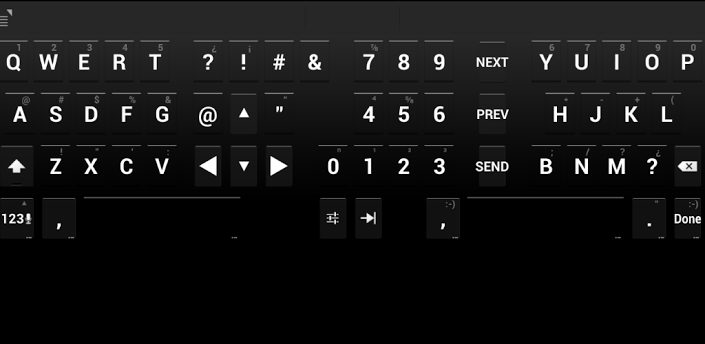
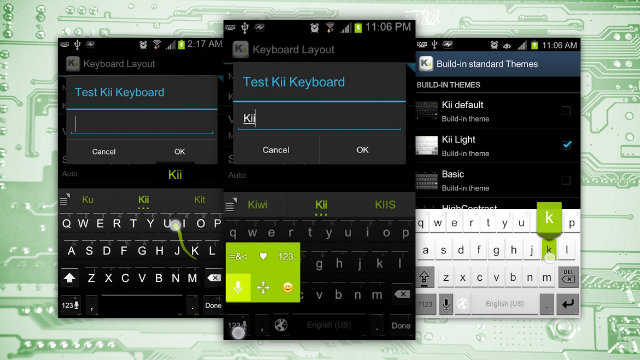
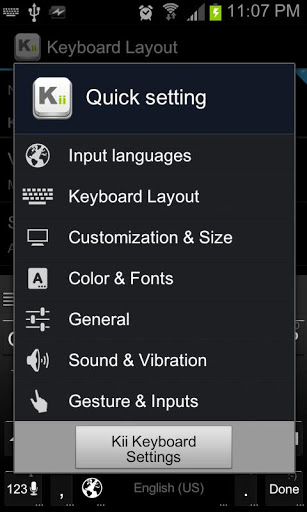
Kii Keyboard is an alternative keyboard app for Android that gives users an extensive array of customization options and features. Unlike other keyboard arrangements, it doesn’t lock users into a default setup. Instead, there are six different keyboard themes and several different types of keyboard layouts, all of which look completely different from one another.
Kii is also completely free and it comes with extensive language support and some other perks as well.
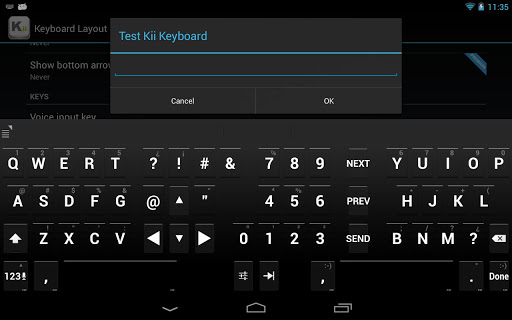
Split keyboard layout: If you’re typing on a tablet, then you’ll appreciate the fact that Kii sports a split-screen keyboard layout that is very friendly on the thumbs.
Text prediction: Like the world’s most popular paid app, SwiftKey, Kii will predict the words you’re trying to type. As far as text prediction goes, Kii is good. But it’s not quite as good as SwiftKey, which connects to your Facebook and email apps in order to predict your words as accurately as possible.
Support for themes from other apps: Interestingly enough, Kii also supports themes from other apps, like the popular Go Keyboard.
Swiping support: Swiping is all-the-rage in keyboard apps these days. If you want to swipe across your letters instead of painstakingly tapping each and every one, then you’ll appreciate the fact that Kii has swiping support.
Support for 38 languages: Whether you speak Arabic, Icelandic, Romanian, Hebrew, or good ol’ English, Kii has support for your language. For a full list of the language options supported by Kii Keyboard, click here.
Free: Perhaps the biggest advantage of Kii Keyboard is the fact that it’s completely free. Unlike SwiftKey, there’s no 30 day trial period.
What is the Kii Keyboard?
Kii Keyboard is an alternative keyboard app for Android that gives users an extensive array of customization options and features. Unlike other keyboard arrangements, it doesn’t lock users into a default setup. Instead, there are six different keyboard themes and several different types of keyboard layouts, all of which look completely different from one another.
Kii is also completely free and it comes with extensive language support and some other perks as well.
Kii Keyboard features
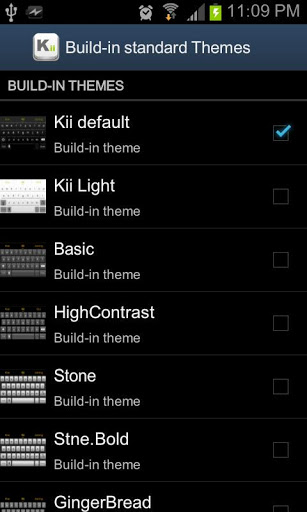
Here are a few of the most popular features on the Kii Keyboard: Six different keyboard themes: There are themes with names like ‘Kii default’, ‘Kii light’, and ‘Kii basic’ that change the color scheme of your phone as well as the appearance of the keys and buttons. Users can switch between these themes with the tap of a button.
Split keyboard layout: If you’re typing on a tablet, then you’ll appreciate the fact that Kii sports a split-screen keyboard layout that is very friendly on the thumbs.
Text prediction: Like the world’s most popular paid app, SwiftKey, Kii will predict the words you’re trying to type. As far as text prediction goes, Kii is good. But it’s not quite as good as SwiftKey, which connects to your Facebook and email apps in order to predict your words as accurately as possible.
Support for themes from other apps: Interestingly enough, Kii also supports themes from other apps, like the popular Go Keyboard.
Swiping support: Swiping is all-the-rage in keyboard apps these days. If you want to swipe across your letters instead of painstakingly tapping each and every one, then you’ll appreciate the fact that Kii has swiping support.
Support for 38 languages: Whether you speak Arabic, Icelandic, Romanian, Hebrew, or good ol’ English, Kii has support for your language. For a full list of the language options supported by Kii Keyboard, click here.
Free: Perhaps the biggest advantage of Kii Keyboard is the fact that it’s completely free. Unlike SwiftKey, there’s no 30 day trial period.
The final word
if you’re looking for a free alternative to SwiftKey or other big names like Swype, then Kii provides good functionality at a price that’s tough to beat – free. Download Kii Keyboard today by clicking here.One Click Root Author
One Click Root Author
Content Writer
Experienced writer covering technology and mobile development.
You Might Also Like
Reviews
Android 14 Root Methods: What Changed?
Explore the new root methods and security changes in Android 14.
Reviews
Latest Android Security Updates Impact Root Access
Understanding how the latest security patches affect root methods.
Reviews
Google Pixel 8 Pro Root Guide Released
Complete step-by-step guide to rooting the Google Pixel 8 Pro.
Comments
JD
John Doe
2 days ago
Great article! Very informative and well-written. Thanks for sharing.
JS
Jane Smith
5 days ago
I found the security section particularly helpful. Looking forward to more content like this!
Leave a Comment
Newsletter
Get the latest tech news delivered to your inbox weekly.
Popular Posts
-
1
Getting Started with Android Development
12.5K views
-
2
Best Practices for Mobile Security
8.2K views
-
3
Understanding Smartphone Hardware
6.8K views