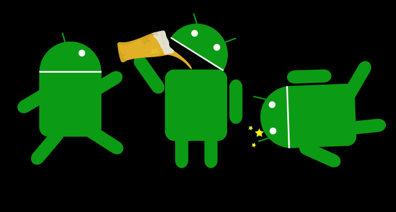
Now here’s an interesting app that would most definitely save you from the most embarrassing times ever! Remember all those times you made a drunk call and you wish you hadn’t or that time where you were about to pick up the phone and text someone you shouldn’t have but eventually landed up still doing it. Not everyone is as iron-willed and level-headed to clearly distinguish right from wrong when they’re drunk, which is why it’s important to exercise some form of self-control when you plan to be in high spirits.
Drunk Lock, my friends has been invented for individuals specifically like you. This uniquely purposed Android app is pretty easy to understand and doesn’t have much of a learning curve to get past either. However, what it does do is save you a million times from embarrassing moments you ideally would have stayed away from when you were sober.
Drunk Lock is simply designed to ensure you never drunk text or drunk dial. Also, now the app is smarter than that and extends the principle of blocking to the following:-
- Go SMS Pro
- Google Hangouts
- Whatsapp
- Viber
- Handcent SMS
- Chomp SMS
- Any many more texting applications
So on the one hand you are sure of the fact that the app will cover majority of the alternatives that you have that will out you in a trying situation.
Now the app will present itself to you with an empty huge glass and here you can click on the glass and the glass will get full.
What you have also dine is indicated the app that you would like to turn the app on and keep active so that it prevents you from making calls and texts.
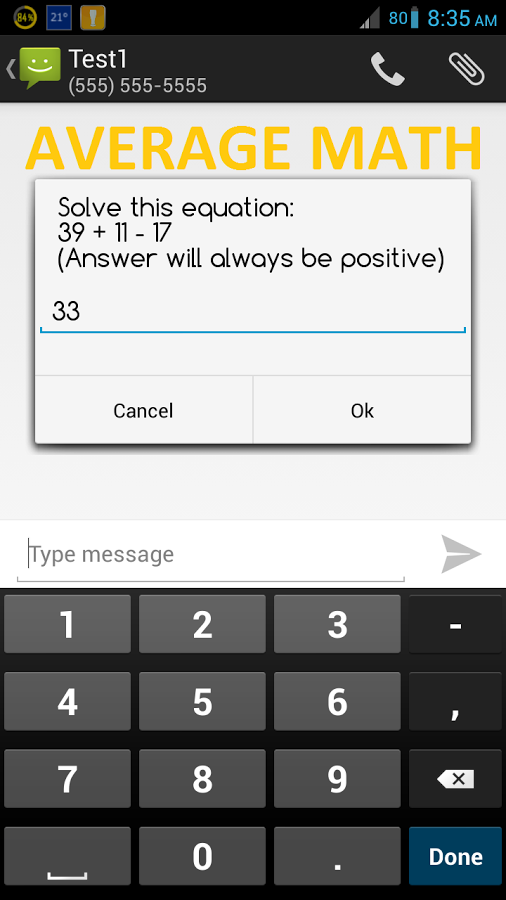
To prevent you from doing so, the Drunk Lock app will pose all sorts of math questions to you, considering math is frustrating and in your excessively inebriated state, the last thing in your mind would be to apply it to solve mathematical problems. Hence, you will obviously focus your drunken merrymaking on something apart from your personal life
The basic settings on the Drunk Lock Android app will have you choose the level of difficulty and in lines with that you can either make a choice from:
- Easy
- Average
- Hard
- College level math
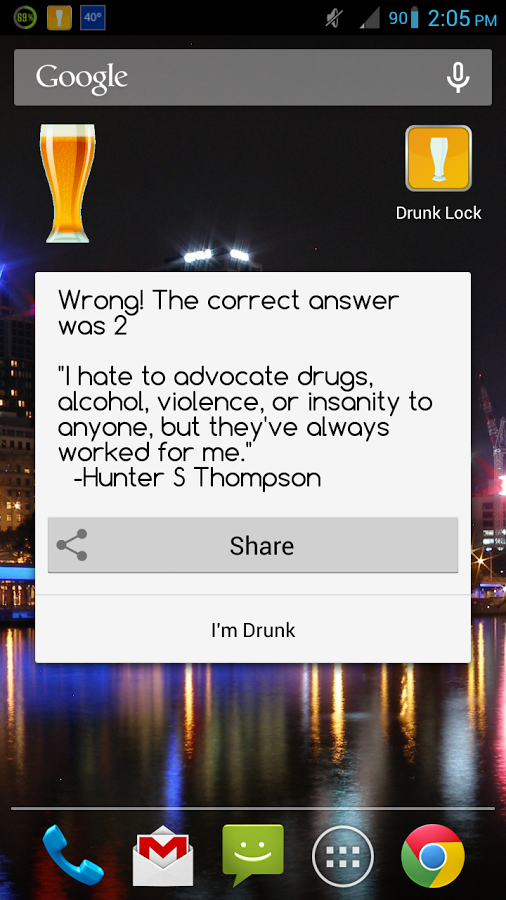
Once you have done this, you can have alternate ways to turn on the Drunk Lock app. The app has an option of turning on the app by default from 2am to 5 am and says (turn it on as nothing good ever happens between 2 am and 5 am).
Apart from that, you can also add in a default duration of the time you would like to keep the app on for.
Now what happens is that once the Drunk Lock app is on, it will be activated and authorized by you itself to ask questions.
So when you attempt to make a call or make a text the app will block it and you are required to answer the questions that are posed to you.
These questions can be as easy as 2 + 3 + 1 in difficulty or college level comparatively tougher math questions like 193+ Sq rt. (39).
The objective is to answer all the questions correctly an in a row to access the phone call. Majority of the times people fail to be consistent and are refrained from making the call and as a consequence of that save themselves from mighty embarrassing situations. Get on board with this one-of-a-kind safety app that safeguards your personal life from an intoxicated and positively unreliable version of you!