The Android app market is literally saturated with a massive list of cutting-edge news apps that are constantly in the race to provide vital information to you every second of your day on your smartphone screen just when you need it. Every single one of these apps is special in its own way and provides news from a diverse set of resources. With apps like Feedly, Flipboard and other RSS reading and news apps, the users find themselves in a difficult decision making situation to pick the right virtual information assistant for their devices.
From the world’s largest hub of information, comes an Android app for more elite and structured news named
Google Currents.
Google Currents is a news streaming app that collects data related to the latest significant events and happenings from all over the world and presents it in an orderly manner on your Android device.
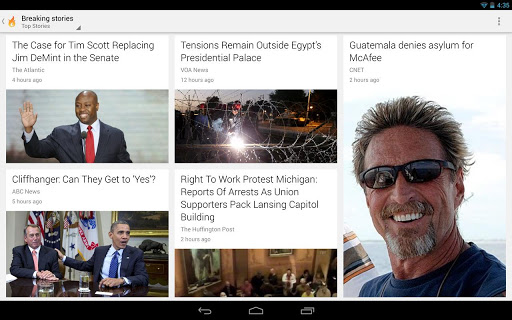
On switching on the app, you have a pull out screen from the left that has news feeds from information hub categories such as
- Technology
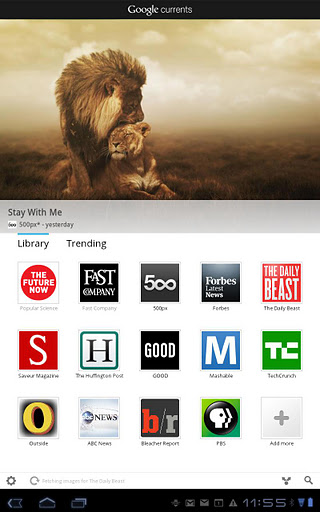
- Science
- Entertainment
- Feeds
- Saved etc.
Going in a bit deeper, each section may have its news feeds from various sites and pages across the world. Like, for instance Technology may have:
- Android Police
- Cult of Android
- Cult of Mac
- CNET, et
A world of other news hubs and feeds can be added by simply visiting similar pages and click on the add button on top.
There also is an ALL button like the traditional versions of Google Currents which combines all the feeds and sub categorised subscriptions into one.
The layout is extremely sleek and has the best fonts for the perfect reads.
The articles are displayed in a tile format in 2x1 or 1x1 dimensions and it pulls up the stories from the bottom in one smooth sliding motion.
The display interface is essentially vertical and clicking on any of the news articles takes you into the article and is displayed in the text format. You also have a very effective translator at your disposal in order to understand articles written in foreign languages.

You can simultaneously pull out the side bar and see other related articles whilst you are on the main article. You can just as easily save the article for a further read as well. These may then appear in the saved list. You simply click on the star that then highlights at the top of the screen. Google already saves information offline but this enables it to read the saved articles in the offline mode as well.
If you do not want to read the articles, there also is a “Videos” tab which lets you see more about the news only graphically and in a video format. You can also further customize it as per your convenience.
What also makes this app different from other old versions and news readers is that you can enable background syncing. You can also hide articles you’ve already read to see only new stuff, you can, see the picks of the wee and include images for offline reading all through the settings tab.
The best part about the Google Currents app is the availability of neat widgets on the home screen. They are in the format of overlapped cards and auto refresh without you having to click the button. It also has a great sliding animation as you can see below that works for sliding news away and then bringing them back.
So that’s everything you need to know about the Google Currents news reader for you. An Android app that will give you access to hundreds of thousands of news pages filtered as per your preferences and assembled in one cool and slick interface for your convenience. With overwhelmingly positive reviews from thousands of users in the Android community and no price tag, Google Currents is definitely a must-have app for your smartphone or tablet.