Smartphones can be really smart and capable, depending on how smartly a user can operate it. The advent of these devices have not only made our lives easier but also made our work approach much smarter. Let us look at a possible way of turning our smart device to a
security system setup. This would require an Android device, a GoPro Hero 3 or any other edition of the GoPro range of adventure cameras and the GoPro App for Android. These can be used to set up a quick and simple IP based security camera system.
Procedure
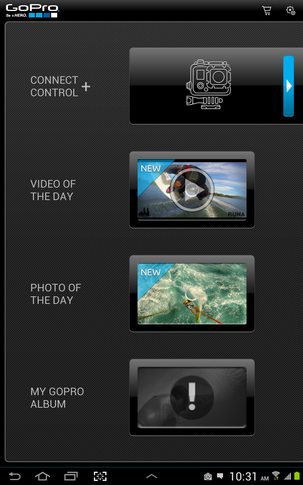
- Installation of GoPro app – Like all other Android apps, this can be found in Google Play Store. Search, download and follow installation instructions to install the app in your device.
- Connecting the camera – Next is to turn on the GoPro Hero 3’s Wi-Fi. Follow the same in your device and connect both of them to establish a wireless connection.
- Turn on the GoPro action – Get started with some GoPro action to verify live footage on your device screen simultaneously. The app quickly connects to the camera and starts streaming live captures.
Utility
The GoPro app is quite handy and efficient in handling the camera from a distance. With this setup, we can do the following through this app:
- We can capture live footage just like a video camera
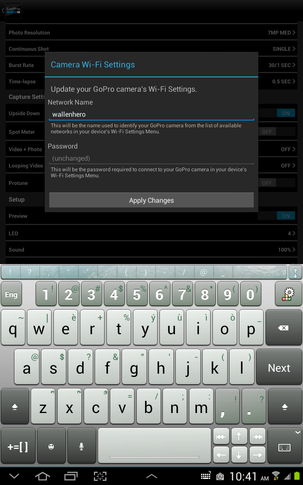
- We can configure the camera settings according to our preferences
- We can monitor the status of the camera battery
- We can listen to recorded sounds later
- We can check the coordinates of the location of the camera
- We can turn the camera on or off at our will
- We can also set instructions for the camera to capture images at regular time intervals instead of video recording.
The user interface of the app is simple and we can do pretty much everything through it. The options are adequate to control the camera activities. We can use this system as a security setup in our house, house office or any other place of our choice which needs to be under surveillance.

Obstacles
Mounting the GoPro in a proper location to get proper coverage is a challenge posed by this system. It can be defined as a DIY in most cases and a user is free to think and execute the best possible way of mounting the camera. Though it is not literally restricting the flexibility of the combination but the implementation is totally at the user’s discretion.
The battery can be an issue at crucial times; hence it is advised to keep spare ones in hand.
The Wi-Fi range of GoPro Hero is quite impressive with about 100 yards of radius in an open field without any loss in signal. In closed corridors, expectations are fairly low but we need to test it before generalizing a comment.
Nonetheless, for someone looking for an impromptu surveillance setup, this combination is definitely handy.