The
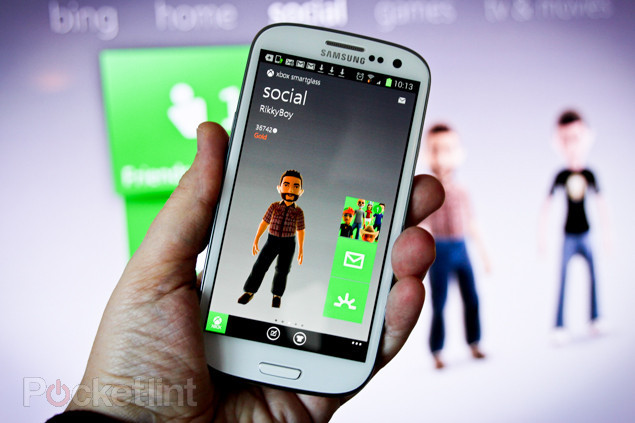
Xbox SmartGlass is a second-screen app built to integrate your Xbox 360 with your Android device. This cross-platform initiative allows you to manage and control content from your gaming console on your Android device with one-touch access, for example –configuring a touch controller to browse the internet, manage music files, etc.
SmartGlass is a great family-friendly app that aims to turn your Android into a complete media entertainment center by bringing the amazing features of the Xbox 360 to your device.
Now that you’re ready to bring the second-screen experience to your device, simply download the app from Google Play Store and sign in using the same login credentials as your pre-existing Xbox 360 account. Ensure that both devices are switched on during this process. SmartGlass will now recognize your gaming console and pair it with your Android device.
You can now use your Android device as a keyboard while using the Xbox Live feature or as a controller to navigate through different menus. When coupled with the Internet Explorer Dashboard update, there is even more fantastic functionality available to use.
Turn Your Android into a Complete Media Entertainment Center
The Xbox SmartGlass app intelligently pairs with your Xbox 360 to deliver outstanding entertainment. This app connects your Android device and your TV to interact and improve your entertainment needs giving you access to additional features and info related to your favorite games, TV shows, movies, music, etc.
 Make Browsing More Efficient
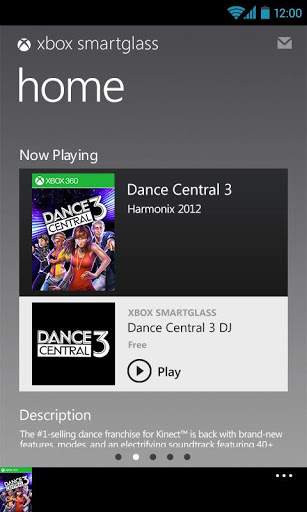
Every Xbox user knows that navigating the internet using the Xbox controller is a very meticulous and difficult experience. The complicated discount codes and long website URLs are very time-consuming to input using this controller. With the SmartGlass app, you will now be able to conveniently use your Android device as a keyboard to browse through the internet with ease.
Easier Navigation and Control
With the SmartGlass app at your disposal, you can now use your Android smartphone, Android tablets, Windows 8 tablets, Windows RT tablet, and PCs to manage your entertainment experience with one-touch access. Using your paired device, you can browse through the Xbox dashboard, start and stop your favorite shows and movies, use the internet, etc. by simply tapping or swiping the screen.
Enhance Your Social Experience
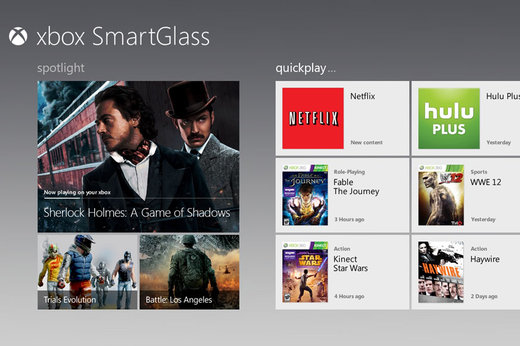
The fantastic social experience offered by Microsoft via Xbox Live is one of the key reasons to the success of the Xbox 360. The SmartGlass app for Android ports that same experience to your handy device. You can create and manage your animated avatar on screen, send messages and create groups amongst your Xbox Live friends, and shop for more Xbox Live points.
Additional Features
By smartly pairing your Android device with your Xbox 360 on your TV, you can now use it as a multi-tasking portal for entertainment. You can now simultaneously get cool details about another movie, TV show or game while watching your favorite TV show. You can use it to search and purchase any games or downloadable content from the Xbox catalog.
Another great feature of the Xbox SmartGlass app is the access to the much enhanced music and video services offered via Xbox Music and Xbox Video respectively, which give you access to lots of great new information related to the song lyrics, artist, and artwork used.