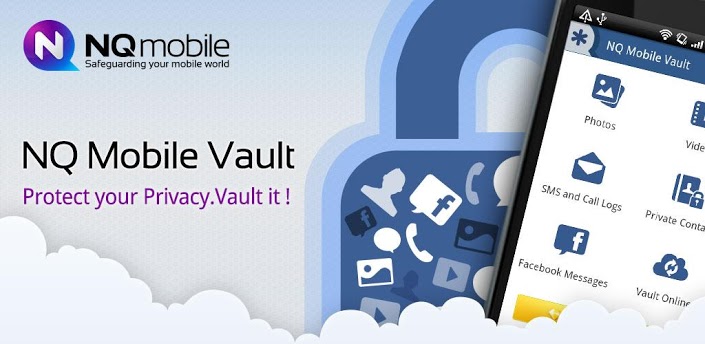
A lot of us have tons of invaluable belongings stashed up in locker rooms in banks and in secret accounts. The primary motive of their secretive existence is that they’re so important to us so that nobody can access and manipulate it and use it against us. Unfortunately, digitization of this sensitive information on your devices does not mean your data is an exception to security threats and breach of privacy.
Your handsets and tablets are packed with tomes of sensitive information that you would ideally like to keep away from the prying eyes of a potential cyber criminal or just an over-possessive girlfriend. It’s hard to find a security and privacy solution that can offer you the vast variety of protocols you would want on your device. Well search no more. The
Vault Hide app for Android has emerged as the ultimate data guardian for your Android device and will fulfill your security and privacy needs to the maximum.
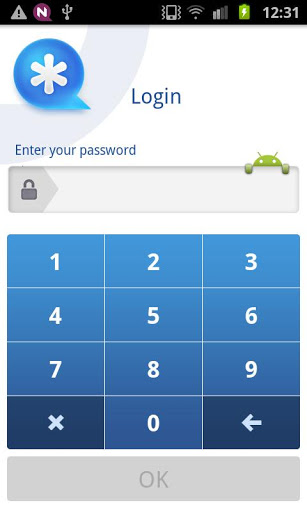
On downloading the Vault Hide app, you will be introduced to a slick and well-implemented UI that helps you create special secret boxes for segmenting and securing your data just like the locker in your bank. This makes sure your personal data is protected from unwanted eyes and never reaches them in the first place. Here’s a short list of the digital belongings you get to hideaway.
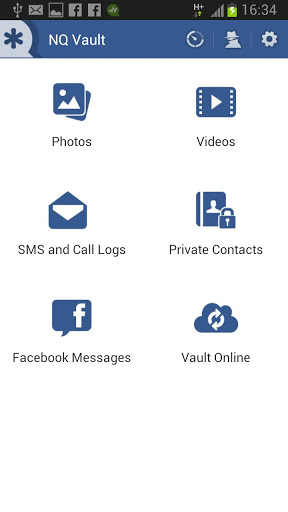
- SMS
- Call Logs
- Videos
- Photos
- Contact
The Vault Hide app is designed in a way that it secures the data from the outside public using password protected.
On opening the app it makes you create a password protected space. This can be accessed through typing “##your_password” in the dialler and pressing the send or the call button and this makes you enter the app. Click on any of the provided icons be it photos, videos etc. and it enlists all the pictures or videos depending on what you select and you can directly choose what gets to be stored within the vault and what doesn’t.
Moving deeper into the den, the app inside offers you:-
- Dashboard: The space that tells you how secure your data is and provides you with useful tips to ensure you keep your data protected at all times.
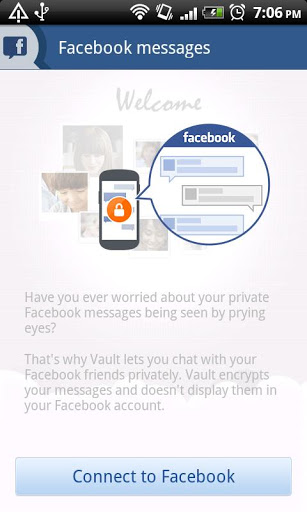
- Facebook Chat: You can chat with your friends without letting anyone know and moreover the app encrypts the chats so as to unable it from appearing in your chat history.
- Vault Online (in premium mode): In an amazing feature this app provides, you can take a backup of all the data in the vault online and store it in your private cloud. The app encrypts all your data and ensures only you have access to it.
Following features exist in version 3.0 and above.
- Stealth mode: The coolest feature that completely vanishes the Vault icon from the app screen.
- Access the Vault from the Dial pad: “##your_password” is what you type in the keypad to unlock and access the phone.
- Slideshow: You can check out all the hidden photos and videos in the form of a swanky slideshow.
- Restore Contacts: Restoring contacts back to the main menu is an easy task.
- Fake Vault: If someone knows that you vault exists create a fake fault to deceive the person from entering the original vault.
- Break-in Alerts: Another cool feature is that you can see who has tried to log into your vault using face recognition (front camera needed) and can see what incorrect password the user typed. This cannot get any cooler.
The above features vary from version to version and the premium mode serves as the best version to ensure everything mentioned above is in it.
A product of the NYSE listed NQ Mobile Inc., Vault Hide is freely available on the Google Play store. For improved features, users can upgrade to the premium version for $2.99 USD per month and gain access to, stealth mode and unlimited text message storage. This app lies back on an impressive rating of 4.5 stars and is a fantastic app to guard your secrets on your Android device.