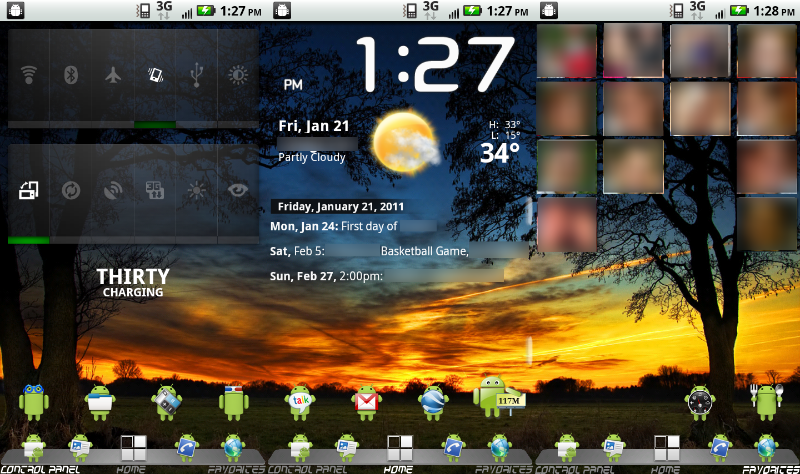
You spend hours per week looking at your Android homescreen. Why not make those hours more enjoyable by installing a few useful (and attractive) homescreen apps?
Android is home to near-endless customization options on the homescreen. By installing any of the 5 apps below, you can experience that powerful customization for yourself:
5) Nova Launcher Prime
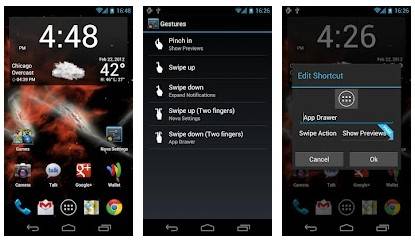
Nova Launcher Prime is designed to replace just about every single one of your Android functions. It costs $4.00, and it completely changes the way you use Android, which means that it probably won’t be the most popular app on the list.
But Nova Launcher Prime is undoubtedly cool. Using this app, you can easily change the shortcuts along the bottom of your homescreen or get rid of the app drawer’s default sorting system. You can change what every single phone button does and replace the icons that represent your apps and games.
Nova Launcher Prime is so popular that it has spawned its own lineup of custom themes and icon packs, including popular options like Tersus,
Snack Pack, and
MIUI 5, all of which customize the Android experience even further.
If you’re looking for one app that completely changes the way you use Android, then Nova Launcher Prime is worth a few bucks. And if you don’t want to pay for Nova Launcher Prime, then the
free version of Nova Launcher is even more popular and includes the same basic customizations and functionality.
4) Ultimate Custom Clock Widget (UCCW)
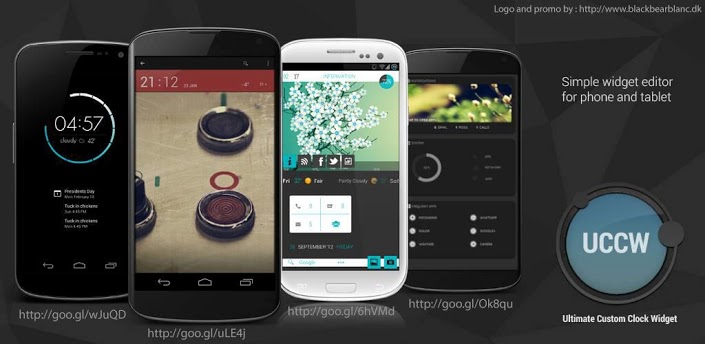
If you’re looking for a simple app that changes your Android homescreen in a simple but effective way, check out the
Ultimate Custom Clock Widget (UCCW). This app allows users to create custom clocks and other widgets for use on the homescreen. In addition to clocks, you can create alarm widgets, weather widgets, and battery widgets.
And with a wide range of styles and designs available, you can easily mold UCCW to fit whatever unique phone style you’re going for.
3) HD Widgets
https://www.youtube.com/watch?feature=player_embedded&v=YLuyLzH89O0
If you’ve found the default Android widgets to be lacking in resolution, then you’ll like the HD Widgets app, which (like UCCW) allows users to make their home screens look pretty without any significant adjustments.
The HD Widgets app comes with endless layouts and widget options, so you’re not going to get bored of it any time soon. It does cost $2, although you get 60 custom templates at that price. It’s also on the
prestigious “Editor’s Choice” list on the Google Play Store.
2) DashClock Widget
One of the best features of Android 4.2 is the ability to add widgets to the lock screen. As small as this feature may seem, it adds a significant amount of functionality to Android, since users can simply press a button on their phone to see the time, weather, battery life, missed calls, and any other notifications.
Well, if Android 4.2 didn’t offer enough lockscreen customization for your needs, then you’ll like the DashClock widget, which allows users to put just about anything they want on their lock screen. And instead of putting all of this information onto multiple screens, you can place it all on a single screen thanks to the
DashClock Widget app.
1) SOHO Social Launcher
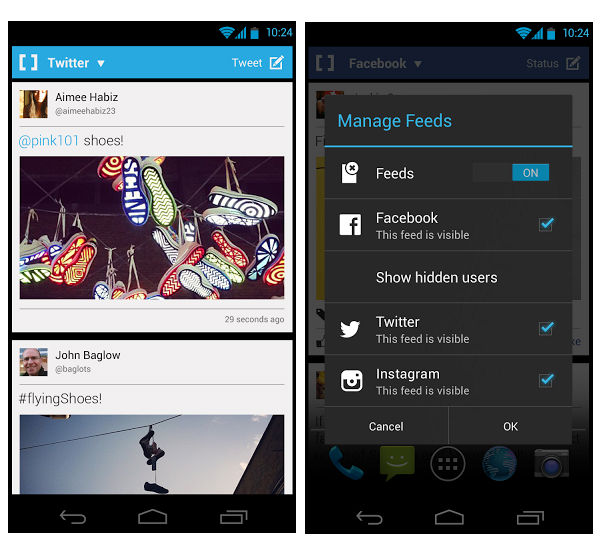
Who has time to manually open their Facebook, Twitter, and Instagram feeds anymore? Well, you don’t have to install Facebook Home to automatically add social networking to your Android homescreen. An app called SOHO Social Launcher places all of your social networks and feeds directly onto your homescreen, making it easy to browse through updates when you’re bored.
You can easily select which feeds show up, and SOHO Social Launcher currently supports Facebook, Twitter, and Instagram. Download it here.