

Add Lock Screen Gesture Functionality to Any Android with Pi Locker
2 min read
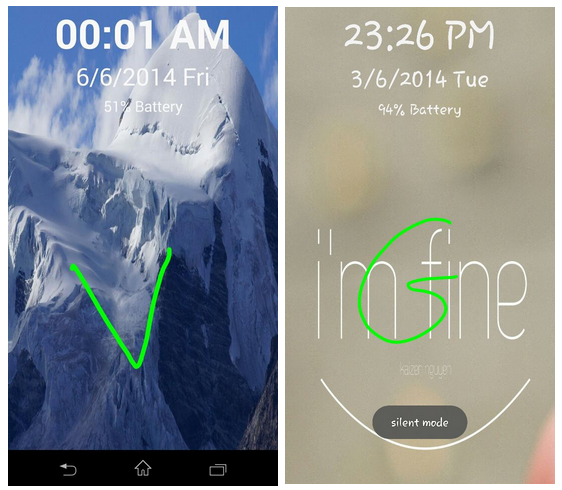
One of the coolest CyanogenMod features is its Gesture lockscreen functionality.
That feature lets you customize your lock screen and unlock your phone using gestures. It’s not a lifechanging feature, but it’s a feature that many users appreciate.
Basically, you scribble a gesture on your lock screen and your phone unlocks in seconds. Some users choose to put a picture on their lockscreen and then draw a pattern on that picture. Others put a picture of themselves or a loved one and draw a smiley face. Some write their initials.
Whatever you choose to do, you no longer have to root Android and install a custom ROM to enjoy gesture functionality.
Thanks to a new app called Pi Locker, anyone can add gesture functionality to their device.
Pi Locker was created by an XDA Developers Forum member named mohamedrashad. You can view the original thread here.
The app itself is very basic. Like most good apps, it’s simple and effective. Simply install it and run it to instantly setup your custom lock screen.
Key features include:
-Light weight
-Clean, simple UI
-Smooth on most Android devices, including lower-end devices
-Battery percent displayed on lock screen
-Customize text and customize text color
-“No useless features”
Ready to try it for yourself? Download Pi Locker for free from the Google Play Store.
Newsletter
Get the latest tech news delivered to your inbox weekly.