Install DNS66
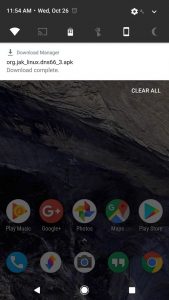
DNS66 will block all ads on your non-rooted device without having your battery to drain. It is available and absolutely free on the F-Droid Repository. This site is a trusted home for free and open-source Android apps. After opening the F-Droid Repository page, scroll down to the Packages section on the page, then tap the link that says "download apk." Simply tap the Download complete notification to launch the APK, then press "Install" when prompted.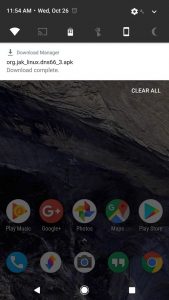
Choose Domain Filters
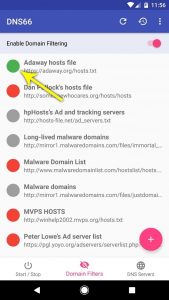
After launching the app for the first time, a set-up guide will appear.. To start, go to the Domain Filters tab located at the bottom of the screen. From here, you will have to select at least one ad-blocking host's file, which is basically a list of known ad servers that the DNS66 will block for you. It is recommended that you only select the "Adaway hosts file" here, by tapping the red dot to the left of this entry. When you've successfully enabled an ad-blocking hosts file, the adjacent dot will turn green.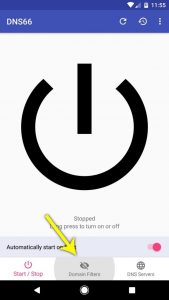
Enable the VPN Service
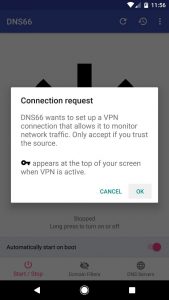
Go back to the Start / Stop tab from the bottom menu, and then tap the refresh icon located near the top of the screen. At this point, you will see a notification telling you that the host's file is downloading. To enable the VPN ad-blocking service by long-pressing the power icon located at the center of your screen, when you have already downloaded it, then press "OK" on the popup.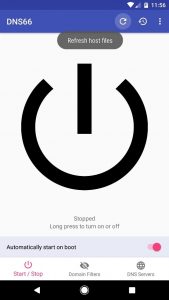
Enjoy Your Favorite Apps Without Ads
Ads will be blocked in your browser, as well as all of your other apps, all thanks to DNS66's VPN service. A small key icon is shown in your status bar to indicate that the service is active, which should now be present at all times.
 (1) IMDB app before DNS66. (2) IMDB app after DNS66 (note the key icon in the status bar).
Only DNS traffic is redirected through DNS66 and filtered for ads, as opposed to the methods used in similar apps, which filters all data traffic for ads.
All ads will be blocked system-wide but, because only the tiniest bit of data is being filtered, DNS66 has a very low battery consumption.