


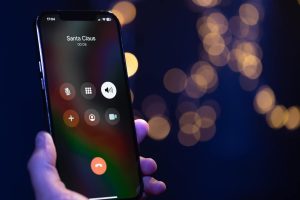
 Image credit: pvproductions on Freepik
Call Recording Features on iPhone and Android
At first glance, recording calls should be simple. A press of a button, and the conversation is saved. In reality, it’s not that straightforward.Android: A Mixed Bag of Possibilities
Android users, depending on the phone brand and OS version, have varied experiences with call recording. Some Android devices, particularly those with customized operating systems (such as Samsung or Xiaomi), offer built-in recording options. However, Google has gradually imposed restrictions—especially after Android 9—making native call recording more difficult.- Stock Android (e.g., Google Pixel phones) does not support call recording without third-party apps.
- Some manufacturers integrate call recording into the dialer app, but often this comes with automatic notifications to the other party, limiting discretion.
- Google Play policies restrict third-party apps from recording calls unless they use accessibility services, which isn’t always reliable.
iPhone: A Wall of Restrictions
Apple is known for strict privacy policies, and this extends to call recording. Unlike Android, iPhones do not offer a built-in call recording feature. Why? Because Apple prioritizes user privacy and complies with call recording laws in multiple countries. This means:- No direct option to record calls in the default Phone app.
- No system-wide permission for third-party apps to access call audio.
- Workarounds, such as merging calls with a recording service, are needed.
Limitations That Users Face
Call recording isn’t just about having the right app; there are several hurdles users need to overcome:- Legal Restrictions – Many countries require both parties to consent before recording a conversation, while others allow single-party consent.
- App Restrictions – Even if an app claims to support recording, OS-level restrictions may prevent it from working.
- Cloud Storage Limitations – Some solutions offer cloud recording but charge high fees or impose storage limits.
- Audio Clarity – Not all recorders provide high-quality, distortion-free recordings.
The Best Solution: iCall
If built-in call recording isn’t an option, what’s the alternative? iCall provides a seamless, legal, and effective way to record calls on both iPhone and Android. You can download it from the App Store and start using it right away. It’s a call recorder app iPhone with simple settings and reliable recording methods. So the call recorder ensures that everything you want will be recorded. It’s not exactly known when the iPhone recorder iPhone will come in handy, but it’s definitely in the near future. It’s good to have call recording available at any time so as not to miss an important conversation. Why iCall?- Works on iPhone and Android – Overcomes system restrictions.
- Records both incoming and outgoing calls – Ideal for interviews, business discussions, and personal reference.
- Easy to Use – No complicated setups; just a few taps and recording begins.
- High-Quality Audio – Ensures clear, distortion-free recordings.
- Secure Storage – Saves recordings safely, with options for cloud backup.
 Image credit: krakenimages.com on Freepik
Call Recording in Numbers
To highlight how crucial call recording is, let’s look at some compelling statistics:- 83% of consumers say they feel more confident in businesses that record customer service calls.
- Businesses using call recording increase sales conversions by up to 32%.
- In the U.S., 73% of companies record customer calls for training and compliance purposes.
The Future of Call Recording
The landscape of call recording is shifting, with privacy laws tightening and mobile OS restrictions increasing. Yet, demand remains high—whether for legal documentation, business intelligence, or personal security.- AI-driven transcription is on the rise, allowing users to convert recorded calls into text for easy reference.
- Cloud-based call storage ensures that recordings are accessible anytime, anywhere.
- Smarter compliance tools help users navigate legal frameworks and ensure recordings are stored securely.