Android has plenty of apps designed to make you more productive. But downloading and using all of these apps wouldn’t be a very productive use of time, would it?
That’s why we’ve picked the top five best productivity apps available for Android today. These apps will make you more productive at school, work, or whatever other productive tasks you do during an average day.
Here they are, in no particular order:
Evernote
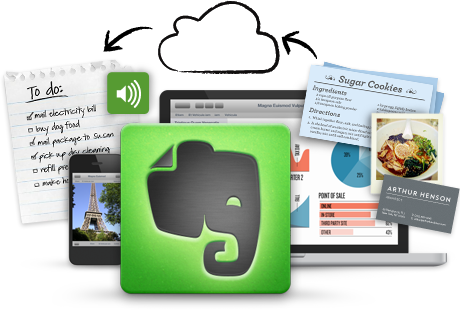
You’re not as smart as you think you are. When someone tells you to do something in the morning, you might do that thing, or you might forget about it by the end of the day. Evernote is a good way to clear your mind and carry your notes around with you at all times.
With Evernote, users can take notes, take pictures, create to-do lists, record audio notes, and do all of the other things you would expect with a super powered note taking app.
Kingsoft Office (or Office 365 if you want to pay)
A good office app suite is an essential part of productivity. Office apps on your Android let you juggle documents, presentations, and spreadsheets on-the-go. Microsoft finally got around to releasing Office 365 for Android, although
Kingsoft Office is the world’s best free alternative. With Kingsoft Office, users enjoy the ability to edit office documents with an easy, mobile-optimized interface. It’s as easy as it gets - and free.
Mint (or a similar personal financing app)
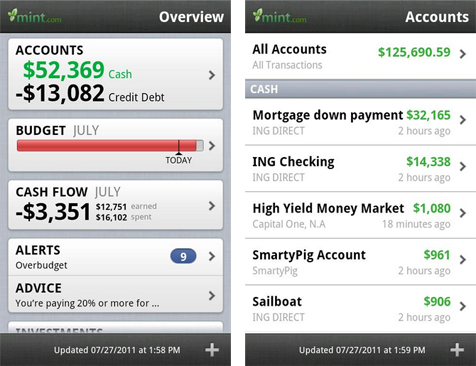
Most people find it helpful to keep some sort of budget. Some people have to stick to that budget more strictly than others. But no matter how strict your budget is, Android apps make it easy to monitor your personal finances wherever you go.
Mint has an excellent personal finance app that allows you to monitor (but not edit) your spending habits from your mobile device. Mint is great if you already subscribe to the full Mint package, but if you’re a free user (like me), then there are better options like
Expense Manager available. Expense Manager also has one of the most beautiful user interfaces available today.
Google Drive or any cloud storage service
Do you have one laptop to do all of your work, school, and casual tasks? Do you take that laptop with you everywhere and never leave it out of your sight? Probably not. You might sign onto a work PC at the office and another computer once you get home. In between, you rely on your mobile device. Cloud storage services have been out for a few years now - so they’re nothing new - but most people don’t take full advantage of cloud storage.
Free services like
Google Drive and
Dropbox offer several gigabytes of free online storage space. You can install Dropbox on any mobile device and any computer. Drag all your important work and school documents into the Dropbox folder and it will automatically sync across all devices. You can also put your photos and other important documents you don’t want to lose into your Dropbox folder in order to protect them if one of your devices goes down.
Meanwhile, Google Drive is an excellent cloud storage service if you like lots of free storage space and you like using Google services, because most Google services are designed to work flawlessly with Google Drive.
LastPass Password Manager
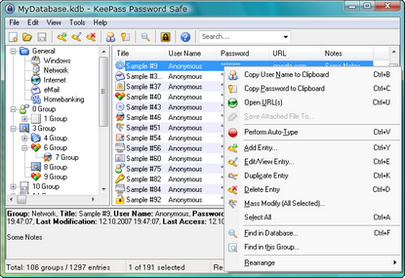
Today, you probably have several different passwords for a hundred different accounts. Or maybe you have one password for all your accounts. Password security is more important today than it has been at any other point in the history of the internet. Losing one password can give someone access to everything from your email to your Twitter to your bank account.
You have two options to prevent this from happening: make up 100 different passwords and remember all of them in your head. Or use
LastPass,
KeePass, or a similar password reminder service to securely save all your passwords and then input those passwords whenever you need it. All passwords are kept on an incredibly secure server and LastPass/KeePass have never experienced a major security breach. If you want to keep your passwords as secure and diverse as possible (and prevent a lost password from ruining your productivity), then these two services are what you need.