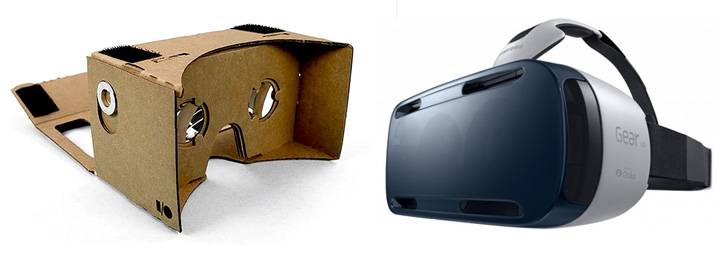
The two most popular VR systems for Android are Google Cardboard and Gear VR. Until today, apps designed for one system didn’t work well on the other.
Fortunately, things have changed. Starting today, Google Cardboard apps now work better on your Gear VR than ever before thanks to a recently-released app.
Samsung’s Gear VR has always been a powerful virtual reality system. But it’s had one drawback: once you put your phone into the plastic casing of the Gear VR, you were forced to only use apps from the Oculus Store.
Sure, you could add new VR experiences by sideloading. But it was a complicated process ignored by many users. It was also a process filled with many low-quality apps.
Finally, one enterprising app developer solved that problem by creating an app optimizing Google Cardboard apps for use in the Gear VR.
That app is called CB Enabler for Gear VR. As the name suggests, it enables Google Cardboard apps in your Gear VR – so Android’s two favorite VR systems can finally get along.
How to Use Google Cardboard Apps on your Gear VR
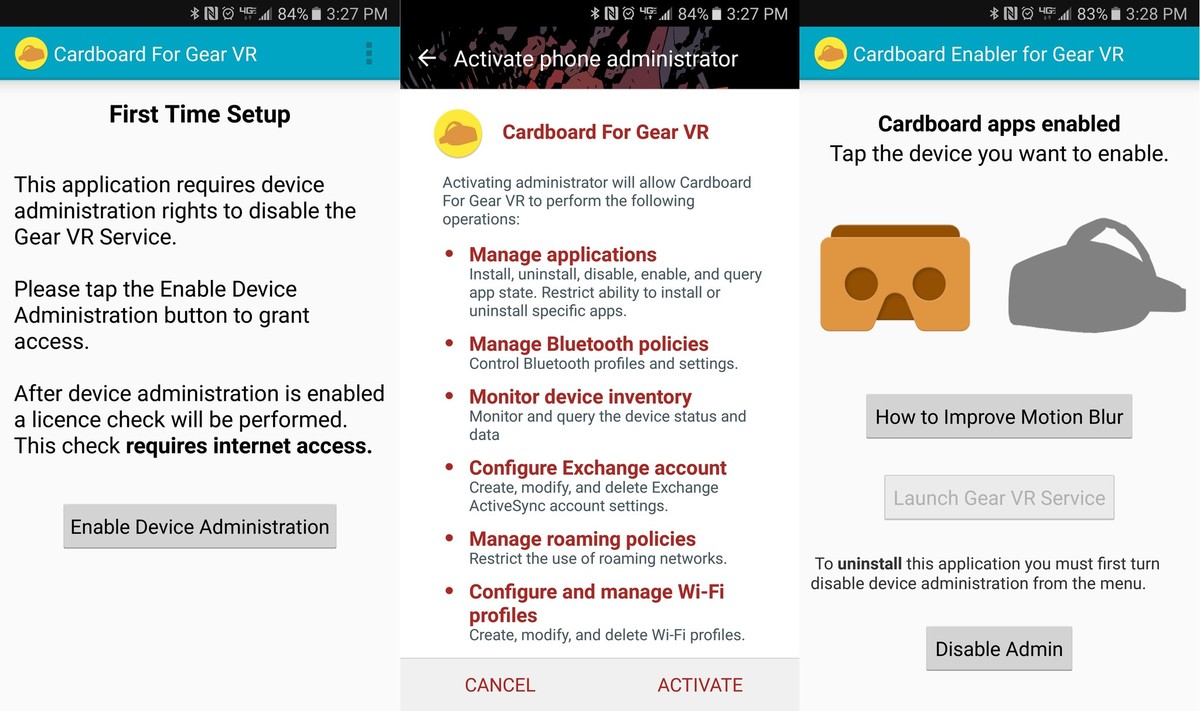
Step 1) Install CB Enabler for Gear VR (it’s a $0.99 download from the Google Play Store)
Step 2) Tap Enable Device Administration in CB Enabler
Step 3) Tap Activate in the Device Administrator menu that pops up
Step 4) Tap the Google Cardboard icon in CB Enabler
This enables Cardboard apps in Gear VR. After you’ve done that, you can launch any Cardboard app, then slide your phone into the Gear VR. It will continue working as normal.
Of course, you won’t get good results by default. You’ll need to tell the Cardboard app which headset you’re using. Since your Gear VR doesn’t have its own Cardboard QR code, you’ll need to use one of the following codes:
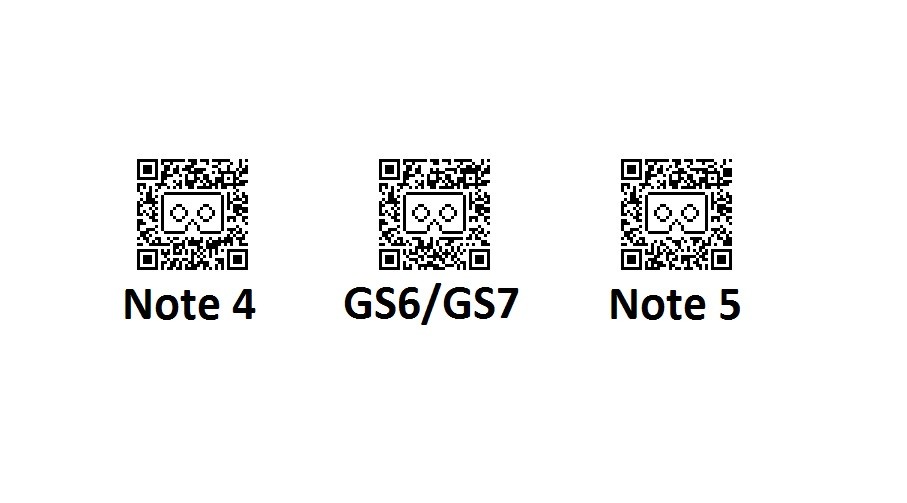
Image
courtesy of VRHeads.com.
Ultimately, CB Enabler for Gear VR gets the job done. However, it’s not a perfect solution. There are still some deep compatibility flaws. You won’t be able to tap the screen like a normal Cardboard viewer, for example, which pretty much prevents you from playing any games that require frequent interaction. You can, however, enjoy “passive” experiences like watching YouTube videos.
You may find that certain apps also don’t follow Google Cardboard’s lens distortion instructions, and those same apps won’t work well with the Gear VR, which basically makes them unusable.
Nevertheless, there are plenty of great apps that are optimized for Google Cardboard and work perfectly fine on the Gear VR using this method.
Have fun!