

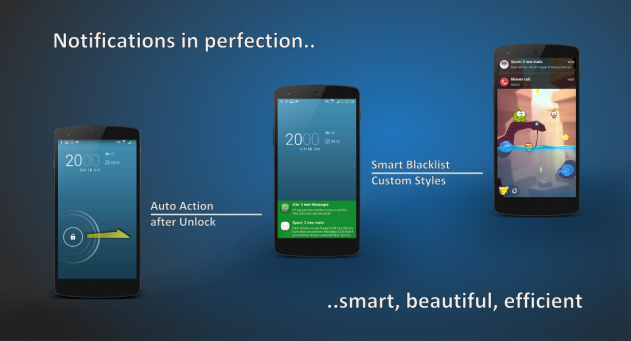
 Main features of this app include:
-The ability to customize your notification windows to various sizes, positions, colors, and opacities
-Multiple pop-up animations
-Notification pop-ups for all apps
-Auto actions on notifications
-Auto actions after unlocking
-Notification blacklist
-Wake on notification support
-Customize text size, item size, color, spacing
Basically, this is the floating notification widget you’ve been waiting for. Fast, easy, free, and customizable, I don’t have anything bad to say about this app.
Once again, you can download Floatify from the Google Play Store here.
Main features of this app include:
-The ability to customize your notification windows to various sizes, positions, colors, and opacities
-Multiple pop-up animations
-Notification pop-ups for all apps
-Auto actions on notifications
-Auto actions after unlocking
-Notification blacklist
-Wake on notification support
-Customize text size, item size, color, spacing
Basically, this is the floating notification widget you’ve been waiting for. Fast, easy, free, and customizable, I don’t have anything bad to say about this app.
Once again, you can download Floatify from the Google Play Store here.
How to Add Floating Notifications to Android Using Floatify (No Root Required)
1 min read
Floating notifications have been around Android for a few years. However, you’ve always had to root Android in order to access them.
Today, I’m pleased to tell you that’s no longer the case.
Thanks to a free app called Floatify, anyone can install floating notifications just like the ones you see in Android L.
You can download Floatify for free from the Google Play Store here.
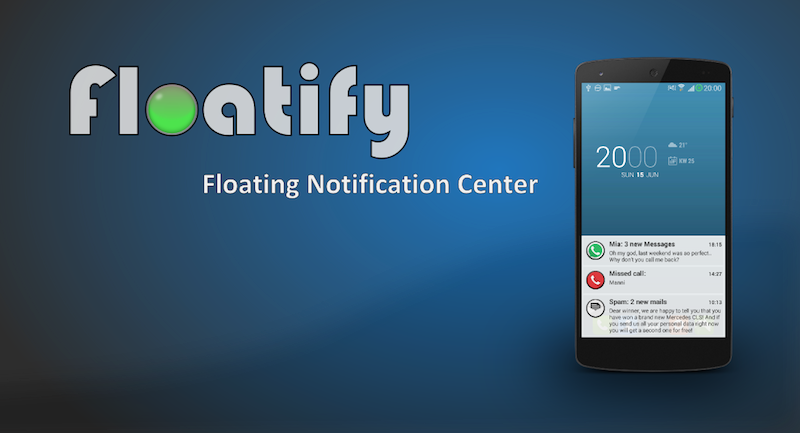
The app is easy to setup and customize. After installing the app, your incoming notifications will appear as pop-up windows with stacked notifications.
Main features of this app include:
-The ability to customize your notification windows to various sizes, positions, colors, and opacities
-Multiple pop-up animations
-Notification pop-ups for all apps
-Auto actions on notifications
-Auto actions after unlocking
-Notification blacklist
-Wake on notification support
-Customize text size, item size, color, spacing
Basically, this is the floating notification widget you’ve been waiting for. Fast, easy, free, and customizable, I don’t have anything bad to say about this app.
Once again, you can download Floatify from the Google Play Store here.
Main features of this app include:
-The ability to customize your notification windows to various sizes, positions, colors, and opacities
-Multiple pop-up animations
-Notification pop-ups for all apps
-Auto actions on notifications
-Auto actions after unlocking
-Notification blacklist
-Wake on notification support
-Customize text size, item size, color, spacing
Basically, this is the floating notification widget you’ve been waiting for. Fast, easy, free, and customizable, I don’t have anything bad to say about this app.
Once again, you can download Floatify from the Google Play Store here.
Newsletter
Get the latest tech news delivered to your inbox weekly.