One of the benefits of using Android is that Google doesn’t lock down its operating system as much as Apple does with iOS. As a result, Android users have a wide range of browsers from which to choose.
But only a few browsers are worth your time. And popular browsers for desktop computers – like Firefox – don’t always translate well to the Android interface. To find out which browser works best for you, keep reading!
Dolphin Browser for Android
Despite its popularity, many Android users still have not heard of Dolphin. Dolphin is currently used by 15 million Android users around the world and, like all of the other browsers listed here, it’s 100% free to use. It also supports useful add-ons, including Sonar and Gestures, that take full advantage of Android’s touch-screen capabilities.
Dolphin also seeks to make the Android web browsing experience a lot more fun. The browser includes Dolphin.fm radio, a translator, password manager, PDF viewer, and plenty of other useful features. In short, Dolphin wants to live up to its motto of “Smart phone. Clever browsing.”
You should choose Dolphin if:
-You want to take full advantage of your touch-screen
-You want to experience something different than the usual Chrome/Firefox UI
-You enjoy fast speeds
To download Dolphin for Android today, visit the Google Play Store here.
Mozilla Firefox
Firefox was the first modern internet browser to provide a legitimate challenge to Internet Explorer. Today, Firefox is widely used on desktop systems around the world, but it’s also a popular Android app.
Firefox has made a smooth transition to Android, and all of the security and privacy features included on the desktop version of Firefox have made the switch to Android. The Android version is also more lightweight than the desktop version, and a number of usability features have been added on to ensure that it is as easy as possible to use. Those features include:
-Mobile video support for multiple video formats
-HTML5 support
-Synchronization across all your Firefox installations
-With 20 million users around the world, Firefox is second only to Google Chrome in terms of browser popularity on Android.
To download Firefox today, click here.
Opera Mobile
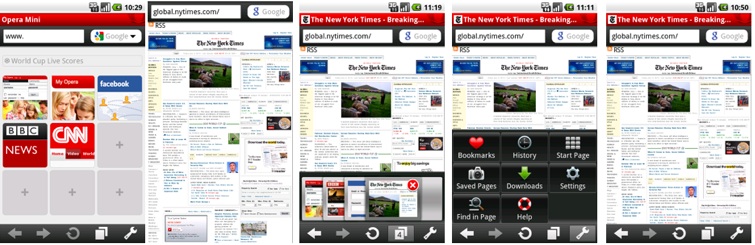
For a long time, the big three web browsers have included Chrome, Firefox, and Internet Explorer. However, Opera has always maintained a distant fourth place position. Although it might not be as feature-rich as Firefox and Chrome, it still performs the same basic job as any other web browser. It also tends to be surprisingly fast.
Users are also attracted to Opera Mobile for its Speed Dial and Opera Link services, which allow direct calling and synchronization across all Opera installations. There is also a Fraud Protection feature that aims to safeguard users against hackers and phishers.
You can check out Opera Mobile today on
the Google Play Store here. Or, if you want a lighter, smaller version of Opera (say, if you’re on a smaller data plan), you can download that version here.
You should use Opera if:
-You like a minimalistic interface
-You enjoy fast speeds
-You use Opera on other computers and want information to synchronize
Google Chrome
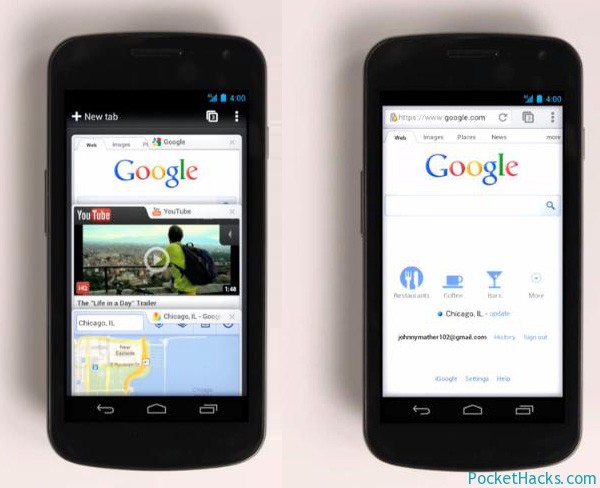
Android is Google’s flagship mobile operating system, and it makes sense that Chrome would play an important role in the Android experience. If you own a Nexus Android, then Chrome is most likely your default web browser. In almost every speed test, Chrome comes out on top. So if you want the fastest possible internet speeds, then Chrome is a must-have app.
Chrome, like many of the other browsers listed here, also comes with a synchronization function that shares bookmarks across your entire Google account. In terms of usability, Chrome allows users to switch between multiple tabs simply by swiping to the left and right. In short, the interface has been thoroughly optimized for Android.
There is also a useful ‘incognito mode’ for…planning surprise birthday parties. While browsing in incognito mode, history, cookies, and other information is not saved.
-You enjoy speed and simplicity when it comes to internet browsers
-You appreciate an intuitive, touch-screen optimized interface
-You use Google services like Gmail on a regular basis
-You frequently open and switch through multiple tabs
Download Chrome today by clicking here
Other types of browsers for Android
The four browsers listed above are the most popular ones available today. However, there are other Android browsers that offer an alternative mobile experience, including:
-
Maxthon Android web browser
-
Boat Browser
-
UC Browser
-QQ Browser
-
Ninesky Browser
-Skyfire Web Browser