

 In the words of the app’s creator:
“Did it ever occur to you that someone tried to reach you and you didn't see the incoming call because the phone was silenced? Do you need to wait for incoming call, but want to sleep and put the phone on silent mode? Do you need to stay available all the time when specific people tries to reach you? This app is for you!”
You can set a white list or black list for your contacts. Setup a blacklist if you don’t want to hear calls from certain contacts and set up a whitelist if you only want to hear calls from certain contacts.
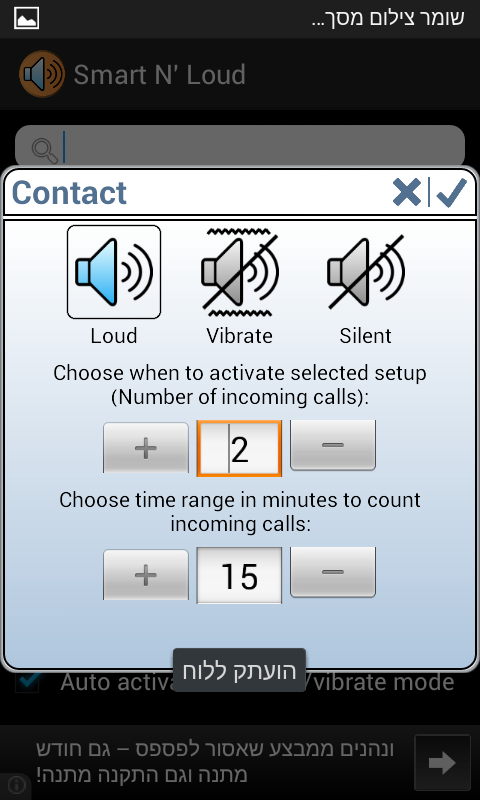
Then, you can tell your phone to ring in a number of different ways depending on who’s calling. You can set your phone to only vibrate when a certain contact rings, for example. Or, if you receive 2 calls from 1 contact within 10 minutes, then your ringer would activate (say, if your wife is calling you and it sounds urgent).
Smart N’ Loud is a good way to make sure you never miss a call again. With Smart N’ Loud, you can make sure your boss, significant other, child, or parent can always call you – even if your phone is set to sleep.
Check out the original XDA Developers Forum thread for more information: http://forum.xda-developers.com/showthread.php?t=2595694
In the words of the app’s creator:
“Did it ever occur to you that someone tried to reach you and you didn't see the incoming call because the phone was silenced? Do you need to wait for incoming call, but want to sleep and put the phone on silent mode? Do you need to stay available all the time when specific people tries to reach you? This app is for you!”
You can set a white list or black list for your contacts. Setup a blacklist if you don’t want to hear calls from certain contacts and set up a whitelist if you only want to hear calls from certain contacts.
Then, you can tell your phone to ring in a number of different ways depending on who’s calling. You can set your phone to only vibrate when a certain contact rings, for example. Or, if you receive 2 calls from 1 contact within 10 minutes, then your ringer would activate (say, if your wife is calling you and it sounds urgent).
Smart N’ Loud is a good way to make sure you never miss a call again. With Smart N’ Loud, you can make sure your boss, significant other, child, or parent can always call you – even if your phone is set to sleep.
Check out the original XDA Developers Forum thread for more information: http://forum.xda-developers.com/showthread.php?t=2595694
How to Easily Control your Android’s Ring Volume With Smart N’ Loud
2 min read
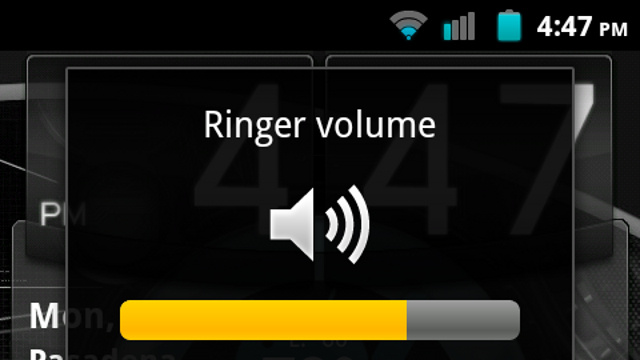
Your phone’s ringer is an important part of your device. But when that ringer accidentally gets set to silent or too low, then you’re in big trouble.
Well, not really. But changing your phone’s ringer can be a pain. Apps might try to set their own ring types, and changing notification settings around might cause your phone to beep during a text message but stay silent during a call.
Today, I’m telling you about an app called smart N’ Loud that lets Android users easily control their phone’s ringer with just a few simple settings.
Download Smart N’ Loud here for free
Smart N’ Loud will let you adjust ringer settings in a number of easy ways. The most important feature of this app is the ability to set your phone to ring only when certain people call.
In the words of the app’s creator:
“Did it ever occur to you that someone tried to reach you and you didn't see the incoming call because the phone was silenced? Do you need to wait for incoming call, but want to sleep and put the phone on silent mode? Do you need to stay available all the time when specific people tries to reach you? This app is for you!”
You can set a white list or black list for your contacts. Setup a blacklist if you don’t want to hear calls from certain contacts and set up a whitelist if you only want to hear calls from certain contacts.
Then, you can tell your phone to ring in a number of different ways depending on who’s calling. You can set your phone to only vibrate when a certain contact rings, for example. Or, if you receive 2 calls from 1 contact within 10 minutes, then your ringer would activate (say, if your wife is calling you and it sounds urgent).
Smart N’ Loud is a good way to make sure you never miss a call again. With Smart N’ Loud, you can make sure your boss, significant other, child, or parent can always call you – even if your phone is set to sleep.
Check out the original XDA Developers Forum thread for more information: http://forum.xda-developers.com/showthread.php?t=2595694
In the words of the app’s creator:
“Did it ever occur to you that someone tried to reach you and you didn't see the incoming call because the phone was silenced? Do you need to wait for incoming call, but want to sleep and put the phone on silent mode? Do you need to stay available all the time when specific people tries to reach you? This app is for you!”
You can set a white list or black list for your contacts. Setup a blacklist if you don’t want to hear calls from certain contacts and set up a whitelist if you only want to hear calls from certain contacts.
Then, you can tell your phone to ring in a number of different ways depending on who’s calling. You can set your phone to only vibrate when a certain contact rings, for example. Or, if you receive 2 calls from 1 contact within 10 minutes, then your ringer would activate (say, if your wife is calling you and it sounds urgent).
Smart N’ Loud is a good way to make sure you never miss a call again. With Smart N’ Loud, you can make sure your boss, significant other, child, or parent can always call you – even if your phone is set to sleep.
Check out the original XDA Developers Forum thread for more information: http://forum.xda-developers.com/showthread.php?t=2595694
Newsletter
Get the latest tech news delivered to your inbox weekly.