

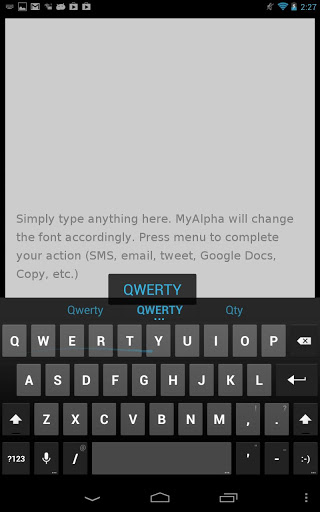
 Step 1) Currently, the AOSP Keyboard app is only available on Jelly Bean Android devices (4.1). You’ll need to upgrade to 4.1 before you proceed. Fortunately, the developer does plan to release versions of the AOSP Keyboard for older versions of Android in the near future, so stay tuned.
Step 2) Click here to visit the Google Play Store and download the AOSP keyboard
Step 3) Install the app, start typing, and then change your default keyboard setup by swiping down from the top menu bar. Choose the AOSP Keyboard as your default interface and you’re set!
Early reviews of the AOSP keyboard say that it’s good, but not quite on the level of SwiftKey. However, SwiftKey costs $3.99 outside of the free trial, while the AOSP keyboard is completely free. It’s up to you to decide whether you want to pay for a slightly better keyboard or settle for the free option.
Step 1) Currently, the AOSP Keyboard app is only available on Jelly Bean Android devices (4.1). You’ll need to upgrade to 4.1 before you proceed. Fortunately, the developer does plan to release versions of the AOSP Keyboard for older versions of Android in the near future, so stay tuned.
Step 2) Click here to visit the Google Play Store and download the AOSP keyboard
Step 3) Install the app, start typing, and then change your default keyboard setup by swiping down from the top menu bar. Choose the AOSP Keyboard as your default interface and you’re set!
Early reviews of the AOSP keyboard say that it’s good, but not quite on the level of SwiftKey. However, SwiftKey costs $3.99 outside of the free trial, while the AOSP keyboard is completely free. It’s up to you to decide whether you want to pay for a slightly better keyboard or settle for the free option.
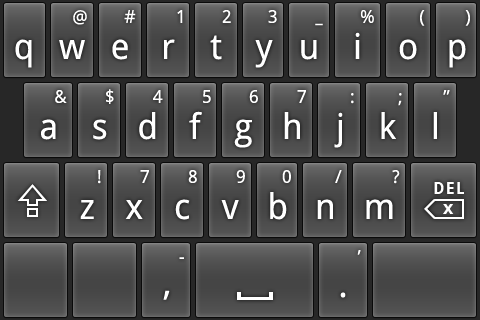
How to get Android 4.2 gesture typing without installing Android 4.2
2 min read
Android 4.2 will be out soon. However, if you’re like most Android users, then you’re not even using Android 4.1 yet. Android 4.2 comes with plenty of cool new features, but one of the most anticipated features is the ability to type on a genuine gesture typing keyboard without installing any third-party apps.
Gesture typing will be familiar to those who use alternative Android keyboards like Swype and SwiftKey. It anticipates your words before you fully type them out, often with a surprising degree of accuracy. These keyboards also seem to learn the words you use faster than other keyboards, which is why SwiftKey is one of the most popular paid apps currently available in the Android store.
But if you don’t want to drop $3.99 on the SwiftKey keyboard, then we have a better solution: install the Gesture Typing keyboard from Android 4.2 – without actually installing Android 4.2.
Since Android 4.2 probably won’t be available on your device for a while, a kindly developer has created a version of the Gesture Typing keyboard and uploaded it to the Google Play store. That keyboard is called AOSP, although I have no idea what that stands for (Android Open Source Prediction, maybe?)
Here’s how to download the new gesture typing keyboard:
Step 1) Currently, the AOSP Keyboard app is only available on Jelly Bean Android devices (4.1). You’ll need to upgrade to 4.1 before you proceed. Fortunately, the developer does plan to release versions of the AOSP Keyboard for older versions of Android in the near future, so stay tuned.
Step 2) Click here to visit the Google Play Store and download the AOSP keyboard
Step 3) Install the app, start typing, and then change your default keyboard setup by swiping down from the top menu bar. Choose the AOSP Keyboard as your default interface and you’re set!
Early reviews of the AOSP keyboard say that it’s good, but not quite on the level of SwiftKey. However, SwiftKey costs $3.99 outside of the free trial, while the AOSP keyboard is completely free. It’s up to you to decide whether you want to pay for a slightly better keyboard or settle for the free option.
Step 1) Currently, the AOSP Keyboard app is only available on Jelly Bean Android devices (4.1). You’ll need to upgrade to 4.1 before you proceed. Fortunately, the developer does plan to release versions of the AOSP Keyboard for older versions of Android in the near future, so stay tuned.
Step 2) Click here to visit the Google Play Store and download the AOSP keyboard
Step 3) Install the app, start typing, and then change your default keyboard setup by swiping down from the top menu bar. Choose the AOSP Keyboard as your default interface and you’re set!
Early reviews of the AOSP keyboard say that it’s good, but not quite on the level of SwiftKey. However, SwiftKey costs $3.99 outside of the free trial, while the AOSP keyboard is completely free. It’s up to you to decide whether you want to pay for a slightly better keyboard or settle for the free option.
Newsletter
Get the latest tech news delivered to your inbox weekly.