For whatever reason, Google doesn’t want you listening to YouTube videos on your mobile device: it wants you to watch those videos.
If you try to watch a YouTube video and then lock your screen, the YouTube app will automatically stop playing. It’s annoying for those who are just trying to listen to a new song.
Google is reportedly preparing to release a service called YouTube Music Key. This service will let you play only the audio from YouTube videos without watching the video. Apparently, Music Key will also offer offline access.
Anyways, while we wait for Music Key to come out, here are four other YouTube-style apps that let you listen to the audio from YouTube videos:
PVSTAR+
PVSTAR+ may be the most popular audio-only YouTube app. It’s filled with helpful features, including the ability to search through videos on YouTube, DailyMotion, NicoVideo, and Vimeo.
You can also play YouTube playlists and search through YouTube channels. There’s a widget and there’s even a “low quality” mode if you’re working with a slow network connection.
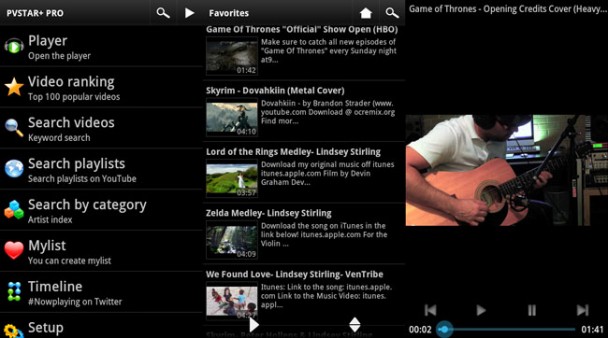
The only major downside to PVSTAR+ is that it fills your notification shade with two separate notifications. One notification controls your audio playback, while the other simply lets you know you’re connected to the PVSTAR+ network. There’s no good reason the second one is there.
If you want to listen to YouTube videos, PVSTAR+ is an excellent option. It’s free and supported by ads, but you can buy the ad-free version for $2.50.
UListen
I like UListen because it doesn’t even support video playback: it doesn’t try to be a YouTube replacement app: it simply plays audio when you click on a YouTube video. How awesome is that?
You can also create playlists with your favorite videos and songs. If you like falling asleep to your music at night, then you can also use the UListen sleep timer to automatically deactivate the app after a certain amount of time has passed.
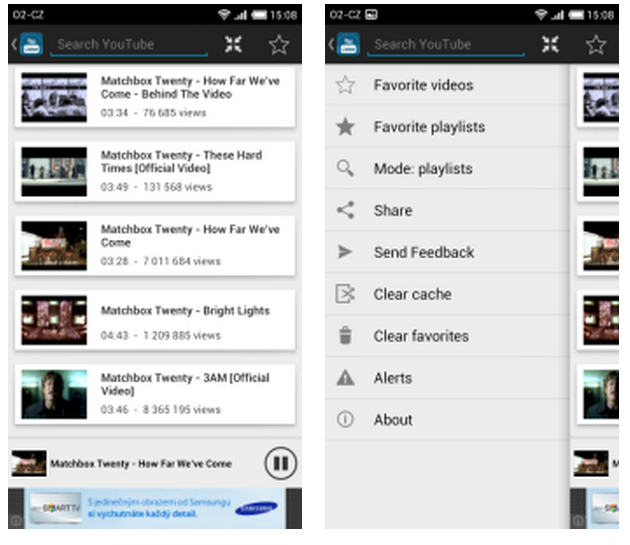
The only major downside to UListen is its weak search functionality. You’ll need to search using broad keywords – or else you probably won’t find what you’re looking for.
If you take the time to setup playlists of your favorite songs, then UListen is awesome. If you’re constantly relying on the search app to get what you need, then you might not have a great experience.
Viral
Viral is the most ambitious app on this list. It aims to totally replace your YouTube app – but it also comes with a bunch of features that make you
want to replace your YouTube app.
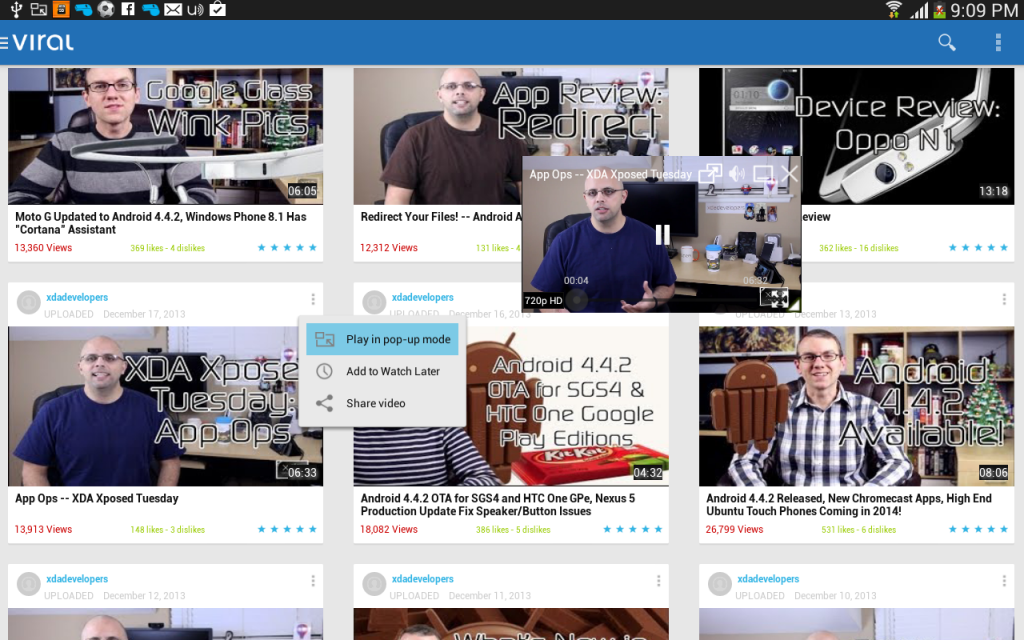
Important Viral features include the ability to place “hovering” YouTube video windows around your screen. You can also setup “audio only” playback which lets you continue listening to a video’s audio even after you’ve locked your phone or pressed the home button.
Viral is free and ad-supported and can be downloaded from here.
FREEdi YouTube Player
Like PVSTAR+, FREEdi lets you play YouTube videos in the background without viewing the video. The interface isn’t nearly as attractive as some of the other apps on this list, but it has a solid core of features.
Those features include HD video playback using network data as well as search auto-complete.
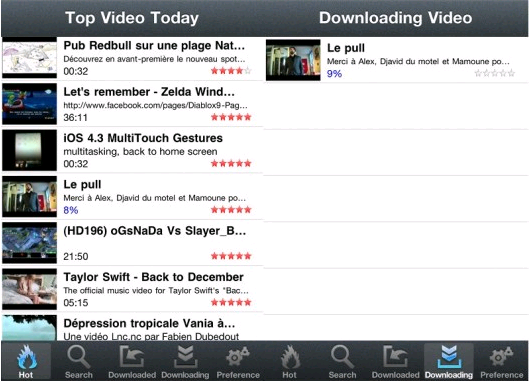
If you can get past the clunky interface and awkward UI, then FREEdi does a good job of playing audio from your favorite YouTube videos.
Do you have any more YouTube audio playback apps to add to the list? Let us know in the comments section below! If they’re not completely horrible apps, I’ll add them to the list!

