

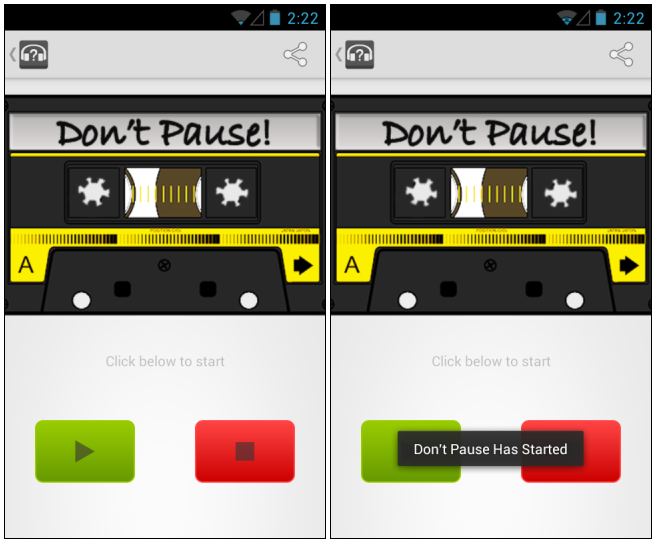
 Here’s the step by step guide to using Don’t Pause:
Step 1) Download and install Don’t Pause for free from the Google Play Store
Step 2) Activate Don’t Pause by tapping on the app from your application drawer
Step 3) Test the app by playing music as you normally would. Watch your phone switch into vibrate mode and then switch out of it once you stop playing music.
See how easy that is? If you’re the kind of person who listens to music a lot while driving or on Bluetooth speakers, then Don’t Pause is an excellent app to download. Check it out today at the Play Store or at the original XDA Developers Forum thread.
Here’s the step by step guide to using Don’t Pause:
Step 1) Download and install Don’t Pause for free from the Google Play Store
Step 2) Activate Don’t Pause by tapping on the app from your application drawer
Step 3) Test the app by playing music as you normally would. Watch your phone switch into vibrate mode and then switch out of it once you stop playing music.
See how easy that is? If you’re the kind of person who listens to music a lot while driving or on Bluetooth speakers, then Don’t Pause is an excellent app to download. Check it out today at the Play Store or at the original XDA Developers Forum thread.
How to Silence Notifications When Music is Playing
2 min read
If you listen to your Android in the car, then you know how annoying it is to receive a notification. If your sound is on, then the received notification will silence your music for 1-2 seconds before resuming.
Obviously, there are times when this is useful – like when you receive a phone call. But there are other times when it’s just annoying – like on a ten minute drive to the gym.
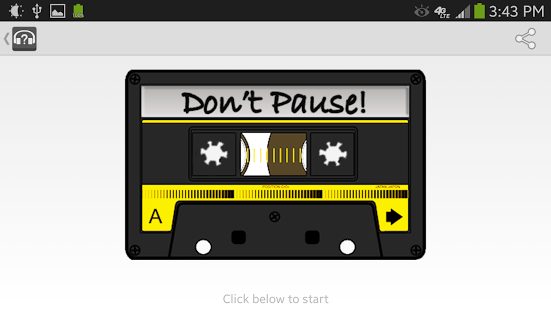
If you want to silence these notifications and keep your music playing, then I’ve got the easy solution you need. It’s called, appropriately, “Don’t Pause”.
Don’t Pause is a very simple app that performs one simple function. It runs in the background of your Android phone or tablet and, when it detects music playing, it automatically turns the phone to Vibrate mode.
That’s it! This simple solution is, as far as I can see, the only app out there that provides this kind of service.
Here’s the step by step guide to using Don’t Pause:
Step 1) Download and install Don’t Pause for free from the Google Play Store
Step 2) Activate Don’t Pause by tapping on the app from your application drawer
Step 3) Test the app by playing music as you normally would. Watch your phone switch into vibrate mode and then switch out of it once you stop playing music.
See how easy that is? If you’re the kind of person who listens to music a lot while driving or on Bluetooth speakers, then Don’t Pause is an excellent app to download. Check it out today at the Play Store or at the original XDA Developers Forum thread.
Here’s the step by step guide to using Don’t Pause:
Step 1) Download and install Don’t Pause for free from the Google Play Store
Step 2) Activate Don’t Pause by tapping on the app from your application drawer
Step 3) Test the app by playing music as you normally would. Watch your phone switch into vibrate mode and then switch out of it once you stop playing music.
See how easy that is? If you’re the kind of person who listens to music a lot while driving or on Bluetooth speakers, then Don’t Pause is an excellent app to download. Check it out today at the Play Store or at the original XDA Developers Forum thread.
Newsletter
Get the latest tech news delivered to your inbox weekly.