

Microsoft Releases Office for Android, Requires Office 365 Subscription
2 min read
Millions of Android users do real work on their smartphones and tablets. That’s right: there are some people out there who don’t just browse the Twitter and Reddit apps – they create income reports and write press releases and do other important things.
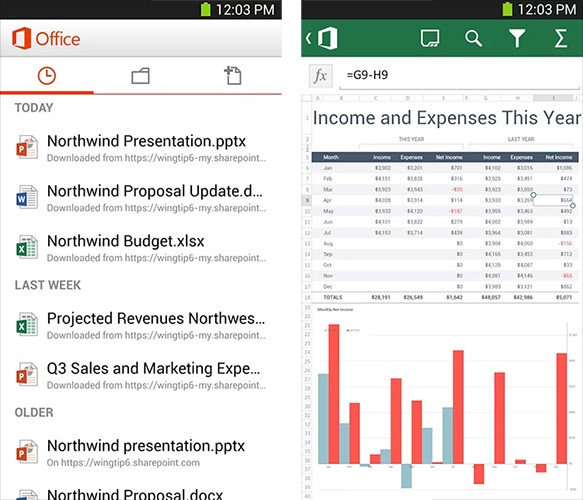
Well, fortunately for those winners, Microsoft finally released an official version of Office for Android. Office for Android requires a subscription to Office 365 and Android 4.0.
With Office for Android, you can edit files and create new Word and Excel files pretty easily. PowerPoint is supported, although you can’t create new PowerPoint files – just edit existing files and view them. Unfortunately, there’s absolutely no free version of the app – even if you just want to view files.
As far as editing goes, you can’t do much more than change basic formatting and add comments. It’s also only available on Android smartphones – Microsoft wants users to use Office Web Apps for their Android tablets instead.
Office 365 is designed for business users and costs $12.50 per user per month for up to 25 users. There is a very limited $5 per user per month plan, but it doesn’t provide access to Office Mobile.
It’s far from perfect – or cheap – and it will probably only appeal to corporate Android users who are out of the office a lot. But finally, we’ve got some way to edit Office documents using Android smartphones.
Newsletter
Get the latest tech news delivered to your inbox weekly.