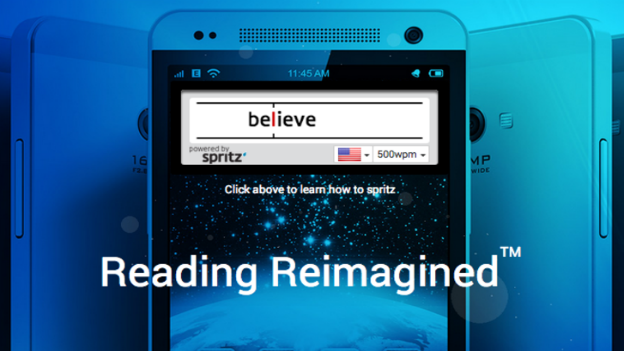
Spritz has been all over the news lately.
Spritz uses a psychological phenomenon called RSVP to rapidly display words on your screen and help you read more quickly.
RSVP – which stands for Rapid Serial Visual Presentation – has been largely debunked by science since it was first developed in the 1970s. Researchers state that RSVP lets our eyes see words and sentences more quickly, but our brain still processes those words and sentences at the same pace.
You may technically be “reading” the information on your screen, but the information never sinks in.
If you believe in the power of RSVP, then you’ll like these three apps we’re showing you today. The three apps listed below are designed to increase your reading speed and comprehension.
Speed Read Inspired by Spritz
 Speed Read
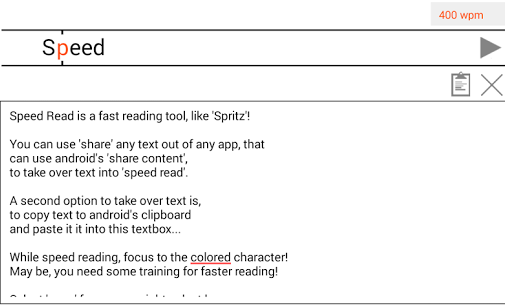
 makes no pretension of being original. The app says “Inspired by Spritz” directly in its name.
Speed Read by Spritz rapidly displays words at the top of your screen. The content you’re reading is displayed below the top box. As you pass through each word, the word is highlighted in the content below.
Users can adjust the number of words they’re reading each minute, although most users keep it in between 300wpm to 400wpm.
Speed Reader
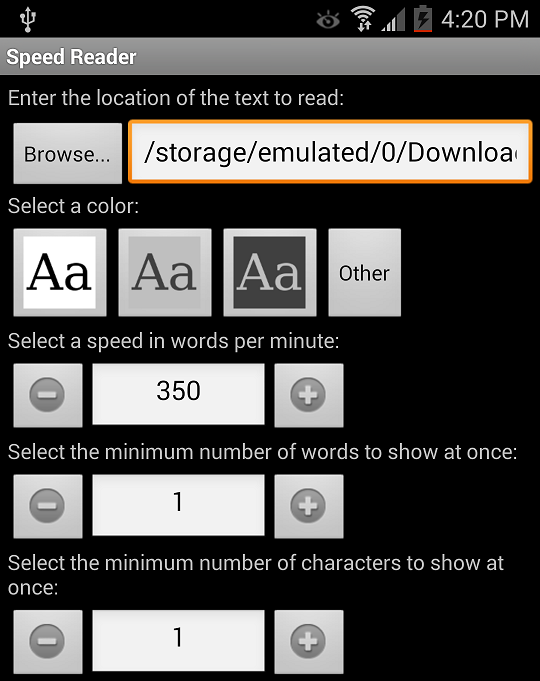
Speed Reader is likely the most customizable option on this list. Speed Reader is free (although the developer does encourage donations) and lets users read all sorts of different text files on their Android.
Those files include formats like TXT, EPUB, HTML, XML, and PDF. If you already own an eReader tablet, then you may already have books in those file formats.
Users can customize the app according to how many different words appear on screen at once, the number of words per minute, and text size.
Speed Reader isn’t perfect. One of the most annoying problems is that you basically have to finish a book once you’ve started it: it’s difficult to start from a specific in-text point or see where you are in a novel.
That’s annoying if you’re reading a book series like A Song of Ice and Fire, where even with a speed reading app, it’s going to take a few hours to finish.
A Faster Reader
Want to check out faster readers but don’t want to read books on your Android smartphone or tablet?
A Faster Reader may be for you.
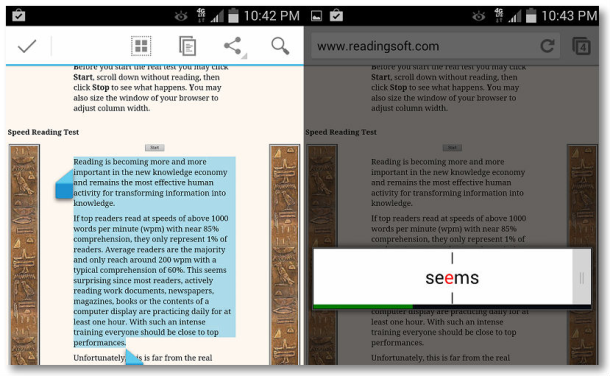
A Faster Reader lets users highlight text in virtually any app. If your app has the “Share via…” option, then you’ll be able to choose A Faster Reader from the dropdown menu.
After choosing a faster reader, the words will appear one-by-one on a pop up menu in front of your screen. The free version of this app is restricted to 300wpm, although you can pay 99 cents for faster speeds and more customization options.
A Faster Reader can be used by mobile book readers as well as average mobile users. You can read lengthy emails more quickly, for example, and process text in any app which allows the “Share via” option.
Do speed reading apps actually work?
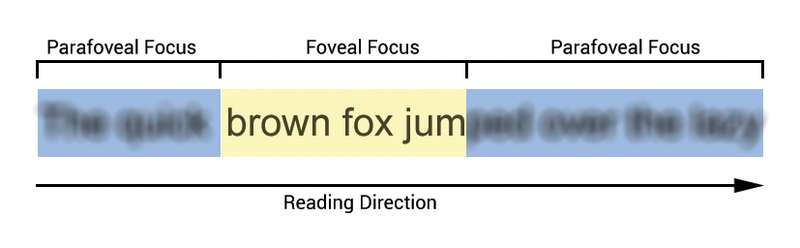
Like I said above, most scientific professionals have said that RSVP isn’t really a thing. It’s not a good way to absorb mat or learn new things.
However, if you want to
feel like you’re reading quickly, or if you have a super powered brain that can process information more quickly than the average person, then give these speed reading apps a shot.
The apps listed above give users the option to adjust their words per minute. I recommend adjusting that number to the lowest possible option. Read a few paragraphs and ask yourself if you’re
really absorbing the material. If not, then speed reading might not be for you.
If you do, however, feel like you’re absorbing the material, then increase your wpm rate and see how quickly you can demolish all books in your path. But remember: people have been reading things for thousands of years and speed reading techniques are nothing new – they’re not going to work for most people no matter how hard you concentrate.