

What to do when you accidentally deleted your contacts and want to recover them?
It is undeniably that one of the most valuable things you can have on your Android device is your list of contacts. It's everything from work, friends, family, business and etc. It’s terribly and horribly frustrating if all of them go missing at the same time, and doesn’t matter whether if you have accidentally deleted your contacts, or if they were lost while you were rooting your Android device or doing any other kind of tweaking and tinkering. In most cases, your Android contacts only seem to be deleted or lost when you can’t find them ever. In this article, you will be able know the steps on how you can recover seemingly lost contacts and how to recover deleted ones.Maybe your contacts aren’t even gone, just lost somewhere else in the system
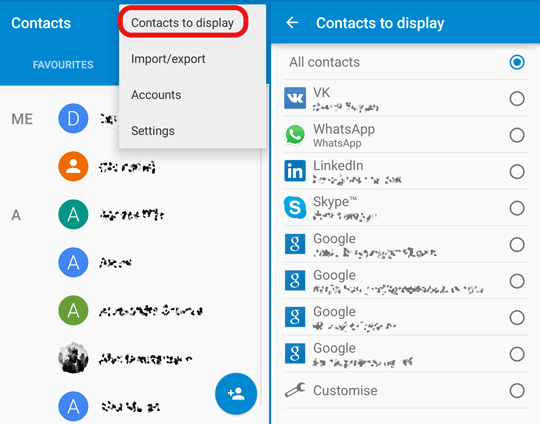
Android could sometimes go crazy and the settings on your Android device can go completely nuts as well, up until the point where you can’t even find your contacts and think you have lost them all. Don't freak out because there is a chance that all your contacts are still on your device, just hidden very carefully you just don't even know it. To check if that’s the case, follow these simple steps provided below:- Open the “Contacts” app
- Press on the menu in the top-right corner (three vertical dots)
- “Contacts to display”
- Select “All contacts” if it isn’t already
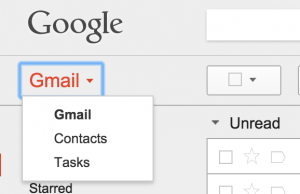
How to Restore Android contacts with Gmail
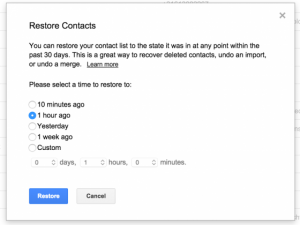 After that, you should see this pop-up window, where you can select a backup, which can date back as far as 30 days. If this method worked for you, then go ahead and re-sync your Google account with your Android device and there you have it, you should be good to go. If it didn’t work just as the step stated above, let’s explore some other options.
Restoring a Nandroid backup (rooting required)
If your Android device is rooted and you have previously made the so-called Nandroid backup, you can check out posts on how to restore it to get your contacts back. Now that we have expired all the “standard” options, let’s take a look at the last possible option.Checking your Android device’s contacts database file (rooting required)
If you haven’t wiped your device completely, there is still a chance for you to recover all your lost or deleted contacts just by simply checking if the old contacts database file is still stored somewhere deep in your storage. Depending on your manufacturer and Android OS version, you may find your database in different locations in your storage. As for the stock Android devices like the Nexus 5, the database file should be located exactly here:/data/data/android.providers.contacts/databases
Basically the key that you are looking for is providers.contacts/databases and to get to this folder straight from your device, all you have to do is install aSQLiteManager, which is able to get into your Android device’s database storage and then open .db files. Take note of this: if you can find this folder on your device empty, it simply means that your deleted contacts are gone for good. Well, always be careful with your contacts and secure them properly so it won't get lost and accidentally deleted. Since these are valuable information, you should have them backed up just in case something like this will happen.