Your Android device is a miniature computer. But most people don’t treat their smartphones and tablets like they treat computers.
You may have a system monitor app like CCleaner on your computer. But do you have anything similar on your Android device? Probably not.
Today, I’m going to help you change your ways. Here are the top 5 best system monitor apps you can use to identify, diagnose, and solve performance problems on your Android device:
5) System Monitor
System Monitor costs $3.50 to buy, although there is a free “Lite” version available. System Monitor aims to tell you “just about everything” about your phone.
It’s also arguably the best-looking system monitor app available for Android today. It features a minimalistic interface and soft, pastel-like colors. It’s sexy.
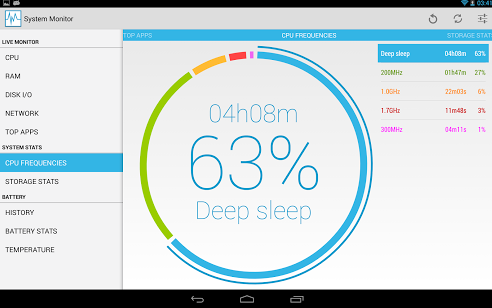
Key features of System Monitor include:
-Determine CPU and RAM usage (including viewing total CPU usage
and individual core usage)
-Calculate remaining battery time
-Intelligent real-time monitoring based on an update interval
-Monitor disk read/write cycles and general disk usage
-View battery life history
-Measure device temperature
The paid version of System Monitor includes some additional features like a notification bar, floating apps, widgets, widget extensions, and scheduling of background monitoring sessions.
Download System Monitor for $3.50 here
Download System Monitor Lite for free here
4) CCleaner
What? CCleaner has an Android app? Absolutely they do!
CCleaner is one of the world’s best PC cleaning software programs. It performs a full-body cleanse on your system for free and wipes out data you no longer need to use. It’s an easy way to boost performance.
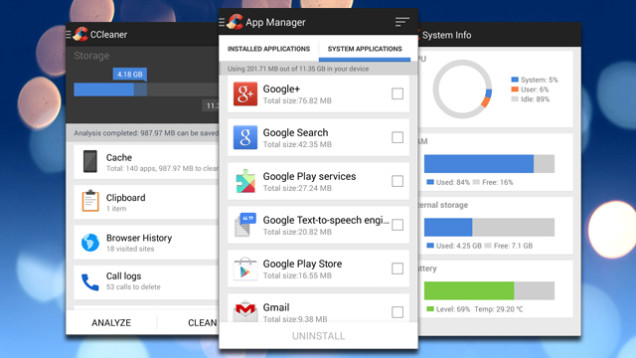
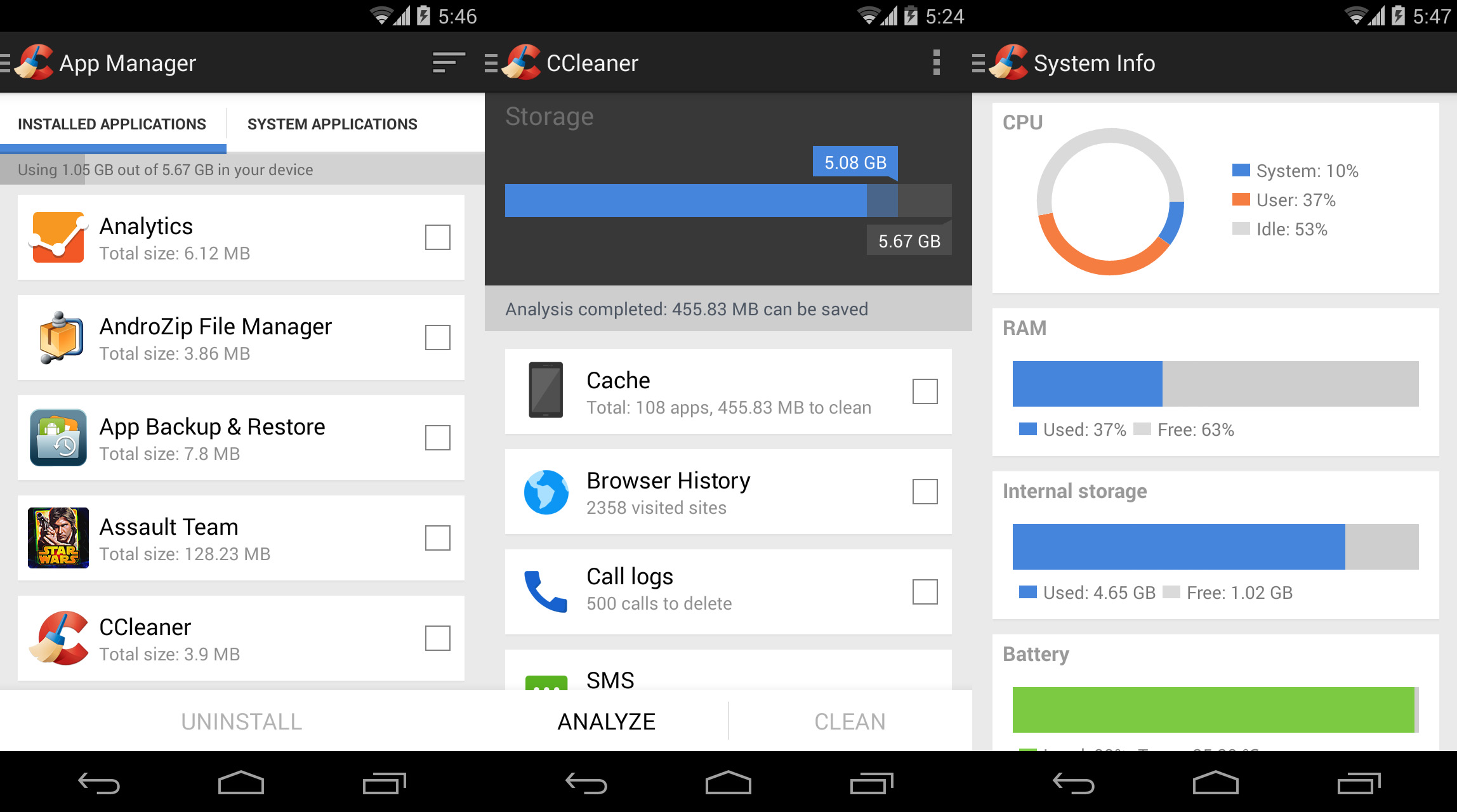
CCleaner for Android offers similar functionality. Available for free in the Google Play Store, CCleaner is a one-stop way to observe your device’s performance while also uninstalling apps and managing storage space.
Just like with System Monitor, you can view temperature information, battery life data, and RAM and CPU usage.
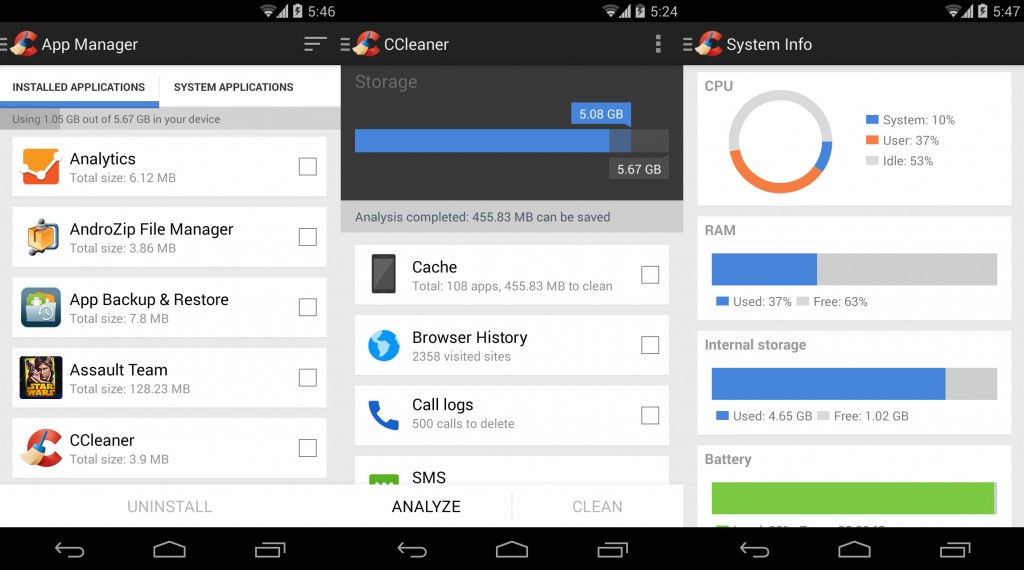
Android doesn’t accumulate
quite as many junk files as an average Windows computer. But you may still be able to clear up a few hundred megabytes of space by clearing application caches, download folders, browser history, clipboard content, and more.
Another helpful thing with CCleaner is the ability to delete call logs and SMS messages individually, by age, or by contact.
Anyways, if you want to optimize your Android device in just a few simple taps, CCleaner is a great place to start.
Download CCleaner for free here
3) CPU-Z
CPU-Z is another popular Windows software program that has made it way to Android. On PCs, CPU-Z reveals vital information about your CPU, core temperatures, fan speeds, and voltages.
On Android, you get similar information as well as some additional benefits. Check out this screen to see what kind of information you can get from CPU-Z:
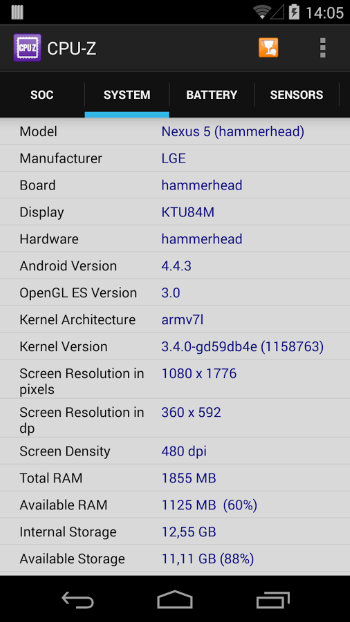
Normally, it’s not that easy to find out what kernel version you’re reading. With CPU-Z, it’s just a click away.
Download CPU-Z for free from the Google Play Store
2) TinyCore
TinyCore is unique on this list. Unlike the other apps listed here, TinyCore isn’t an app you use to periodically check your Android device’s vital statistics.
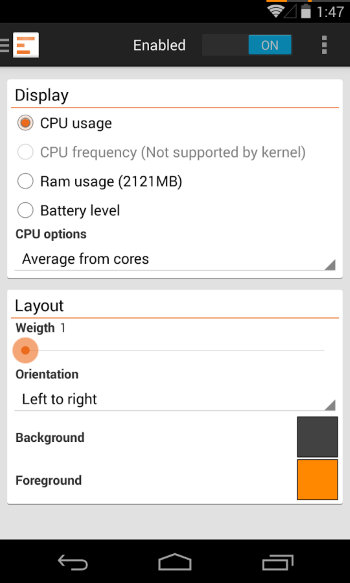
Instead, TinyCore is constantly running in the background of your device and monitoring your usage patterns. You can tell TinyCore is running because it adds tiny lines to your notification bar (right above the battery and Wi-Fi signal, they’re just a couple pixels thick).
You can change what those symbols mean. You can use them to display RAM usage, for example, or battery level. You can also change their color and their size.
I don’t know about you, but when I’m using my PC, I like having a system monitor app running on my desktop – just to see if a program randomly spikes its CPU or RAM usage. That’s exactly what TinyCore does for Android.
Download TinyCore for free from here
1) OS Monitor
OS Monitor does many of the same things as the other apps listed here: it looks at your RAM and CPU usage and tells you about current usage.
But OS Monitor does something particularly well: it provides in-depth details about network connections, including all of the devices currently linked to your Android device as well as the IP address of various Wi-Fi networks.
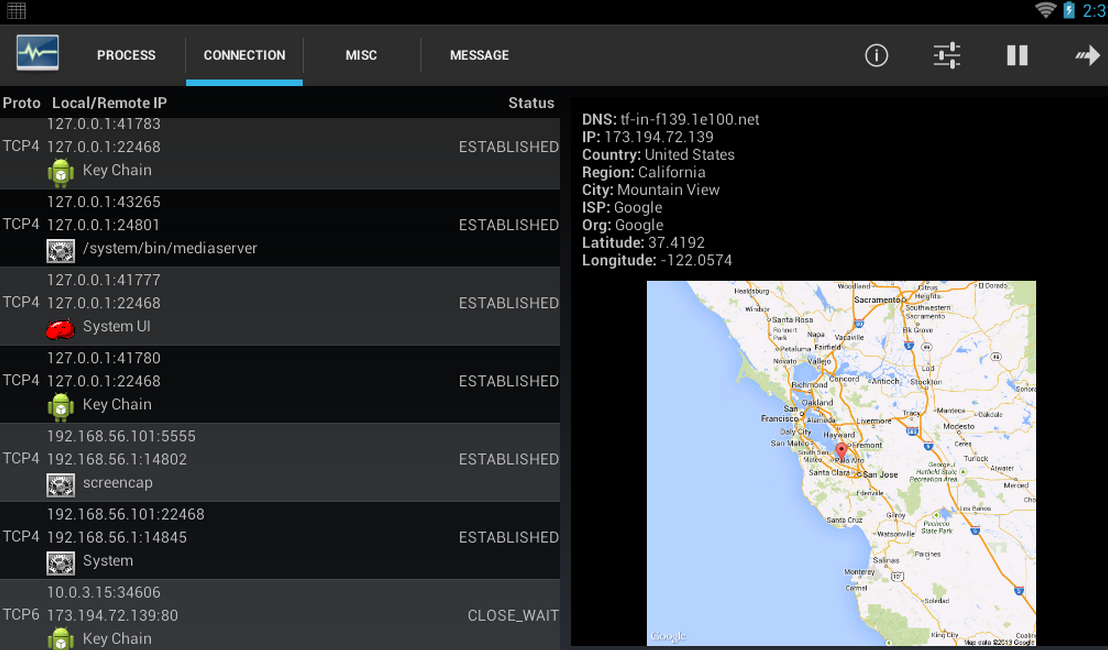
If you want to learn more about the wireless networks and devices you connect to, OS Monitor is an excellent choice.
The UI is black and grey, which isn’t really in line with Google’s current design specifications. But it’s still relatively easy to use.
Download OS Monitor for free from here


 Android doesn’t accumulate quite as many junk files as an average Windows computer. But you may still be able to clear up a few hundred megabytes of space by clearing application caches, download folders, browser history, clipboard content, and more.
Another helpful thing with CCleaner is the ability to delete call logs and SMS messages individually, by age, or by contact.
Anyways, if you want to optimize your Android device in just a few simple taps, CCleaner is a great place to start.
Download CCleaner for free here
Android doesn’t accumulate quite as many junk files as an average Windows computer. But you may still be able to clear up a few hundred megabytes of space by clearing application caches, download folders, browser history, clipboard content, and more.
Another helpful thing with CCleaner is the ability to delete call logs and SMS messages individually, by age, or by contact.
Anyways, if you want to optimize your Android device in just a few simple taps, CCleaner is a great place to start.
Download CCleaner for free here