


Toggle sidebar
Search...
Use your Android as a network keyboard with the Wi-Fi Keyboard app

Use your Android as a network keyboard with the Wi-Fi Keyboard app

1 min read
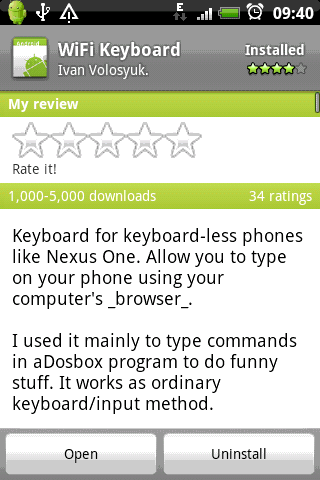
The Wi-Fi Keyboard app is one of those apps that makes you proud to have an Android device. Using the Wi-Fi keyboard app, anybody can use their computer’s keyboard to type on their Android device. Simply install the app, then open a web browser to instantly connect with an Android device on the network.

network keyboard with the Wi-Fi Keyboard app

Using the Wi-Fi Keyboard app, you can type out text messages in a fraction of the time it would normally take. If you type 100+ words per minute on a physical keyboard but can’t come close to that on a virtual keyboard, then this app will be a valuable addition to your phone. Whether you’re answering emails or posting on forums, Wi-Fi Keyboard introduces a whole new world of functionality for your tablet. The app is straightforward to set up and it can be used over a 3G or Wi-Fi connection. Although it doesn’t support Internet Explorer, it works fine with Firefox and Chrome (Chrome is preferred). To download Wi-Fi Keyboard from the Google Play store, click here.
One Click Root Author

One Click Root Author

Share this article:

One Click Root Author

One Click Root Author

Content Writer

Experienced writer covering technology and mobile development.

You Might Also Like

Comments

JD
John Doe 2 days ago

Great article! Very informative and well-written. Thanks for sharing.

JS
Jane Smith 5 days ago

I found the security section particularly helpful. Looking forward to more content like this!

Leave a Comment

Newsletter

Get the latest tech news delivered to your inbox weekly.