

 You can download the VLC beta from here. It’s currently available for devices based in the United States and Canada.
The beta version is missing some key features which will be added in later releases. Those features include:
-Hardware decoding, which currently only works with a limited set of hardware
-“Other unknown issues”
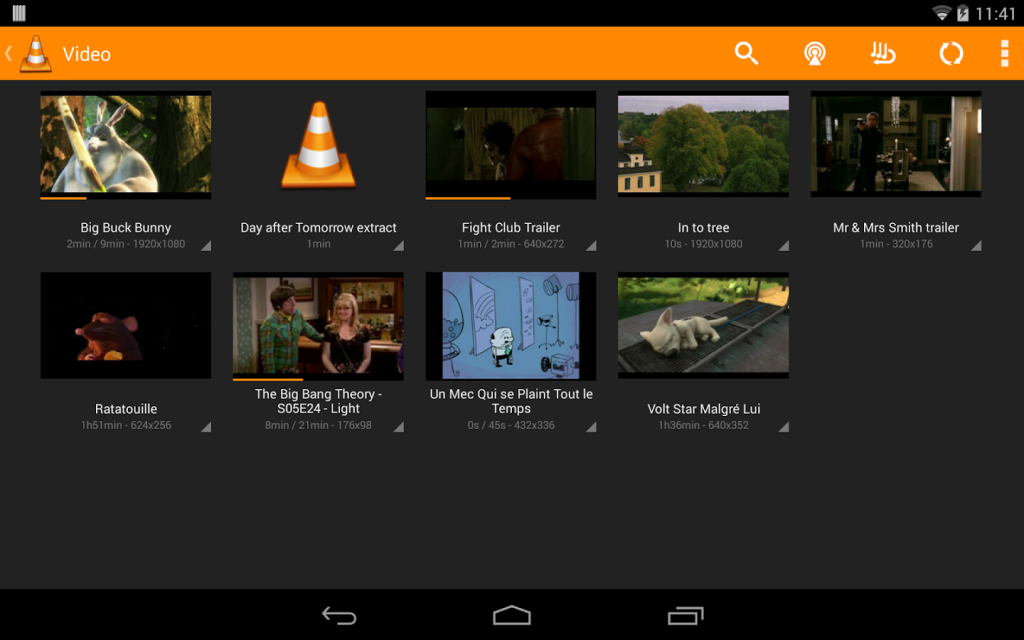
Right now, however, the video app can play a diverse range of video files, audio files, and network streams. Amazingly, you can also play DVD ISO files on your Android device. You can also use multi-track audio, access subtitles, and enjoy most of the same Android features you enjoy on PC.
Even if you don’t want to download VLC Media Player right now, you should absolutely check out the video on the Play Store page. It’s hilarious. You can also view the video below:
https://www.youtube.com/watch?v=J3Sl38pJxqU&feature=youtu.be
What on earth? Still, pretty hilarious.
You can download the VLC beta from here. It’s currently available for devices based in the United States and Canada.
The beta version is missing some key features which will be added in later releases. Those features include:
-Hardware decoding, which currently only works with a limited set of hardware
-“Other unknown issues”
Right now, however, the video app can play a diverse range of video files, audio files, and network streams. Amazingly, you can also play DVD ISO files on your Android device. You can also use multi-track audio, access subtitles, and enjoy most of the same Android features you enjoy on PC.
Even if you don’t want to download VLC Media Player right now, you should absolutely check out the video on the Play Store page. It’s hilarious. You can also view the video below:
https://www.youtube.com/watch?v=J3Sl38pJxqU&feature=youtu.be
What on earth? Still, pretty hilarious.
VLC Beta Released for Android
2 min read
VLC for Android is finally here! Sorta.
VLC for Android has released its first beta. Nearly two years after the VLC app was first announced, VLC is finally making its way onto the world’s most popular mobile operating system.
VLC, in case you didn’t already know, lets you play any video file or format without downloading expensive codecs or complex software programs. It’s lightweight, free, and extremely easy-to-use.
You can download the VLC beta from here. It’s currently available for devices based in the United States and Canada.
The beta version is missing some key features which will be added in later releases. Those features include:
-Hardware decoding, which currently only works with a limited set of hardware
-“Other unknown issues”
Right now, however, the video app can play a diverse range of video files, audio files, and network streams. Amazingly, you can also play DVD ISO files on your Android device. You can also use multi-track audio, access subtitles, and enjoy most of the same Android features you enjoy on PC.
Even if you don’t want to download VLC Media Player right now, you should absolutely check out the video on the Play Store page. It’s hilarious. You can also view the video below:
https://www.youtube.com/watch?v=J3Sl38pJxqU&feature=youtu.be
What on earth? Still, pretty hilarious.
You can download the VLC beta from here. It’s currently available for devices based in the United States and Canada.
The beta version is missing some key features which will be added in later releases. Those features include:
-Hardware decoding, which currently only works with a limited set of hardware
-“Other unknown issues”
Right now, however, the video app can play a diverse range of video files, audio files, and network streams. Amazingly, you can also play DVD ISO files on your Android device. You can also use multi-track audio, access subtitles, and enjoy most of the same Android features you enjoy on PC.
Even if you don’t want to download VLC Media Player right now, you should absolutely check out the video on the Play Store page. It’s hilarious. You can also view the video below:
https://www.youtube.com/watch?v=J3Sl38pJxqU&feature=youtu.be
What on earth? Still, pretty hilarious.
Newsletter
Get the latest tech news delivered to your inbox weekly.