I’m using a compact Galaxy Pocket. And quite frankly, I’m having trouble typing text on it, especially when I’m sending messages to friends, or making searches on the internet. Sure, a major hurdle that keeps me frustrated is the fact that my phone is small, but heck, that shouldn’t be grounds for me to use a keypad that fails my expectations.
The default keypad I have on my phone, regardless if I use its other options, tends to slow down its functions, from not popping out the right characters accurately to being unable to recognize the characters that I’ve drawn on the screen. So yes, I have thought of changing my keypad app for the better.
So what choices did I find given that I have a small phone? I searched for a number of keypad apps that may suit my needs, and here are the top choices that I’ve tried and tested.
Smart Keyboard
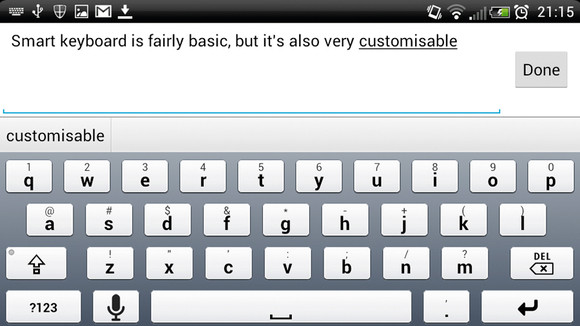
The top keypad app that I’ve found on the Google Play market is the Smart Keyboard. This no-nonsense app is simple and very user-friendly, and it adjusts accordingly to the size of the screen. I like because it offered a full QWERTY keypad that responds to my taps (I have stubby fingers) in a speedy and accurate manner.
What I like more about the Smart Keyboard is that it has options for specific Android models, so if you’re using an HTC or a Nexus, you won’t have much to worry about in terms of settings and usage.
SwiftKey
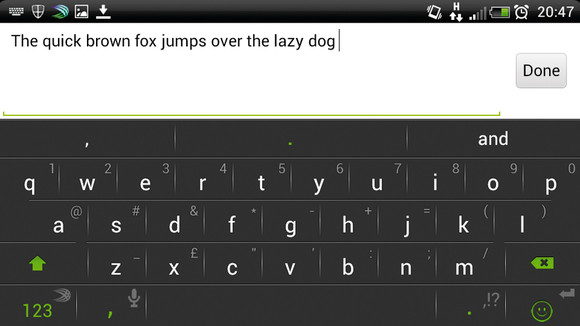
If you want a sleek and pretty keyboard app, then you may want to look at the SwiftKey. I used this keyboard app for a few days, and although it is impressive, I removed it from my phone because of certain complications.
First, I didn’t like the way it tries to act smarter than me; its dictionary tends to activate even if I already set it off. I couldn’t type in my text efficiently because it pops out words or phrases that it assumes I’m going to use, and disabling the option only requires me more time and effort.
Second, the keypad tends to strain my fingers because of the big character settings that I couldn’t adjust. So yes, it’s intended for a bigger smartphone or tablet, and I couldn’t use it as much as I liked its looks.
Adaptxt
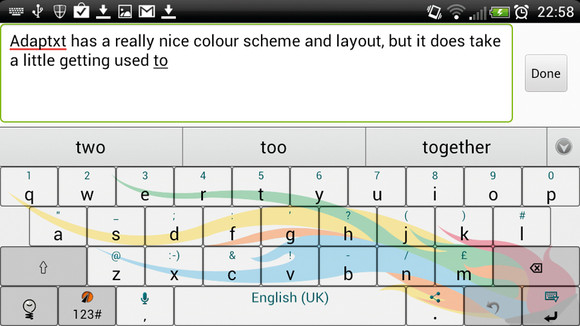
Adaptxt tends to be dramatic, innovative, and prone to new updates. The graphics are translucent in design, the keypad adjusts accordingly to the screen, and you have sufficient space to type in your text. The characters appear fast and swift, and it definitely lives up to your expectations.
Adaptxt also has a built in dictionary that you can edit, so if you’re the fast touch typist, you can enter certain words or phrases that you regularly use in order to speed up your message creation activities right on the dot.
If there’s one thing I don’t like about Adaptxt, it would be its tendency to slow down due to overuse. It eats up a lot of memory, so it may be better installed on more capable smartphones and tablets, such as the Galaxy S3 or HTC Desire.
Verdict
There are many other types of keyboard apps that I tested out, and while these three topped my list, I’d say that you still look for what suits your needs best. If you want the simple kind of keypad (like me), then go for the Smart Keyboard. If you’re a fan of fast-typing, the Adaptxt would be a good choice, as well as the SwiftKey (which has already won the hearts of a myriad of users).
Of course, if all else fails, it may be the time to root your Android.