

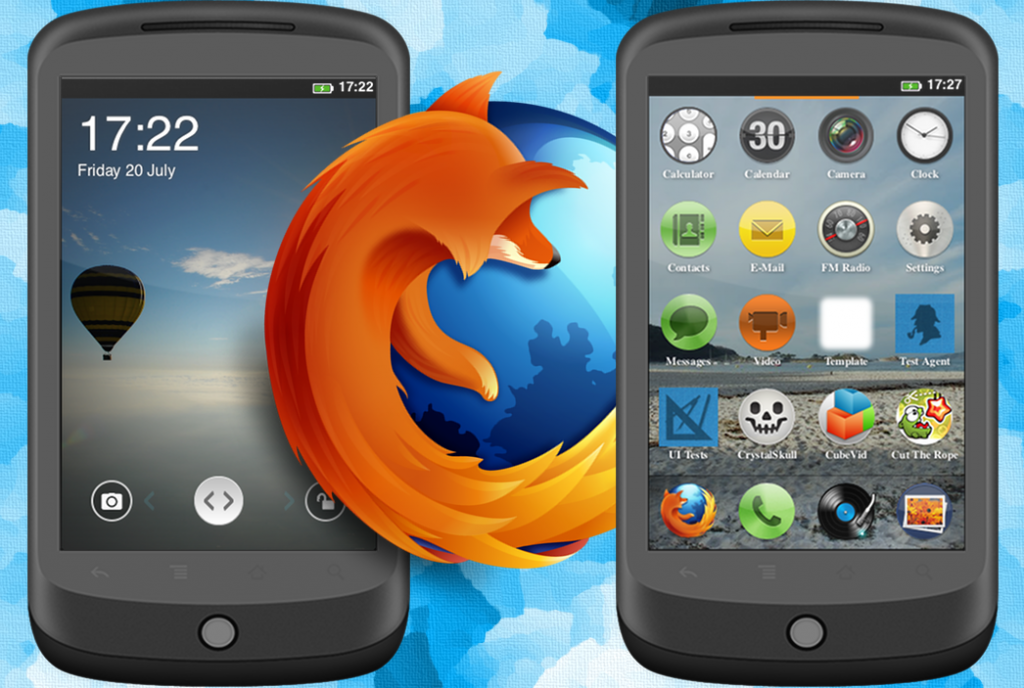
 Firefox OS is a broad attempt to unify apps and browsing – two things that Mozilla feels will be connected in the future.
Although there are only six apps for Firefox OS, Mozilla has now made them available for Android users.
Specifically, Firefox v29 for Android lets you download apps from the Firefox OS marketplace without additional configuration.
Here’s how to download Firefox apps:
Step 1) Download and install the latest version of the Firefox browser from the Google Play Store
Step 2) Browse to the Firefox OS marketplace from your Firefox browser
Step 3) Install the apps, which are packaged as an APK, with a single click
Step 4) Apps will appear in your app drawer like normal apps, even though they’re built quite a bit differently from other Android apps.
Instead of using Android, Firefox OS apps rely on HTML 5 and the Gecko engine. They’re web-based apps that cannot be rendered in Chrome. However, using the steps listed above, you won’t really notice much of a difference.
https://www.youtube.com/watch?v=9QSyGKjj1F0
Only a handful of apps have been converted to Android thus far, so don’t get your hopes up. However, if you’re the kind of person who likes having every single mobile app marketplace available, then you’ll be pleased to note that Firefox OS marketplace is now available.
Firefox OS is a broad attempt to unify apps and browsing – two things that Mozilla feels will be connected in the future.
Although there are only six apps for Firefox OS, Mozilla has now made them available for Android users.
Specifically, Firefox v29 for Android lets you download apps from the Firefox OS marketplace without additional configuration.
Here’s how to download Firefox apps:
Step 1) Download and install the latest version of the Firefox browser from the Google Play Store
Step 2) Browse to the Firefox OS marketplace from your Firefox browser
Step 3) Install the apps, which are packaged as an APK, with a single click
Step 4) Apps will appear in your app drawer like normal apps, even though they’re built quite a bit differently from other Android apps.
Instead of using Android, Firefox OS apps rely on HTML 5 and the Gecko engine. They’re web-based apps that cannot be rendered in Chrome. However, using the steps listed above, you won’t really notice much of a difference.
https://www.youtube.com/watch?v=9QSyGKjj1F0
Only a handful of apps have been converted to Android thus far, so don’t get your hopes up. However, if you’re the kind of person who likes having every single mobile app marketplace available, then you’ll be pleased to note that Firefox OS marketplace is now available.
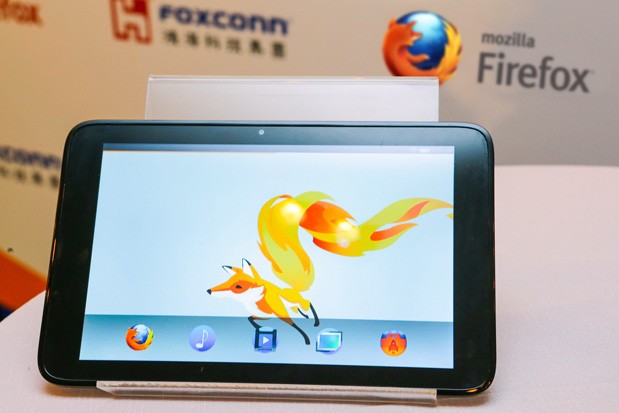
You Can Now Run Firefox OS Apps on Android
2 min read
Firefox is a web browser first and foremost.
However, Firefox also recently released an operating system called Firefox OS.
Firefox OS is based on a platform called Gecko – which is the same platform used by Firefox browsers on desktop and mobile devices.
Firefox OS is a broad attempt to unify apps and browsing – two things that Mozilla feels will be connected in the future.
Although there are only six apps for Firefox OS, Mozilla has now made them available for Android users.
Specifically, Firefox v29 for Android lets you download apps from the Firefox OS marketplace without additional configuration.
Here’s how to download Firefox apps:
Step 1) Download and install the latest version of the Firefox browser from the Google Play Store
Step 2) Browse to the Firefox OS marketplace from your Firefox browser
Step 3) Install the apps, which are packaged as an APK, with a single click
Step 4) Apps will appear in your app drawer like normal apps, even though they’re built quite a bit differently from other Android apps.
Instead of using Android, Firefox OS apps rely on HTML 5 and the Gecko engine. They’re web-based apps that cannot be rendered in Chrome. However, using the steps listed above, you won’t really notice much of a difference.
https://www.youtube.com/watch?v=9QSyGKjj1F0
Only a handful of apps have been converted to Android thus far, so don’t get your hopes up. However, if you’re the kind of person who likes having every single mobile app marketplace available, then you’ll be pleased to note that Firefox OS marketplace is now available.
Firefox OS is a broad attempt to unify apps and browsing – two things that Mozilla feels will be connected in the future.
Although there are only six apps for Firefox OS, Mozilla has now made them available for Android users.
Specifically, Firefox v29 for Android lets you download apps from the Firefox OS marketplace without additional configuration.
Here’s how to download Firefox apps:
Step 1) Download and install the latest version of the Firefox browser from the Google Play Store
Step 2) Browse to the Firefox OS marketplace from your Firefox browser
Step 3) Install the apps, which are packaged as an APK, with a single click
Step 4) Apps will appear in your app drawer like normal apps, even though they’re built quite a bit differently from other Android apps.
Instead of using Android, Firefox OS apps rely on HTML 5 and the Gecko engine. They’re web-based apps that cannot be rendered in Chrome. However, using the steps listed above, you won’t really notice much of a difference.
https://www.youtube.com/watch?v=9QSyGKjj1F0
Only a handful of apps have been converted to Android thus far, so don’t get your hopes up. However, if you’re the kind of person who likes having every single mobile app marketplace available, then you’ll be pleased to note that Firefox OS marketplace is now available.
Newsletter
Get the latest tech news delivered to your inbox weekly.