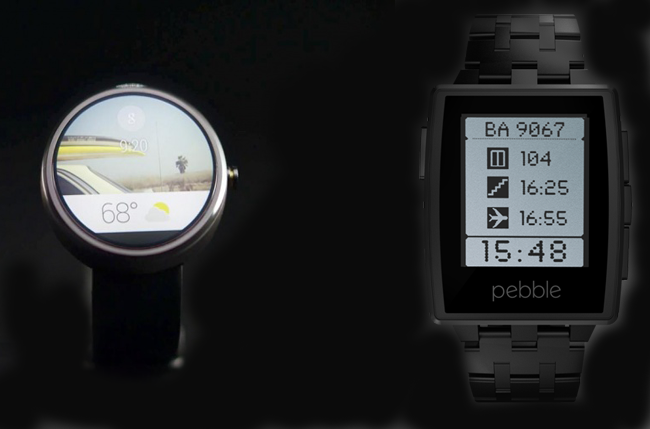
If you haven’t noticed, the news section for Android is flooded with excerpts discussing the upcoming Android wear. While enthusiasts anticipate on the features of Android wear, critics have already drawn a comparison report between Android wear and the existing smartwatch by Pebble. Reportedly Google has released the software development kit for Android wear, and we have already been discussing on the specifications. Hence the Android wear was
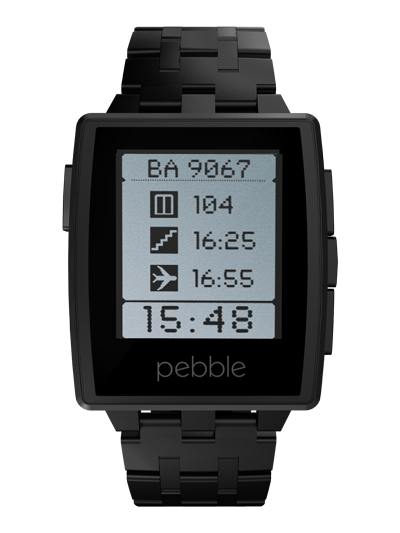
pitted against the Pebble steel smartwatch, which is already in the market and is considerably loaded with apps for iOS and Android.
What the Report Highlights
Both the watches have lifestyle apps and the actual functionalities couldn’t possibly be more different, but both the developers are taking the smartwatches to entirely new courses. As of now, the comparison sheet reveals the difference in shape and design of both the watches, and the lack of voice control in Pebble. Prices have not been announced for Android wear while the Pebble retails for $150 and $249.
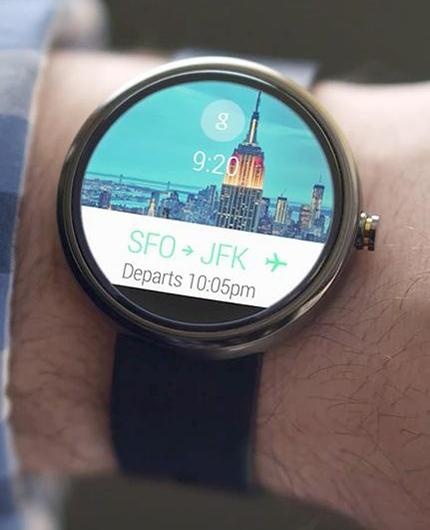
The software development kit has helped reviewers analyze the Android wear for more elaborate details. This wearable device offers a vertical stack of cards on display, which Google refers to as ‘Context Stream’, resembling the contextual user interface we talk about. These cards represent the functions that we want to view viz. weather, messages, emails, directions, time etc., in the same way as menu does on a smart device. The voice command control on the Android wear is a sophisticated advantage over the Pebble and we can effectively use this for accessing files, Google chromecast or play and navigate music on the phone.
The Pebble is unable to notify the user about an incoming message automatically, unless it is considered appropriate by the device. There are two Android wear watches in the news so far – LG G and Moto 360, and both uses a touch based UI to help the user navigate through cards for any information on the likes of weather, time, flight status etc.
Verdict
Pebble has been there for quite some time in the market but Android wear has not even debuted. Evidently, Pebble is a step behind of what Android wear is probably going to offer, technology wise; but it can still serve the parent device flawlessly. Another significant factor that keeps the momentum for Pebble is that it supports and connects to both iOS and Android devices while Android wear is obviously Android specific. This increases the flexibility for prospective smartwatch users. Pebble lacks the flashy colors in its apps but it provides satisfactory battery life, an important point that we are yet to find in the Android wear. In all probability, the Android wear will most likely have lesser battery life due its high resolution display; let’s wait & watch.
The Pebble can hold only up to eight apps but an upgrade isn’t far. From early speculations, it is said that Android Wear is will surely be pricier than Pebble. Now, since both devices rely on apps, their technological evolution will resemble each other a lot and only time will tell which is better.