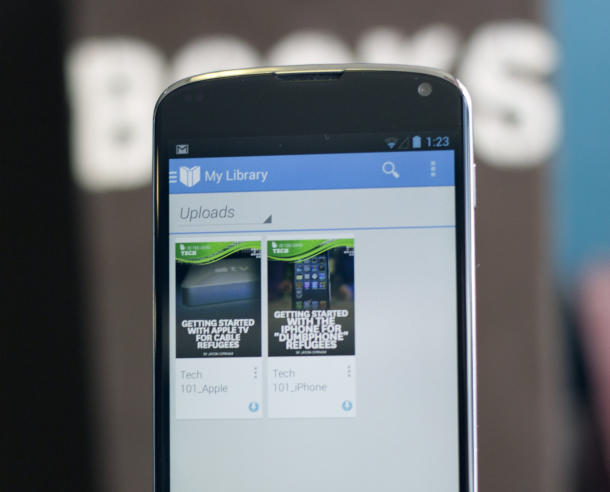
Towards the end of last year, Google Play was updated with a feature that allows users to upload PDF and EPUB files to their libraries from their devices. The upload process was via Gmail attachments or downloads and was accessible from any other device.
Though this feature lured the likes of enthusiasts, Google boldly withdrew the same stating that it was experimental and it isn’t supposed to be out in that form. Google also declared that they will restore the same feature in a refined form at some point of time in the future, sustaining the hopes of users.
Before the update
Those unaware may ponder as to what significance it holds to be able to upload PDF, but for someone with a knack for words like books and literature, it is highly valuable. Earlier, users utilized the regular web interface to upload books and made it available for other online device users. Unfortunately, it turns out to be cumbersome and inconvenient task to execute at times. For them, this was a radical update catering to their book needs.
The Good News & Return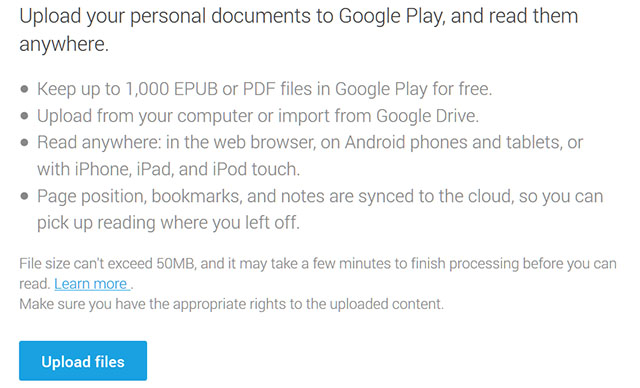
Today, it is pleasing to acknowledge that Google has kept its promise. They have successfully accomplished their experimental phase with this update. Now PDF uploads in Google Play Store are once again restored back to glory and a user can upload them on the go.
It is available in the latest upgrade of Google Play Books and to access it, one needs to enable the PDF support feature in settings menu. After that, touching a PDF file in email or downloads will ask the user if they want to upload it to their account. However, there is no such specific setting for EPUB. A few other fixes to the app include bug fixes, moving of Settings and Help to main menu and additional features such as preventing the screen from sleeping while reading a book aloud.
Benefits
It has helped book lovers in multiple ways:
- Accessibility has increased to a variety of books on different topics and by different authors.
- One can extend their search for books beyond the established e-stores now.
- Uploading and Downloading of catalogs and other such documents have become much easier now.
- Authors can make their books available for other Android devices in a hassle-free manner.
- A user can upload and store a PDF in their cloud and keep it accessible forever. It requires the user to upload their ebook on Google servers before downloading it again by using the app.
Apart from the above mentioned advantages, another apparent benefit is for students; they can use this app to read their subjects in PDF format.
This update can be availed by any Android user but invariably it is going to take some more time. It is a sophisticated and smart feature usable across different platforms - It is available in iPad and iPhone apps, Google Play Book app in Android and the Google Play website.