A new Android malware threat is making its way around the internet today. That Android malware may have the ability to bypass Google Play Store malware scanners and also hide itself in online images.
The new malware technique was demonstrated by a mobile security researcher named Axelle Apvrille, who works for Fortinet, along with reverse engineer Ange Albertini. Both researchers presented their report at Black Hat Europe in Amsterdam on Thursday, where they displayed a proof-of-concept and explained why such an attack was possible.
Here’s what you need to know about this new image-based malware:
-
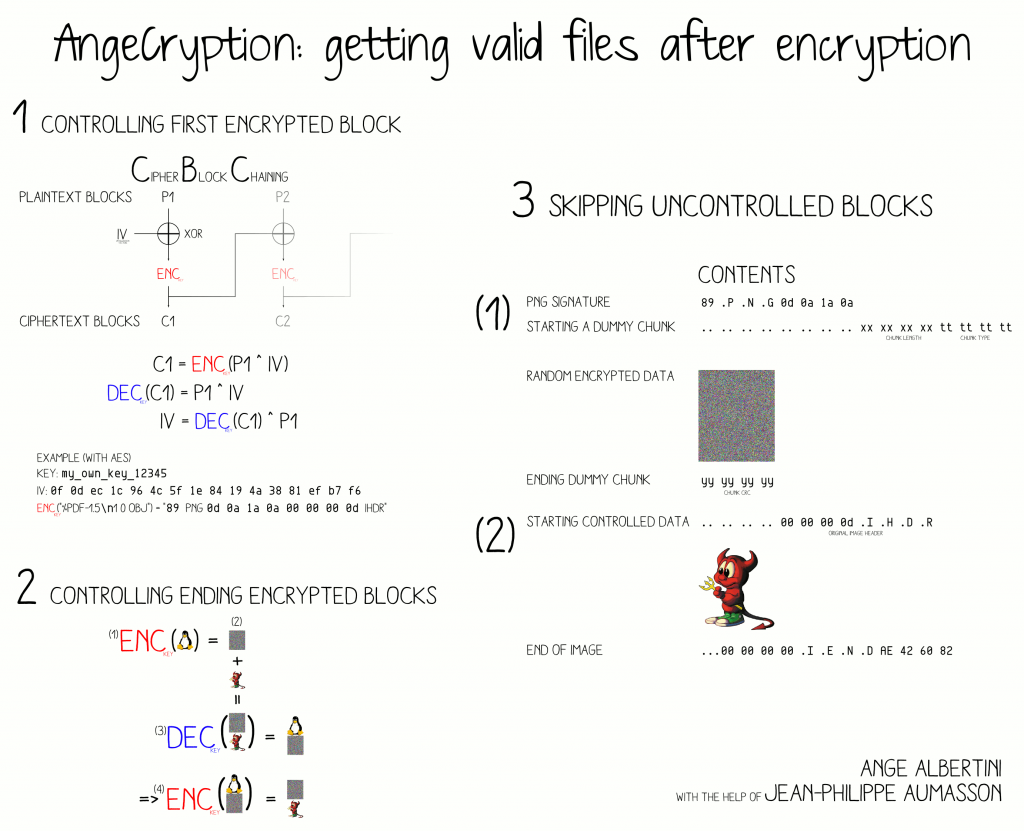
It’s based on “a technique devised by Albertini dubbed AngeCryption that allows controlling both the input and the output of a file encryption operation using the Advanced Encryption Standard (AES) by taking advantage of the properties of some file formats that allow files to remain valid despite having junk data appended to them.”
-You can actually download AngeCryption from Google Code as a Python script
-After demonstrating its ability, Albertini and Apvrille applied AngeCryption to Android application package files, better known as APKs. This is where they got some shocking results.
-In the test, the pair used a PNG image of Star Wars character Anakin Skywalker to hide an APK file, which then automatically installed itself on the user’s device.
-The test also showed Android popping up a security message asking for permission to install the APK. However, this permission request can be disabled using DexClassLoader.
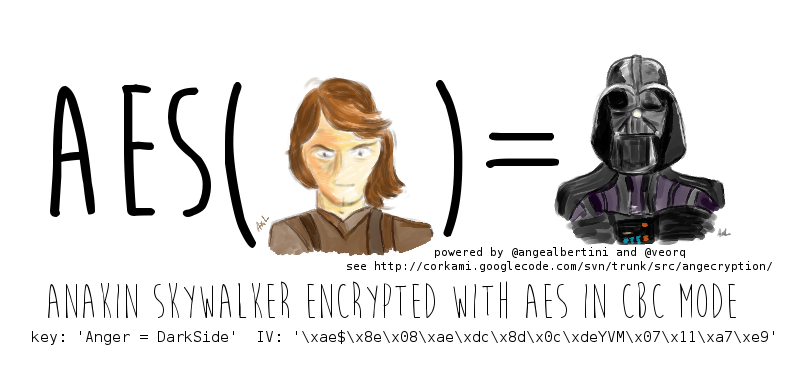
-After the APK file was installed, the image was replaced with a picture of Darth Vader. In the real world, a malware author probably isn’t going to use this flaw for such an innocent task.
Ultimately, this exploit works on Android 4.4.2. Google has been notified of the exploit and is currently developing a fix. But in the meantime, be careful clicking on random images online. You never know when a malware author is going to try to sneak an APK file into an image.



 Here’s what you need to know about this new image-based malware:
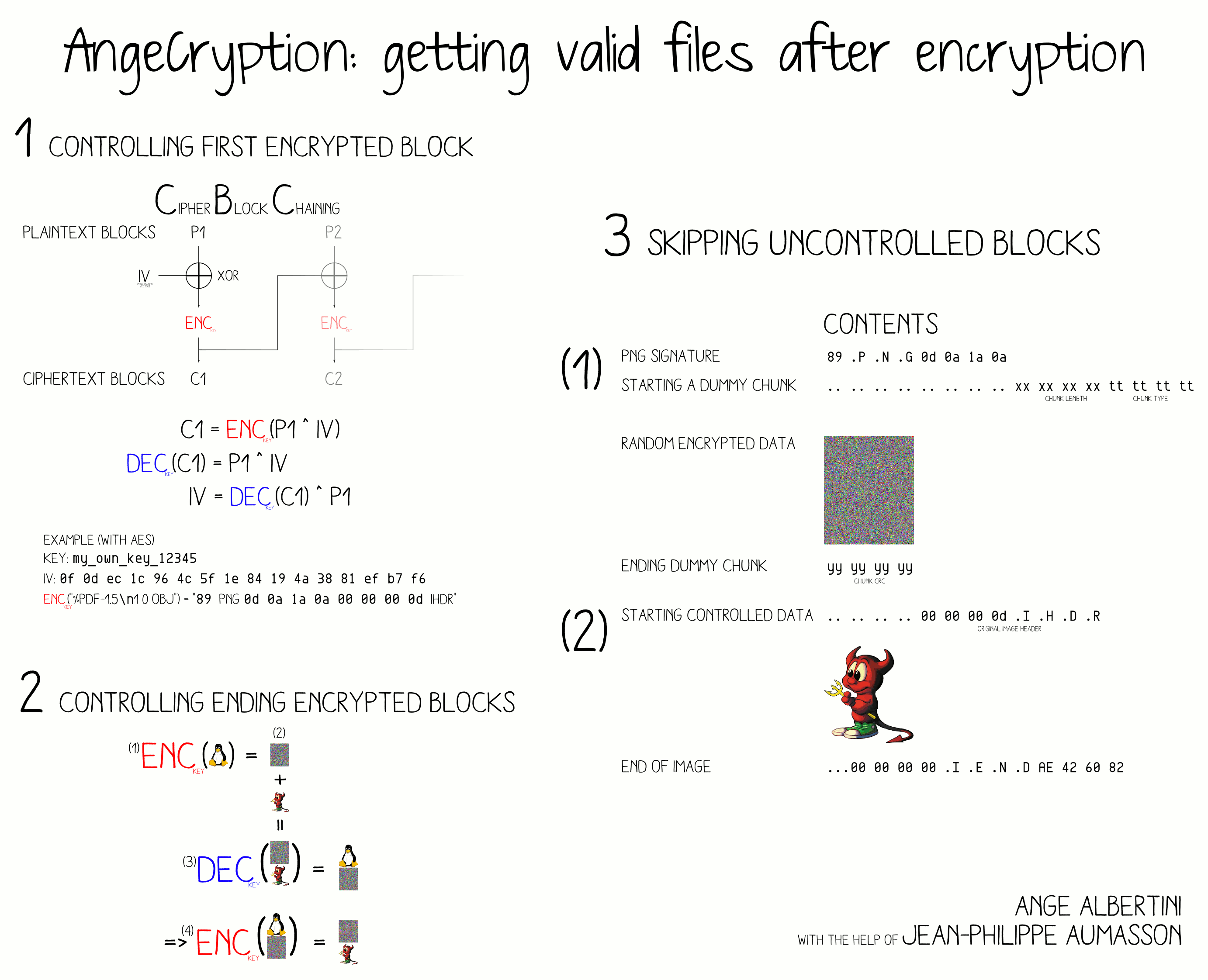
-It’s based on “a technique devised by Albertini dubbed AngeCryption that allows controlling both the input and the output of a file encryption operation using the Advanced Encryption Standard (AES) by taking advantage of the properties of some file formats that allow files to remain valid despite having junk data appended to them.”
-You can actually download AngeCryption from Google Code as a Python script
-After demonstrating its ability, Albertini and Apvrille applied AngeCryption to Android application package files, better known as APKs. This is where they got some shocking results.
-In the test, the pair used a PNG image of Star Wars character Anakin Skywalker to hide an APK file, which then automatically installed itself on the user’s device.
-The test also showed Android popping up a security message asking for permission to install the APK. However, this permission request can be disabled using DexClassLoader.
Here’s what you need to know about this new image-based malware:
-It’s based on “a technique devised by Albertini dubbed AngeCryption that allows controlling both the input and the output of a file encryption operation using the Advanced Encryption Standard (AES) by taking advantage of the properties of some file formats that allow files to remain valid despite having junk data appended to them.”
-You can actually download AngeCryption from Google Code as a Python script
-After demonstrating its ability, Albertini and Apvrille applied AngeCryption to Android application package files, better known as APKs. This is where they got some shocking results.
-In the test, the pair used a PNG image of Star Wars character Anakin Skywalker to hide an APK file, which then automatically installed itself on the user’s device.
-The test also showed Android popping up a security message asking for permission to install the APK. However, this permission request can be disabled using DexClassLoader.