If you’ve been reading the One Click Root blog lately, then you’ve probably stumbled across the
occasional Android antivirus article. Yes, that’s right:
Androids are not immune from computer viruses, and they never have been.
But the rate at which the Android virus marketplace is expanding is alarming, to say the least. Every day, thousands of new Android viruses are created. Some are spread through the Google Play Store, while others are spread simply when users visit a particular webpage.
In any case, you, the humble Android user, need to start taking protective measures for your device. Otherwise, you’re going to be left with a very expensive brick of a phone.
Without further ado, here are the top 4 easiest ways to keep your Android malware-free:
4) Download apps from the Google Play Store and other trustworthy sources

There is one major difference between the Google Play Store and the Apple App Store: Apple pre-screens every app that enters the store while Google does not. This means apps on the Google Play Store are less secure than apps on the Apple App Store.
But in spite of that fact, the Play store remains the safest way to download Android apps. Just make sure you download apps with lots of reviews, ratings, and previous downloads. Try to avoid randomly downloading apps that promise something that’s too good to be true – especially if they don’t have many reviews or downloads.
Don’t download from unofficial Android app stores – especially stores that claim to offer “free premium” games. These games don’t usually exist, and you’re just going to end up downloading a virus from these stores.
3) Check your SuperUser privileges
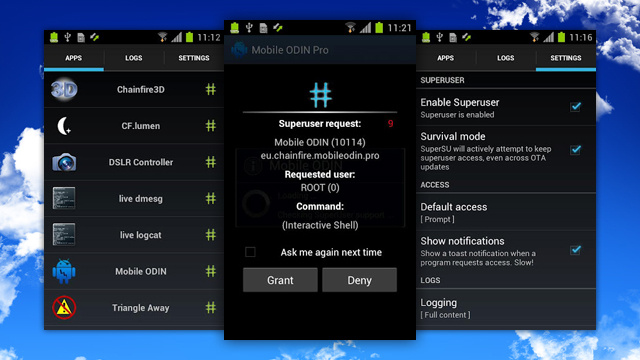
Today, many Android users choose to
root their device in order to unlock a wide range of benefits. But along with these benefits come one drawback: you might accidentally grant a virus superuser privileges.
Now, before you start freaking out, there are easy ways to fix this problem and prevent it from happening in the future. First, you only have to worry about superuser privileges if you’re on a rooted device and if you’ve installed SuperSU or Superuser (most root users install these apps, since they’re the best way to get the most out of your rooted device).
Open SuperSU or Superuser to view a list of programs which currently have superuser access. Only grant that level of access to programs from organizations that you know and trust – like your antivirus app, for example. If you see any apps that shouldn’t be there, remove them immediately and scan your phone.
Malware apps with superuser access are very dangerous. Check your superuser privileges right now to ensure nothing slipped through the cracks and installed itself.
2) Avoid caching passwords
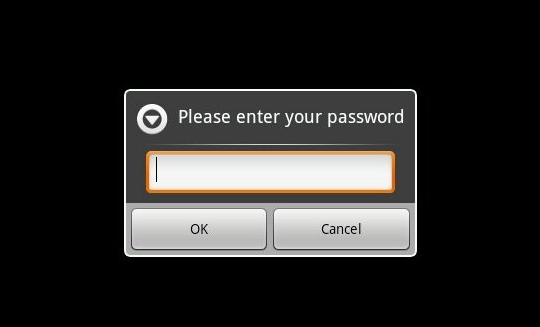
Out of all the tips on this list, this is probably the most annoying one to implement. But it’s a fairly important step to take if you care about Android security. Sure, caching passwords is handy. But if someone steals your phone, think of how much stuff they would have access to: Facebook, Twitter, your bank account? These are things you don’t want falling into another person’s hands.
If you’d rather not face the inconvenience of typing in your passwords all the time, consider setting up a secure lock screen to keep intruders out. Some antivirus apps also come with theft prevention features that will track and lock your device in the event it is stolen.
1) Install an antivirus program

This has to be the easiest way to protect your Android from malware – simply install an Android antivirus app. There are
plenty of good antivirus apps out there, and many of them are free for the basic version.
Keep in mind that antivirus software works significantly better when you have root access. That way, the antivirus app can look deep within your Android to root out viruses no matter where they’re hiding.
If you can implement all four of the above tips, your Android will be incredibly secure. You will be protecting it from viruses as well as theft. And even if you just implement one or two tips, you’re still improving Android security by leaps and bounds.