

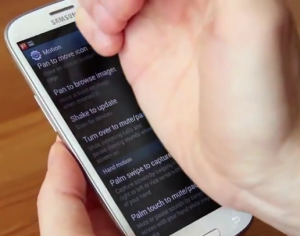

How to take a screenshot on the Samsung Galaxy S III
2 min read
You might think you need to root your Android phone in order to take a screenshot, but this isn’t always the case. New Android phones like the Samsung Galaxy S III have the screenshot feature built-in. There are no additional apps or complicated software required. In fact, all you need is a smartphone or tablet capable of running Android 4.0 Ice Cream Sandwich.
The screenshot feature is useful for a bunch of different reasons. You can be one of ‘those people’ who uploads screenshots of funny text conversations to Facebook. Or you can simply show off your Android phone’s flashy desktop apps to jealous iPhone users.
In any case, here’s how to take a screenshot in Android 4.0 Ice Cream Sandwich. For this example, we’ll use the Samsung Galaxy S III, although the same button combinations should work on most smartphones and tablets.
Method 1: Easy method (works on most Android 4.0 devices)
-Just press the Power button (the button on the right hand side of the phone) and the Home button (the button at the very bottom of the phone) at the same time. If you’re having trouble, hold down the home button first then tap the power button, but it really doesn’t get much easier than this method.
Newsletter
Get the latest tech news delivered to your inbox weekly.