LED Versus LCD Smartphone Screens – Which One Is Best for You?
3 min read
The latest news this week is that the Samsung Galaxy Note 3 will sport an LCD screen model alongside its OLED version. Up to this point, all other Galaxy smartphones have featured an LED screen – an AMOLED screen to be specific.
So why the sudden change for Samsung? And why does an LCD screen make a difference? There’s never a better time to learn the difference between LCD and LED smartphone screens:
What’s the difference?
Before we get to the specific pros and cons of LCD and LED smartphone screens, I’m going to give you a brief lesson on the technology behind each of these screens.
How they work
-LCD (Liquid Crystal Display) is the fundamental technology used by most computer monitors, laptops, and smartphones today. You’re probably reading this article over an LCD screen right now. LCD screens consist of a panel of liquid crystal molecules. Electrical current is channeled through these monitors in order to create certain patterns. These patterns can either block light or allow it through, and that’s what creates the colors and details on your screen. In addition to blocking/not blocking light, LCD screens also control the intensity of light that passes through each sub-pixel. The crystals themselves create no light of their own, which means almost all LCD screens have a backlight which shines behind the display.
-LED (Light Emitting Diode) technology on the other hand, operates in a fundamentally similar way to LCD screens. However, the Light Emitting Diodes – you guessed it! – give off light of their own, which eliminates the need for backlighting and allows diodes to be turned off when no light is needed. LED technology is used in computer monitors and TVs, but most modern smartphones use AMOLED technology, which stands for Active Matrix Organic Light emitting Diode, a special type of screen that can be made to be extremely thin because of a tiny layer of organic polymers.
A high-quality LCD screen is on the left, and an average quality LED screen is on the right (old Samsung Wave 2 smartphones)
LED Pros and Cons
Pros:
-LED requires far less energy than LCD
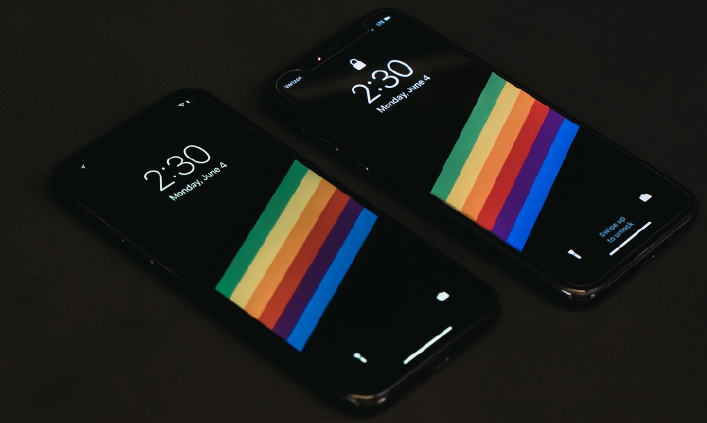
-Individual diodes can be turned off when not in use, which is why you can save a lot of smartphone battery life by switching to a dark or black wallpaper
-Much better control of light, which can make a noticeable difference when displaying darker images or video
-Pure black color is possible on LED because pixels can be turned off
-Lightweight and thin
Cons:
-LED tends to be more expensive
-Equally as breakable as an LCD screen
LCD Pros and Cons
The LCD screen is in the middle, with two AMOLED screens on either sidePros:
-Cheaper
-Better display in direct sunlight
-Easy to find used smartphones, computer displays, and tablets that use LCD screens
Cons:
-Bulkier
-Heavier
-Less energy efficient (shorter battery life for your phone)
Why is Samsung using an LCD screen in some Note 3 models?
As mentioned above, Samsung has apparently decided to offer AMOLED and LCD versions of the Note 3. But as you also learned above, LCD isn’t superior to LED in very many ways. So why is Samsung making this strange move for a product that will be one of the world’s best and most powerful smartphones?
If you believe some reports, Samsung is installing an LCD screen because there is an upcoming shortage of AMOLED displays. Approximately 10% of Note 3 phones will use an LCD display produced by Sharp.
Samsung is set to reveal the Note 3 during the IFA 2013 exhibition in September.
Get the latest tech news delivered to your inbox weekly.
Cookie Preferences
We use cookies to enhance your browsing experience, serve personalized content, and analyze our traffic. You can choose which types of cookies to allow. See our Cookie Policy for more information.
Essential Cookies
They are necessary for the operation of our website services and to secure area access.
Always Active
Performance and Functionality Cookies
They enhance website performance. Some features may not be available without them.
Analytics and Customization Cookies
They collect aggregated data to understand usage and customize the website.
Advertising Cookies
They enhance the relevance of ads, prevent repetition, and ensure proper display.
Social Networking Cookies
They enable content sharing and may support advertising.


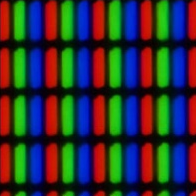 -LCD (Liquid Crystal Display) is the fundamental technology used by most computer monitors, laptops, and smartphones today. You’re probably reading this article over an LCD screen right now. LCD screens consist of a panel of liquid crystal molecules. Electrical current is channeled through these monitors in order to create certain patterns. These patterns can either block light or allow it through, and that’s what creates the colors and details on your screen. In addition to blocking/not blocking light, LCD screens also control the intensity of light that passes through each sub-pixel. The crystals themselves create no light of their own, which means almost all LCD screens have a backlight which shines behind the display.
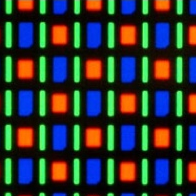 -LED (Light Emitting Diode) technology on the other hand, operates in a fundamentally similar way to LCD screens. However, the Light Emitting Diodes – you guessed it! – give off light of their own, which eliminates the need for backlighting and allows diodes to be turned off when no light is needed. LED technology is used in computer monitors and TVs, but most modern smartphones use AMOLED technology, which stands for Active Matrix Organic Light emitting Diode, a special type of screen that can be made to be extremely thin because of a tiny layer of organic polymers.
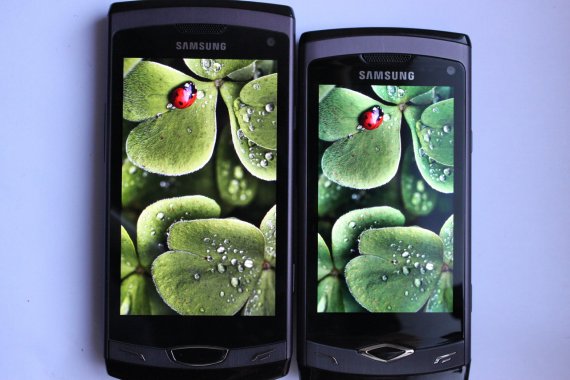 A high-quality LCD screen is on the left, and an average quality LED screen is on the right (old Samsung Wave 2 smartphones)
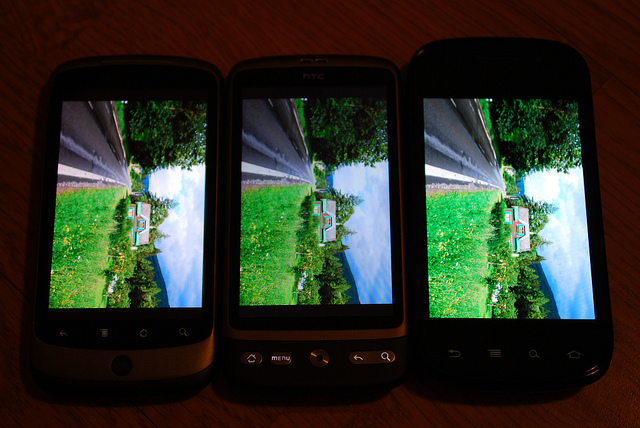 The LCD screen is in the middle, with two AMOLED screens on either side