Have you been wondering what the Airplane Mode is for? All the tech gadgets such as the smartphones, cell phones, tablets, and other devices are equipped with Airplane Mode or also known as the Flight Mode, Standalone Mode, or the Offline Mode. It is basically developed to turn off or disable the connectivity such as WiFi, Bluetooth, Cellular and Data, GPS, and Location-based services in order to avoid the interference with the radio signals and to prevent interference with the plane's onboard communications during the flight regardless of whatever device you're using-iPhone, Android phones, iPad, Windows tablet, and whatsoever. The Airplane Mode disables the same functions.
Some airline are starting to adapt and implement in-flight WiFi but transmission functions have not, until recently, been allowed during air travel. There are controversies as to whether the explanation on barring the wireless connectivity is valid. The cellular networks has nothing to do with the devices connecting from flight heights and moving at flight speeds.
Airplane mode still allows travelers to continue the usage of their devices unless airline rules require that the devices must be turned off altogether. In airplane mode, only functions that require a transmission signal are disabled, but still the user can still access the device’s camera, games, MP3 player and others.
How to turn on the Airplane Mode?
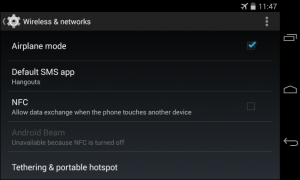
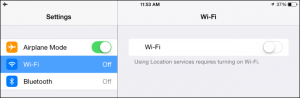
This step is applicable to both iPhone and Android devices. There's nothing complicated about this procedure, all you have to do is look for the airplane icon and tap it. You must be seeing an airplane icon in your notification bar at the top of your screen when you have Airplane Mode switched on. Usually, you’ll be prompted to turn it back on after boarding a flight, directly before your plane takes off.
It always disconnects your cellular voice and data connection if you turn on Airplane Mode on an iPhone, iPad, iPod touch, or Apple Watch, it will also disable Wi-Fi and Bluetooth.However, with Airplane Mode turned on, you’ll still be able to use games, take photos with your camera, and some other apps. Even you can still play both videos and music locally stored on your device.
Other uses of Airplane Mode:
Aside from preventing the device to interfere with the radio signals during a flight, Airplane mode is also a useful setting- it saves battery power. Airplane mode is useful even when you’re on the ground, offering an excellent way to save
battery power on your device. The radios on a device use a large amount of power, communicating with cell towers, scanning for and connecting to nearby Wi-Fi networks, waiting for incoming Bluetooth connections, and occasionally checking your location via GPS.
Why is Airplane Mode necessary?
Once Airplane Mode is enabled, you wouldn’t normally be able to connect to cell towers on the ground, but those airplanes that allowed cellular radios would be equipped with “picocells.” Picocells are basically small cellular base stations to which phones in the plane would connect just like they would any other cell tower. It would then beams their signal to a communications satellite, which also beams the signal back to a base station on the ground where it can connect to Earth’s cellular networks.
Simply because the transmitter on the plane is so close to the phones on the plane, the devices can communicate at their lowest transmitting power level and the phones on the plane won’t boost their signal and attempt to contact cell towers on the ground, so this “eliminates the potential for interference,” explanation according to FCC chairman Tom Wheeler.
However,even if cellular signals were allowed on airplanes, and even if every airplane on Earth were equipped with a picocell, airplane mode would still be a necessary precaution. Airplanes that allow WI-Fi can do so only above 10,000 feet, and the US FCC’s proposed regulations would only allow cellular signals above 10,000 feet, as well. So Airplane mode would still be necessary during takeoff and landing—or just when and if you wanted to get some shut-eye and save your phone’s precious battery life or when you are intentionally avoiding such communication.