Painting is a creative art that has fascinated both artistically inclined and non-artistic people at some point in their life. One of the first things many of us did when we started exploring how to use computers was fiddling around with the MS Paint application. It has been a computer application we have all used right since we were young and still do to some extent. Unfortunately, it does not give you the free-flowing vibe of painting and can often feel like a very two-dimensional and robotic way of painting. Luckily, the Sketchbook app for Android devices seeks to overcome this limitation by giving you a platform with a superb interface that is ideal for creating and customizing your artwork in the smoothest way possible. In addition, a large number of apps have been designed on the same lines to add to the competition in the market, but only a few can come close to the likes of Autodesk’s
Sketchbook.
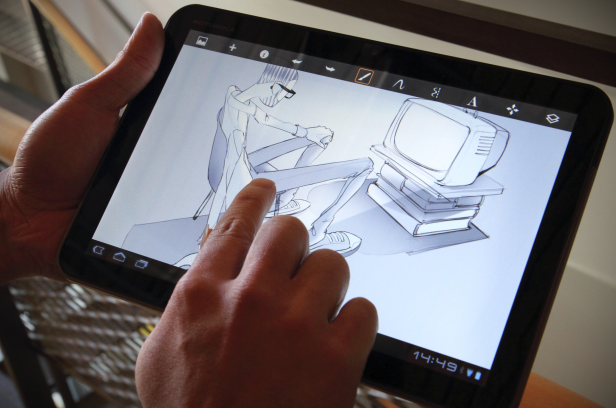
Sketchbook is an all intuitive drawing app designed especially for Android devices. It works best on phones that have screens less than 7”. Sketchbook is extremely streamlined and brings an array of sketching tools to your screen.
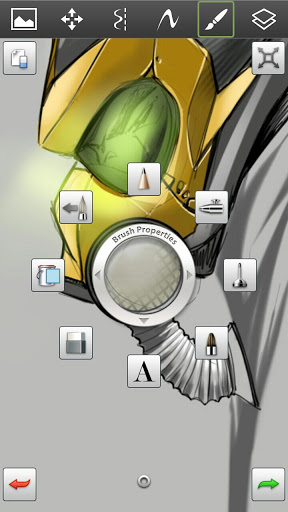
The opening screen on the app presents a circle of brush properties. These include brushes in the styles of:
- Pen
- pencil
- Airbrush
- Paint brush
The app is at the highest levels of being intuitive and gives you the best picture. For instance, when you draw a circle it may not be perfect. Simply click on the circle at the top of the screen and you have a perfect circle.
The same feature can be extended to drawing straight lines and other shapes.
Sketchbook has a symmetry tool that draws an imaginary line in the centre of your screen. All you need to do is draw shapes on one side and the same gets simulated on the other side. You don’t need to be an artist as the intelligent user interface understands the movement in your hands and gives out a very clear picture.
You can use this to create your favorite comic book characters like Thor, Iron man, Batman etc. or draw other cool symmetrical features as such alongside.
You can add text on to the drawn picture and can rotate the text in multiple directions, play with the size all with just your fingers without having to click on extra drop downs and waste time.
Sketchbook offers a full multi touch experience that enhances the user experience and makes drawing easier and better. It also offers zoom of up to 2000%.
You can draw over already used colors to add detailing to your drawing and add those edges of extra shading on the corners to add effect.
And to redo and undo any actions there are green and red arrows on either sides of the screen.
The colour feature offers a range of colours form the spectrum which you can use to colour and draw as well. You can use the ‘bucket’ tool to add colour on different parts and the quantum of colour as well to enhance the throw of light effect.
The great thing about the Sketchbook Android app is that it makes all the creations look realistic, especially effects like the pencil drawing which has different thickness options to further detail the drawing.
Use the ‘spray’ tool to blend images with other similar coloured images. These look like the colour has been very artistically shaded.
You can correct and straighten lines of the image by setting multiple parameters in the settings to give sharper images.
A very important feature is that of adding layers. To avoid drawing over the same thing, you can create multiple layers and treat each one of them separately and join them at the end. You can also work on them simultaneously to see how they look when out together.
So there you go. Sketchbook gives you the ability to create realistic images with just a few simple tools. With a 4.5 star average rating, Sketchbook is an Android app that features in the top developer list. This is one of those apps that every Android lover and art enthusiast must have. So now you know what to do once you’re done reading this. Google Play Store is just a few clicks away. Happy shopping!