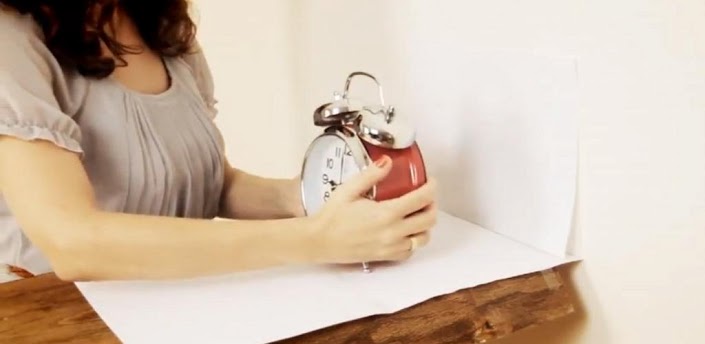
Here’s an app that helps you take your business a step further through the online space. The online selling industry has grown far and wide and with e-commerce flourishing at a great pace, it becomes imperative to keep up with the moving times and marketing trends. Along with the knack to sell a product online, you also need to know how to make the customer’s experience on your site a pleasant and engaging one and get them to come back for future purchases.
There are developers and programmers to ensure your site is well-structured and laid out properly and then there are web designers who add further creative touches that make the visual ambience of your website look more embellished and artistic. In the world of business, talk is cheap and people will only shell out their precious dollars if you can market your product with complete clarity.
But what if you could do both? Well, this is where the innovative
RotaryView 360 app steps in for the benefit of your consumers so that they can have a better idea of your product and website and make them believe in it. Using this app, you will be able to do all this by yourself with zero hassles or need for external support.
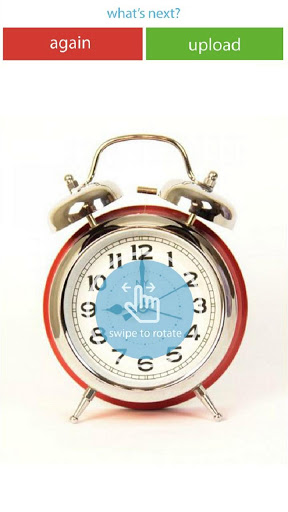
The RotaryView 360 app helps you create an all interactive image of your product using all but a cup, your smartphone and of course your product. Here’s an easy step by step way of how:
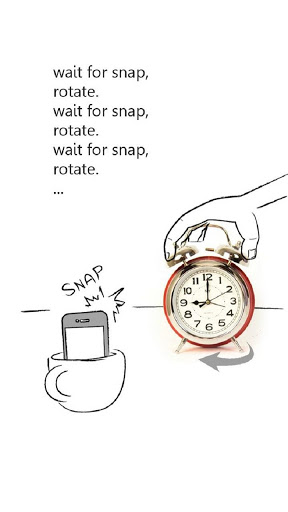
- Make sure you have a white background.
- Place your phone in a cup with the camera facing the white background
- Place your product on in front of the white background.
- Start with a tap.
- With each click your phone gives a beep sound and that is the indication for you to rotate your product slightly.
- It is advised that you give at least 8 rotations so that it gives different angles to your product.
You get the best results when the surface below is still and non-shaky.
Also ensure there is good lighting around you.
On completing the entire circle, tap the “Done” option.
You can go to www.rotaryview.com and login with your user name and password or create a new account to upload your Rotary View image.
On creating the account, make sure you have an album of all your products
You can then directly upload images to your online RotaryView 360 album.
You will be able to see all of your Rotary View images and customize them too.
These Rotary View images can then be uploaded to your web site with a simple embed code directly through the app site.
The process is simple and enables you to get some amazing business benefits such as:
- Growth in overall online sales.
- Reduction in return rates as all physical aspects of the product are made visible.
- Show items from all sides.
- Allow shoppers to interact with the image
- Look better than your competitors.
This app was only recently introduced to the world of Android and has made its debut on iOS a while back. RotaryView 360 is about 4.1 MB in size and is available for free on the Google Play Store. It has an average rating of 4.8 stars by a limited number of viewers that is set to steadily grow in the upcoming months. So get started with this effective new Android app to polish up your product depictions in your online business endeavors as soon as possible.